
How to Add HTML to Jimdo Creator Sites
If your site runs on Jimdo Creator, you can add HTML to Jimdo pages yourself, with no developer and no template files. Below you will find the element to use, the spot that makes a widget repeat across the site, and a short checklist for when nothing shows up.
Jimdo Creator or Jimdo Website Builder?
Jimdo runs two separate editors, and only one of them accepts outside code. A quick way to tell them apart: in Creator you build pages element by element with an Add Element button, while the newer Jimdo Website Builder (once called Dolphin) generates a site from a few questions and is edited in ready-made blocks.
- Jimdo Creator offers a Widget/HTML element for snippets and an Edit Head field in the settings. Everything on this page applies to it.
- Jimdo Website Builder does not let you insert your own HTML, scripts or third-party widgets. Jimdo cites stability and consistent design as the reason, so ElectricBlaze code cannot be placed there.
Paste widget code into a Widget/HTML element
In the ElectricBlaze dashboard, open the widget and click Add to website to copy its two-line snippet. Then switch over to Jimdo.
-
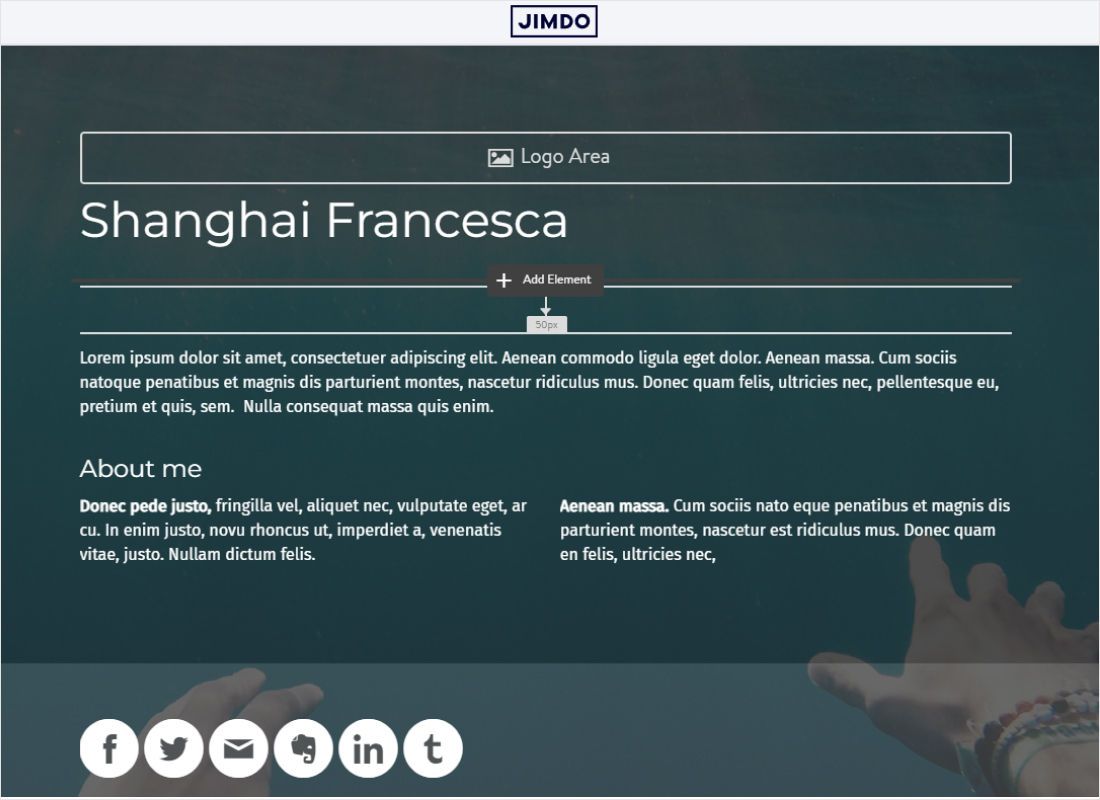
Sign in to Jimdo, open your Creator site in edit mode and go to the page that should carry the widget. Hover between two elements and click Add Element.
-
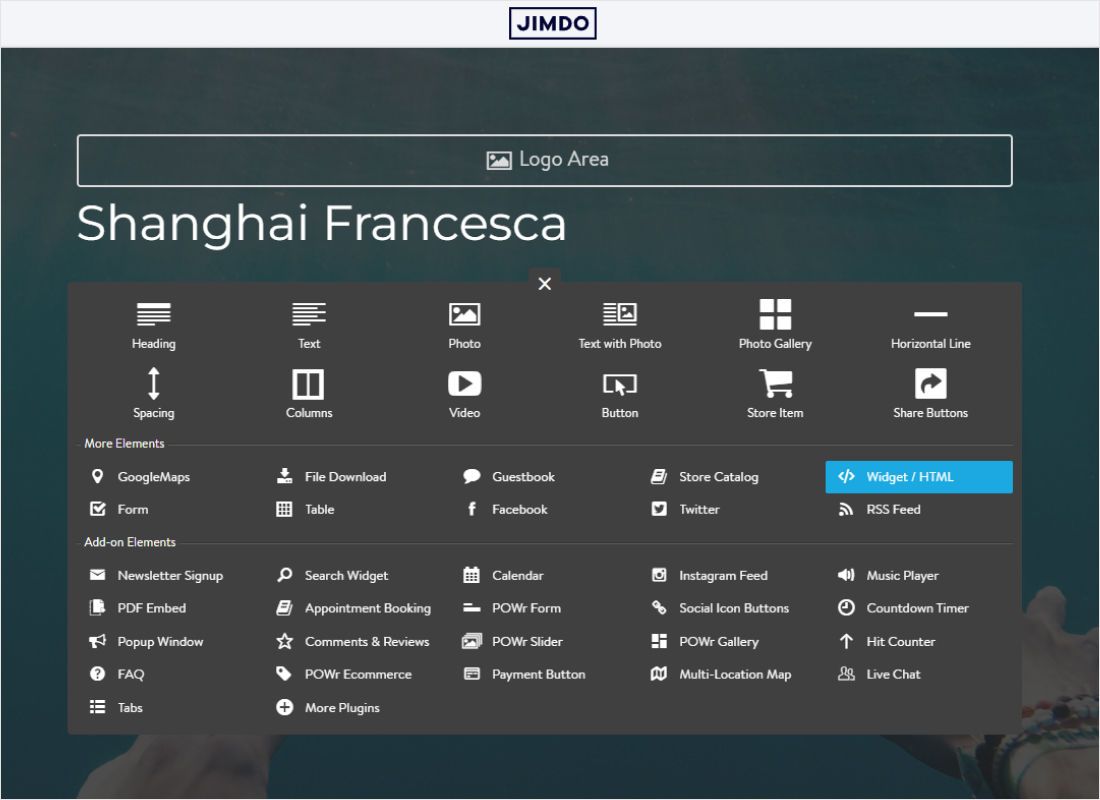
A panel of element types opens. In the More Elements group, choose Widget/HTML.
-
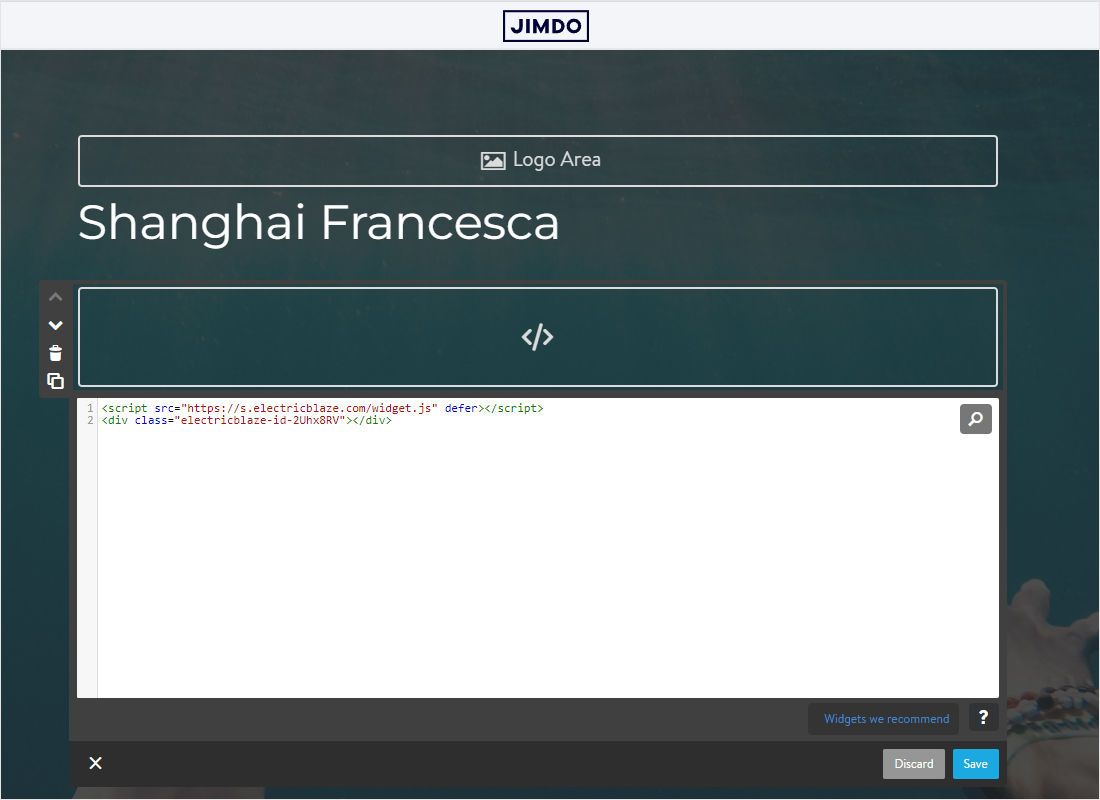
Click into the new element: a code editor appears right below it. Paste the ElectricBlaze code into that editor.
-
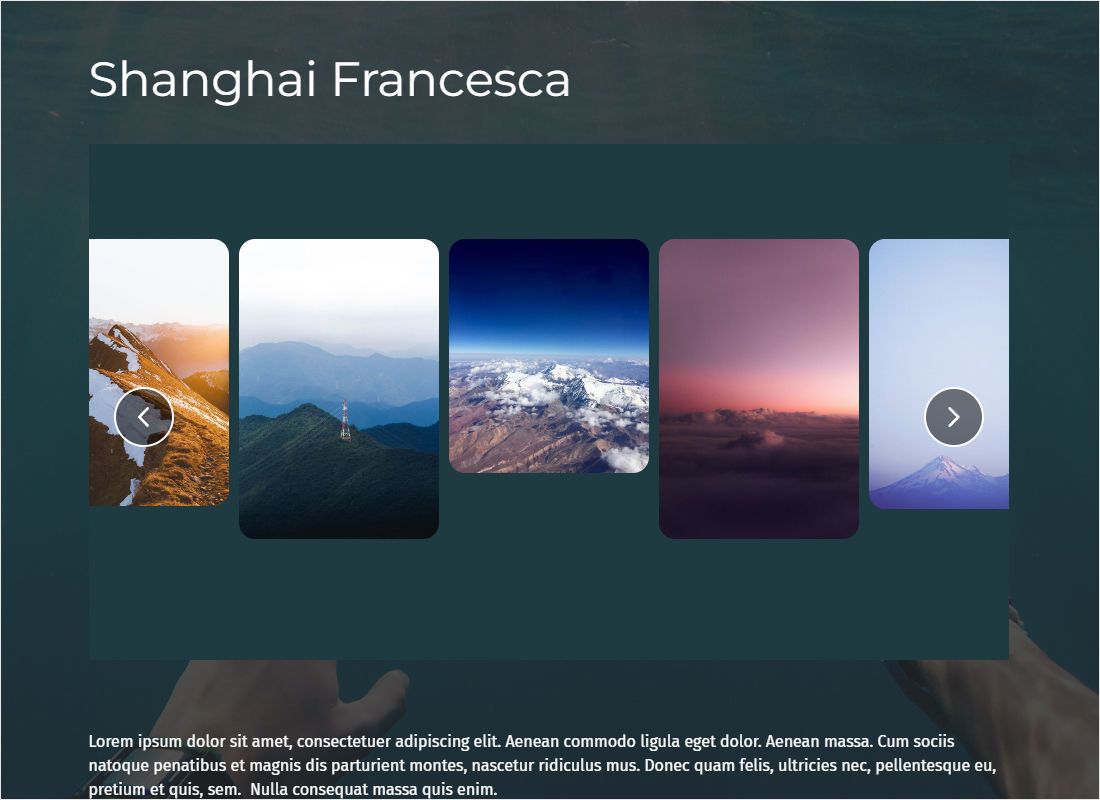
Press Save, leave edit mode and look at the page as a visitor would to confirm the widget has loaded.
The same panel lists partner add-ons such as a POWr Instagram feed or music player. Those are separate services with their own accounts; ElectricBlaze code always goes into Widget/HTML.
Where Jimdo custom code should live
Content widgets on one page
Feeds, Instagram galleries and a small WhatsApp shop belong in the main content column. Give the Widget/HTML element its own row instead of dropping it into a Columns element, so it gets the full content width. Creator places the snippet straight into the page rather than a fixed frame, so the block normally takes whatever height the widget needs.
Repeating a widget on every page
Creator shows the same sidebar and footer on every page. Depending on the template, the sidebar sits to the left, to the right or underneath the content. Add one Widget/HTML element there and the widget follows visitors through the whole site, with no copying from page to page.
Floating chat buttons and sticky players
Popup Chat and the floating Music Player attach themselves to a corner of the browser window. The element holding their code only has to load on every page, which makes the sidebar the easiest home. Settings → Edit Head is meant for meta tags, styles and scripts that must sit in the page head; reach for it only when a provider explicitly asks for head placement.
Widget missing on a Jimdo page? Checks
- Only a code symbol in edit mode. Creator displays a placeholder while you edit. Exit the editor or open the page in a private browser window.
- No Widget/HTML entry in the menu. The site was made with the Jimdo Website Builder, which has no custom HTML element.
- Gallery squeezed into a thin strip. The element sits inside columns or a narrow sidebar. Move it to the content area, or pick a slider layout.
- Two chat icons on the same page. The snippet was pasted both in the sidebar and on that page. Delete one copy.
- Fonts or link colours look off. Template styles can reach the widget. Keep the code in its own element, never inside a text block.
New posts, tracks and setting changes made in ElectricBlaze reach your Jimdo page without any action in Creator.
Jimdo widgets by type
Open a guide to see the options and the placement that suit that widget on a Creator website.
-

How to add Instagram Feed to Jimdo
-

How to add TikTok Feed to Jimdo
-

How to add YouTube Feed to Jimdo
-

How to add Twitter Feed to Jimdo
-

How to add Twitch Feed to Jimdo
-

How to add Facebook Feed to Jimdo
-
How to add Popup Chat to Jimdo
-

How to add Music Player to Jimdo
-

How to add Pinterest Feed to Jimdo
-

How to add Vimeo Feed to Jimdo
-

How to add Simple Shop to Jimdo
Jimdo HTML: questions and answers
Can I add custom HTML to a Jimdo Website Builder site?
No. That editor has no field for your own markup or scripts. Custom code is a Jimdo Creator feature, available through the Widget/HTML element and Edit Head.
Where are the Jimdo custom code settings for the entire site?
In Creator, open Menu → Settings → Edit Head for code that belongs in the head. For visible widgets that should repeat, a Widget/HTML element in the sidebar or footer is simpler.
Can the same snippet go on several Jimdo pages?
Yes. Paste it into a Widget/HTML element on as many pages as you like. Every copy shows the same widget, and on the Free plan all of them share the 1,000 monthly views.
How quickly do feed changes appear on Jimdo?
Feeds refresh once every 24 hours on the Free plan and every hour on Start. Nothing has to be saved again in Creator.
Build a widget for your Jimdo site
Start on the Free plan, copy the snippet and drop it into a Widget/HTML element.
Create a widget