
Pinterest Widget for Your Website
Pick one of your boards and turn its pins into a gallery or slider that lives on your own pages. This Pinterest widget for website owners works from a single snippet, so there is nothing to program and no plugin to maintain.
Swap between Gallery and Slider, adjust the settings and watch the preview respond. Your visitors get exactly this view.
Pinterest feed widget features
A board you already curate becomes a visual section of your site, blending with the rest of your content.
Any board you own
Connect your Pinterest account and choose the board to display, whether a product catalogue or a seasonal mood board.
Gallery or Slider
Lay pins out as a multi-column gallery for a full-width section, or as a slider that squeezes into narrow columns and sidebars.
Pins that keep up
Pins saved to the connected board reach your site on the next refresh, which runs daily on Free and hourly on Start.
Linked back to Pinterest
Pins stay connected to their pages on Pinterest, so visitors who like an idea can save it to their own boards or follow you there.
Adapts to the screen
Columns reflow to whatever space the block gets, so tall pins stay readable on a phone as well as a wide monitor.
Paste once, use anywhere
The generated code runs on several pages and domains. Restyle it in the dashboard and each placement picks up the change.
Pinterest board widget layouts and placement
Pins come in mixed shapes, from tall infographics to wide photos, and Gallery and Slider handle that variety differently.
Gallery for browsing
The Gallery layout places several pins side by side, which suits pages where people are meant to stop and look around: a lookbook, a portfolio of kitchens you have fitted, a set of craft tutorials. It feels like a slice of Pinterest framed by your branding.
Slider for tight spaces
The Slider layout shows a row of pins that visitors move through one after another. Choose it for a blog sidebar or a landing page where the call to action has to stay visible without long scrolling.
Choosing the right board
A focused board works better on a web page than a catch-all collection, so consider one made just for the site, such as “Client projects”. Since the widget reads the board directly, adding or removing pins on Pinterest changes the section on your site as well.
Good spots to display Pinterest pins on website pages
- Blog articles: related pins at the end of a post give readers a next step.
- Shop category pages: styled photos show how items look together, next to plain catalogue shots.
- Event and wedding sites: a mood board of colours and venues helps clients picture the day.
- Portfolio pages: a gallery of finished work stays current as you pin new projects.
Why embed a Pinterest board on your site
Content that stays current
Boards keep growing as you save ideas, while ordinary web pages tend to stand still for months. A pinterest feed on website pages carries that activity over, so regular visitors notice something new when they return.
A path to your profile
Visitors who enjoy a pin can open it, save it and follow your account. Saved pins may then surface for other people in Pinterest search, giving the attention your site earned a second life.
Visual proof for shoppers
Photos grouped by theme answer questions product copy struggles with: how a sofa looks in a real room or which colours work together. Seeing examples helps people decide, and customer photos from your profile add the same kind of proof.
No duplicate uploads
Without a widget you would download images, resize them and upload them again. Connecting the board skips that routine: you curate in one place and the website mirrors it.
Who puts pins on their website
Home decor stores
Inspiration boards show furniture styled in real rooms beside the product list.
Food bloggers
A board of recipe pins under each post invites readers to browse more dishes and save favourites.
Wedding planners
Mood boards of flowers and venues give couples a shared visual language early on.
Fashion and beauty brands
Outfit and makeup boards turn a collection page into a lookbook that changes as the team pins new looks.
Crafters and DIY teachers
Tutorial and pattern boards sit beside course sign-ups, showing what students will make, while quick vertical how-to clips show the steps in motion.
Architects and designers
Project boards give a portfolio fresh examples of materials and completed spaces without a site rebuild.
How to embed Pinterest board on website
Five steps are enough to add Pinterest to website pages. Have a Pinterest account with a board and editing rights to your site ready.
-

Head to a.electricblaze.com, then sign in or open a free account; card details are never requested.
-

Hit Create New Widget and pick the Pinterest Feed type.
-
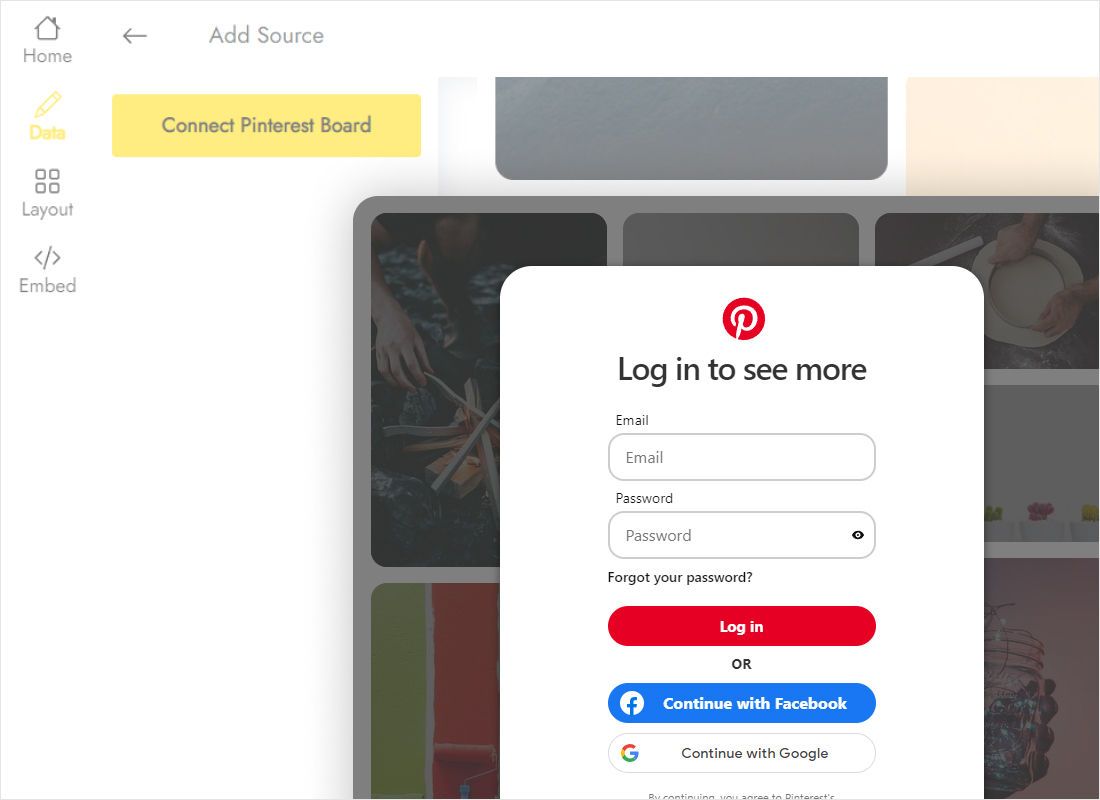
Inside Data, press Connect Pinterest Board, walk through the authorisation prompts and select the board whose pins belong on your page.
-
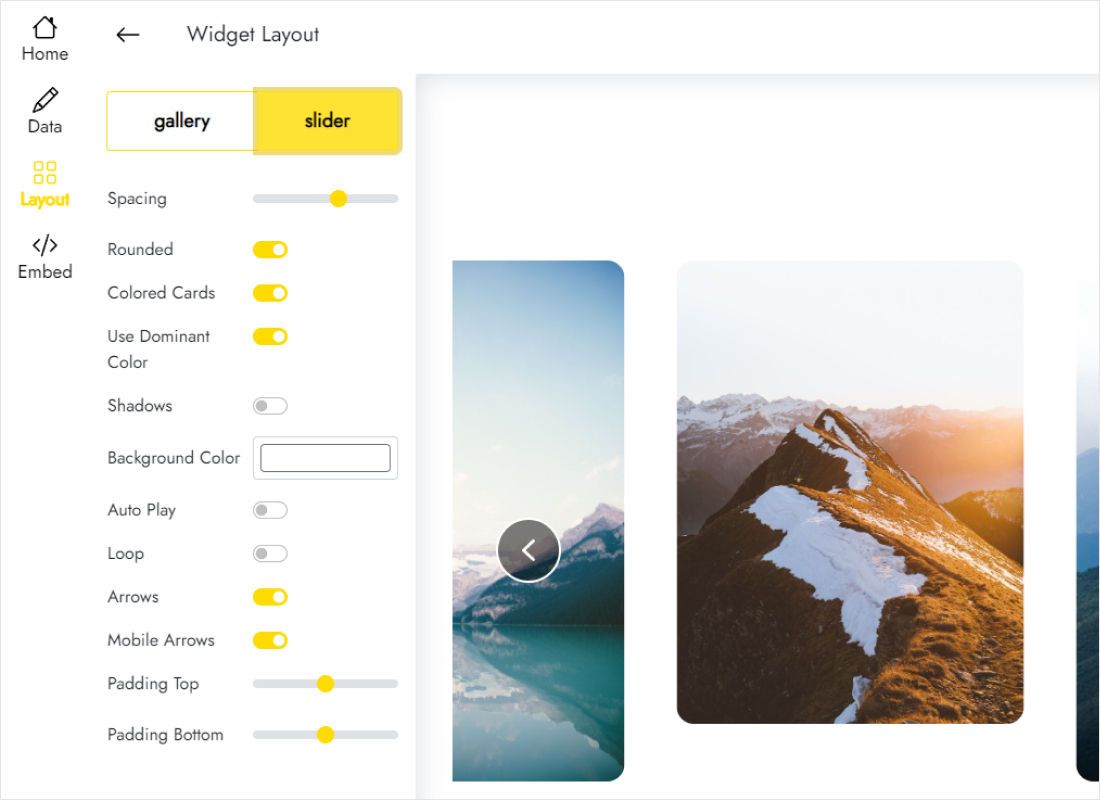
Move to Layout, decide between Gallery and Slider, then tweak parameters while watching the preview.
-
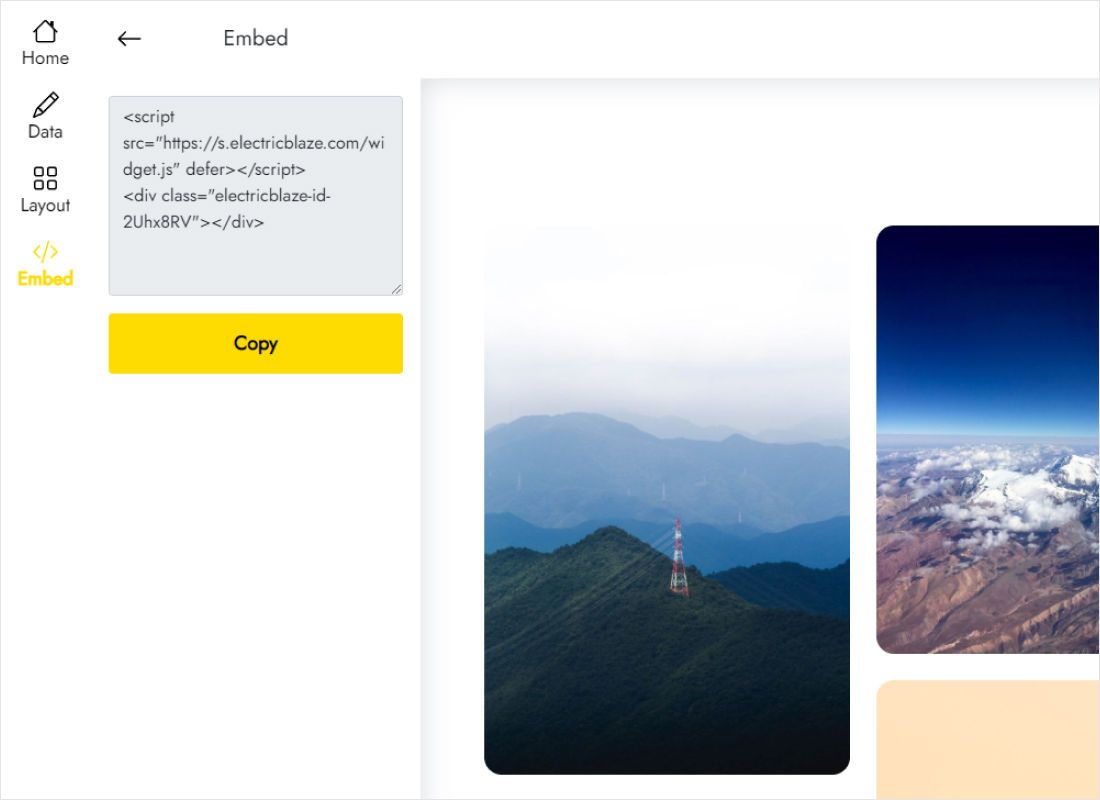
Press Add to website, copy the generated code, drop it into a custom HTML element on your page and publish.
Step-by-step notes for site builders
Need the exact menu names for your platform? Open the matching guide:
Pinterest embed code: board feed vs the official widget builder
Pinterest runs its own widget builder for a single pin, a profile or a board. Here is how it differs from a board feed.
| ElectricBlaze board feed | Pinterest widget builder | |
|---|---|---|
| Layouts | Gallery or Slider | Fixed Pinterest-styled frame |
| Look and feel | Parameters adjustable in the Layout tab | A few size options, Pinterest design kept |
| Getting the code | Connect a board once and copy one snippet | Paste a board URL into the builder and copy its tags |
| Changing the design later | Edit in the dashboard, the code stays the same | Generate and paste new code |
| New pins | Refreshed every 24 hours (Free) or every hour (Start) | Loaded from Pinterest when the page opens |
To quote one pin inside an article, the official Pinterest embed code generator is a sensible choice. When a board should blend into your own design, the widget gives more control. Limits for each plan sit on our pricing overview.
See the board feed in action
Questions about showing pins on your site
Does Pinterest have a widget for websites?
Yes, Pinterest offers a free widget builder for single pins, profiles and boards, but its designs are fixed. A third-party pinterest pin widget like this one lets you pick Gallery or Slider and restyle the block without regenerating code.
Does this relate to the Pinterest widget on a phone home screen?
No. Home-screen widgets belong to the mobile app and only you see them. This tool shows a board to everyone who visits your web pages.
Can I use Pinterest images on my website?
Showing pins through an embed or a board feed keeps each image tied to its pin on Pinterest. Downloading someone else’s images and uploading them to your site is different: copyright stays with the creator, so ask for permission or use your own pins. Treat this as a general note rather than legal advice.
How do I get a Pinterest board embed code?
Create a Pinterest Feed widget, link the board under Data, then open Embed. That snippet is your board code and survives later layout changes.
How do I use the Pinterest embed code on my page?
Paste it into any element that accepts custom HTML, such as a code block in your editor or the theme file of a hand-coded site.
How quickly do new pins appear?
Free accounts refresh boards daily, Start accounts hourly. Pins you delete on Pinterest drop out with that same refresh.
Are there other ways to link Pinterest to my website?
Yes. Add your site address to your Pinterest profile, claim the domain in your account settings and link to your profile from the site footer.
What does the board feed cost?
Free gives you five widgets, a thousand views each month and as many websites as you like, with no card at signup. Start runs $5 per month when paid annually, lifts the view cap, refreshes hourly and drops ElectricBlaze branding.
What happens to the pins when a paid plan expires?
Nothing breaks: pins keep showing, with a small ElectricBlaze credit link appended. Renew at any point to hide it again.
How can I remove the pin feed later?
Erase the snippet wherever pins are no longer wanted. For removal everywhere, delete the widget itself under Data, a permanent step. Stuck? Email [email protected].
More widgets for visual content
Combine pins with photos, short videos or a direct line to your team.
Give your boards a place on your site
Sign up at no cost, link a board and paste the snippet. Fresh pins will reach your site on their own.
Create Pinterest widget