
WhatsApp Order Form with a Mini Cart for Your Site
Show a short list of products, let visitors tap “Add to cart” and send you the finished order. This WhatsApp order form turns any page into a small storefront: orders arrive in your messenger or your mailbox, and you settle payment and delivery directly with the buyer.
Try the builder below. Start on the Data tab with + Add product and make each item Active, then use the Layout tab to decide whether orders reach you by email or WhatsApp. Add to website at the top returns the code to paste.
A shopping cart widget without the store platform
What a small seller needs to collect orders from a web page, with nothing for a developer to maintain.
Product list with price
Add items to the Data tab and mark the ones for sale as Active. Visitors see a neat grid of goods, each with its price shown in the currency you selected.
Two ways to receive orders
Choose Order Notification by email, or type a WhatsApp phone number to have orders routed to your chat. You can switch the channel at any time from the Layout tab.
Add to cart, then send
Buyers collect several items, open the cart, leave an email address and a comment such as a delivery address or preferred time, then press Send.
Every label is editable
Rename “Add to cart”, “Go to cart”, “Out of stock”, the success message and the empty cart text, so the widget speaks your language and your tone of voice.
Stock and archive controls
Items you stop selling can be archived instead of deleted, and a separate switch decides whether archived goods stay visible as unavailable or disappear from the list.
Fits the page around it
Set columns, top and bottom padding and a background colour so the product grid sits comfortably inside a landing page, a menu page or a single promo section.
Products and order channels explained
Simple Shop has two halves: the goods you offer and the route an order takes once the buyer is ready.
Building the product list
Each item gets its own entry with a status. Active products appear in the grid with an add-to-cart control; archived ones are hidden unless you enable showing them. That makes seasonal ranges easy: archive the summer menu in autumn and bring it back next year without typing anything twice.
Think of it as a product list widget for a focused range, such as cakes, candles or workshop tickets, not thousands of variants.
Orders by email
Choose email when you work from a laptop, share an inbox with a colleague or want a searchable archive. It behaves like an online order form to email: the cart contents, the buyer’s email and the comment land in one message you can forward or print.
Orders on WhatsApp
Choose WhatsApp when you run the business from a phone. The finished cart is handed to the number you entered, so you can confirm availability, share payment details and agree on pickup in the same thread. It is a natural way to receive orders via WhatsApp.
- Email suits: printed goods, pre-orders, B2B requests and anything that needs an invoice.
- WhatsApp suits: food, flowers, local delivery and repeat buyers who like quick replies.
Why sellers choose an order form over a full store
Start selling today
A classic online shop means a template, payment setup, shipping rules and legal pages. A WhatsApp store website can be much lighter: a page describing what you make, a list with prices and a clear way to order.
Simple Shop covers that last part, so you can test demand before investing in anything bigger.
Personal contact closes the sale
Many buyers of handmade, local or custom goods want to ask a question before paying. Receiving the cart in a chat lets you answer at once, suggest an extra item or propose a delivery slot, while a corner icon with messenger contacts lets undecided visitors ask first.
No card data to protect
Because the widget does not process payments, no card numbers pass through your page. You choose how to get paid: bank transfer, cash on delivery, a payment link or whatever is usual in your country.
One tool for any site
The product grid is a snippet, so it works on a hand-coded page, in a website builder or next to a blog article and photo and video feeds from ElectricBlaze.
Who takes orders with a WhatsApp shopping cart
Home bakers and caterers
Publish this week’s cakes or lunch boxes and collect pre-orders with pickup times written in the comment field.
Florists and gift shops
Buyers pick a bouquet, add a card message and a delivery address, and you confirm the slot in chat.
Restaurants with takeaway
A compact menu with prices becomes a quick ordering page for regulars.
Makers and artists
Sell prints, ceramics or jewellery in small batches and archive each item when it sells out.
Event organisers
List workshops or tickets, collect buyer emails, and send payment instructions to each person.
Wholesalers and farms
Trade customers assemble weekly orders from your price list instead of dictating them by phone.
How to take orders on WhatsApp from your website
Creating the order form takes a few minutes. Here is the full path from registration to a live product grid.
-

Sign in at a.electricblaze.com or open a new account; no card is required to begin.
-

Click Create New Widget and select Simple Shop from the catalogue of widget types.
-
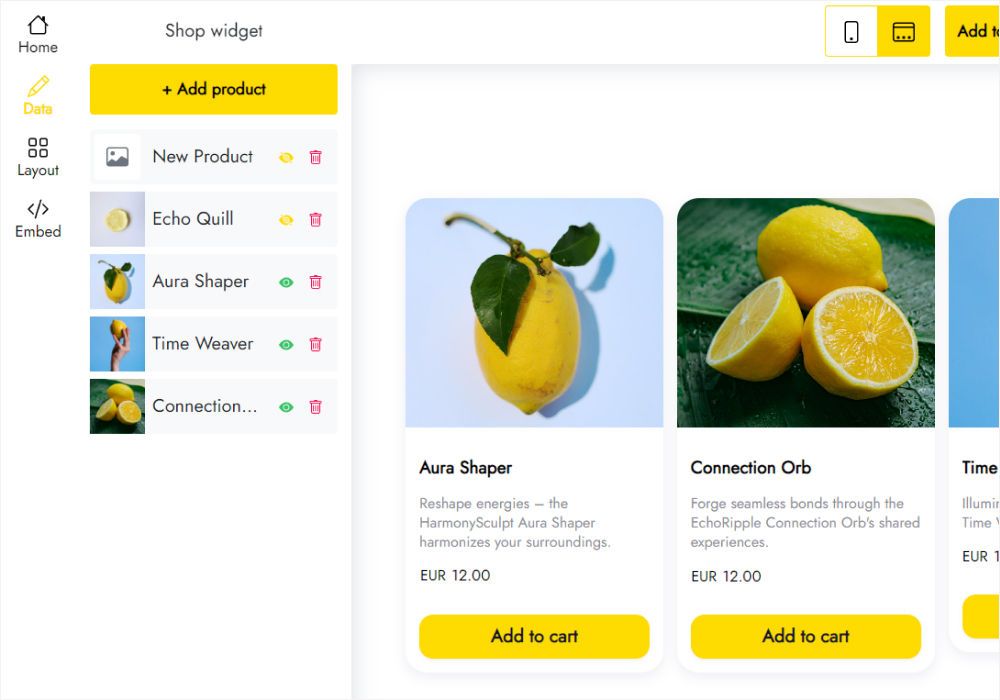
On the Data tab press + Add product, fill in the name and price, and set the status of each item you want to sell to Active.
-
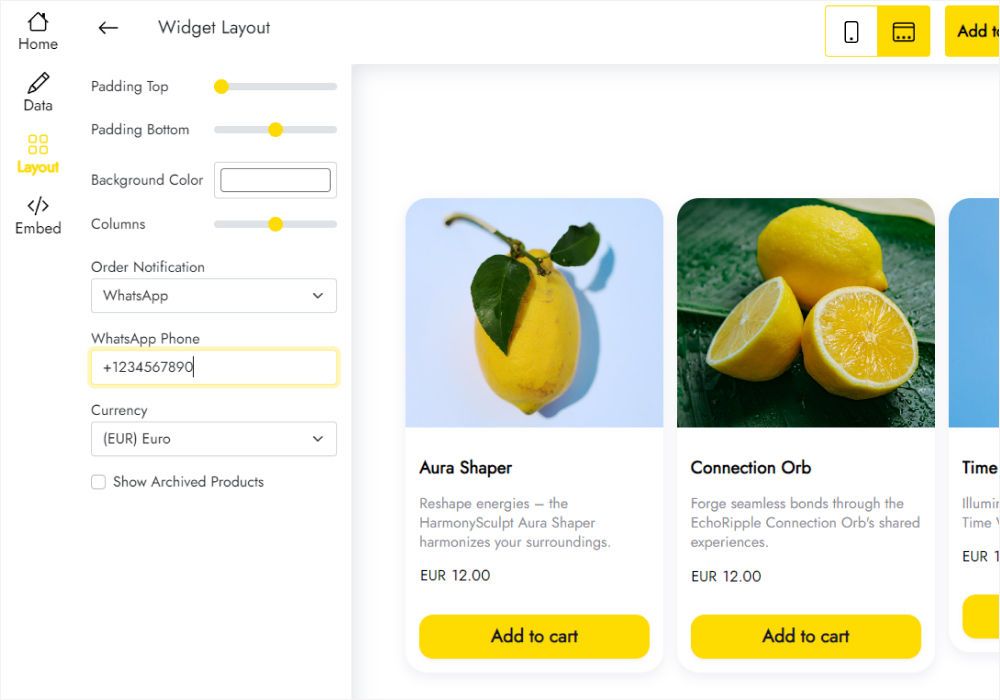
On the Layout tab choose email or WhatsApp for order notifications, then set currency, columns and labels.
-
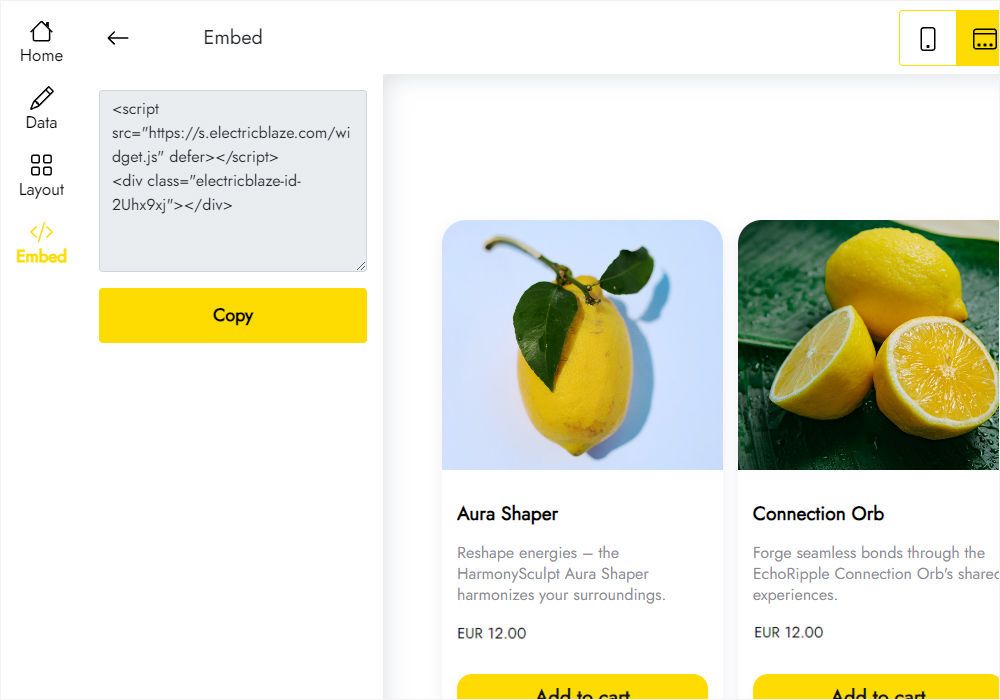
Press Add to website, take the generated code and place it in an HTML block wherever the products should appear.
Simple Shop vs a full e-commerce platform
A hosted store or an ecommerce plugin for website builders does a lot more, and asks a lot more of you. This is where the trade-offs lie.
| Simple Shop | Full e-commerce platform | |
|---|---|---|
| Setup effort | Product list plus one snippet | Theme, catalogue, shipping, taxes, payment gateway |
| How orders arrive | WhatsApp message or email | Order dashboard in the store admin |
| Payments | Arranged by you with the buyer | Card checkout built in |
| Best catalogue size | A handful to a few dozen items | Hundreds or thousands of products |
| Fits into an existing site | Yes, as an embedded block | Usually replaces or sits beside the site |
| Cost | Free or Start plan | Monthly fees plus transaction charges |
A WhatsApp Business catalogue alone shows products inside the app, but visitors to your website never see it. Simple Shop brings the list and the add-to-cart step onto your own pages.
Watch the product grid and cart in use
Order form and mini cart FAQ
Can I get a WhatsApp order form free?
Yes. Without paying you get five widgets, a 1,000-view monthly allowance and no cap on the number of sites. Start costs $5 per month billed yearly, lifts the allowance and hides our branding.
How do I create a WhatsApp order form for my products?
Build a Simple Shop widget, add products, under Layout set WhatsApp as the notification method with your phone number. Copy the embed code to your page and the cart is ready.
Can customers pay online through the widget?
No, Simple Shop only collects orders. If you need PayPal or Stripe checkout on a Mobirise site, look at Smart Cart for Mobirise, which handles online payments.
Can I get orders by email instead of WhatsApp?
Yes. Pick email under Order Notification and enter the address. You can move between the two channels whenever your workflow changes.
Does it work with a WhatsApp Business account?
It works with any number that uses WhatsApp, so a WhatsApp Business order form is simply the same setup with your business number. Business app features like labels and quick replies help you process the incoming carts.
What does the buyer fill in at checkout?
The cart shows the chosen items and asks for an email and an optional comment, where people usually add a name, phone or delivery details.
Which currencies are available?
The Layout tab offers a long list of world currencies, from US dollars and euros to Indian rupees, Nigerian naira and Brazilian reais.
Can I place the same shop on several pages?
Yes. Reuse one snippet anywhere; change a price once and all copies show the new value. To delete the widget everywhere, use the Data tab, bearing in mind it cannot be reversed. For help, email [email protected].
What if my paid plan runs out?
Your products remain visible; the only change is a small ElectricBlaze service link shown with the grid until the subscription is renewed.
Widgets that pair with your shop
Let shoppers ask questions before they order, or show your products in action through social posts.
Open your mini store on any page
Add a few products, choose WhatsApp or email for incoming orders and paste the code. It costs nothing to try.
Create order form