
Vimeo Video Gallery for Your Website
Link your Vimeo account once and your clips turn into a vimeo video gallery on any page you choose. Show reels, client work and short films in a neat thumbnail grid or a sliding row, without copying an iframe for every upload.
Toggle the gallery and slider modes in the editor below and check the preview, which mirrors what people will see after you place the code.
What the Vimeo feed widget does
A vimeo widget built for people whose work is on video: filmmakers, studios, agencies, teachers and event producers.
Your account as the source
Link Vimeo in the Data section of the editor; from then on the widget pulls clips from that account. There is no list of links to keep in sync by hand.
Gallery or slider
Lay clips out as a grid of thumbnails for a full portfolio page, or as a slider that fits into a narrow strip of a landing page.
Uploads show up on their own
Publish a new video and it joins the block at the next refresh. That happens daily with Free and hourly with Start.
Styling that fits your site
Adjust the look on the Layout tab so the thumbnails, spacing and colours sit comfortably next to your fonts and brand palette.
Gallery or slider for your videos
Both layouts use the same set of clips. Choose by the space you have and by how much of your catalogue people should see at first glance.
Gallery
A grid of thumbnails reads like a showreel index. Visitors scan titles and frames, then open the piece that catches their eye. It is the natural choice for a vimeo portfolio website, a production company’s “Work” page or a course library with many lessons.
Slider
This format displays a handful of clips at once and lets people move through the rest. Use it on a homepage below the intro, on a service page next to a quote form, or anywhere a tall grid would push important content too far down.
- Filmmakers and videographers: a gallery of recent projects on the portfolio page.
- Agencies and studios: a slider of case-study videos beside client logos.
- Schools and coaches: a gallery of lessons that grows as new recordings go up.
Why show your Vimeo videos on your site
Present your work where clients decide
Producers, directors, animators and editors are hired on the strength of what they have made. A vimeo video gallery on your own domain puts that proof next to your rates, availability and contact form, so a potential client can go from watching to writing in one visit.
Your own site also frames the work the way you want. There are no unrelated suggestions beside the player, and the page around it tells the story of each project: the brief, the crew, the result.
Keep visitors watching on your page
Moving pictures hold attention longer than a paragraph of text. A clip that plays in place gives people a reason to stay and explore, instead of leaving for another platform where recommendations lead them elsewhere.
A consistent look
Pasting separate players produces a patchwork of sizes. The widget arranges every clip in one layout with matching spacing, which looks deliberate and suits the design you already have.
Less manual upkeep
Once connected, the block follows your account. You upload to Vimeo as usual and the website catches up, so the “latest work” section never shows last year’s reel by mistake.
Who builds a video gallery with Vimeo
Filmmakers
Turn the account that hosts your festival cuts and trailers into the centrepiece of a video portfolio website.
Production studios
Show commercials, music videos and corporate films in one grid that updates after every delivery.
Wedding videographers
Let couples browse recent highlight films while they check your packages, open dates and boards of wedding inspiration.
Online teachers
Group lesson recordings into a slider on each course page, with new sessions added automatically, while free public lessons on YouTube attract new students.
Agencies
Place campaign videos next to the results of each case study, so prospects see the work and the numbers together.
Event organisers
Publish recaps of past conferences and concerts to help sell tickets for the next edition.
How to embed Vimeo video on website pages with a widget
You need a Vimeo account with a few uploaded clips. The rest is five short actions in the ElectricBlaze dashboard.
-

Point your browser to a.electricblaze.com and log into your account. Newcomers register at no cost, with no card needed.
-

Choose Create New Widget; Vimeo Feed sits in the catalogue of types.
-
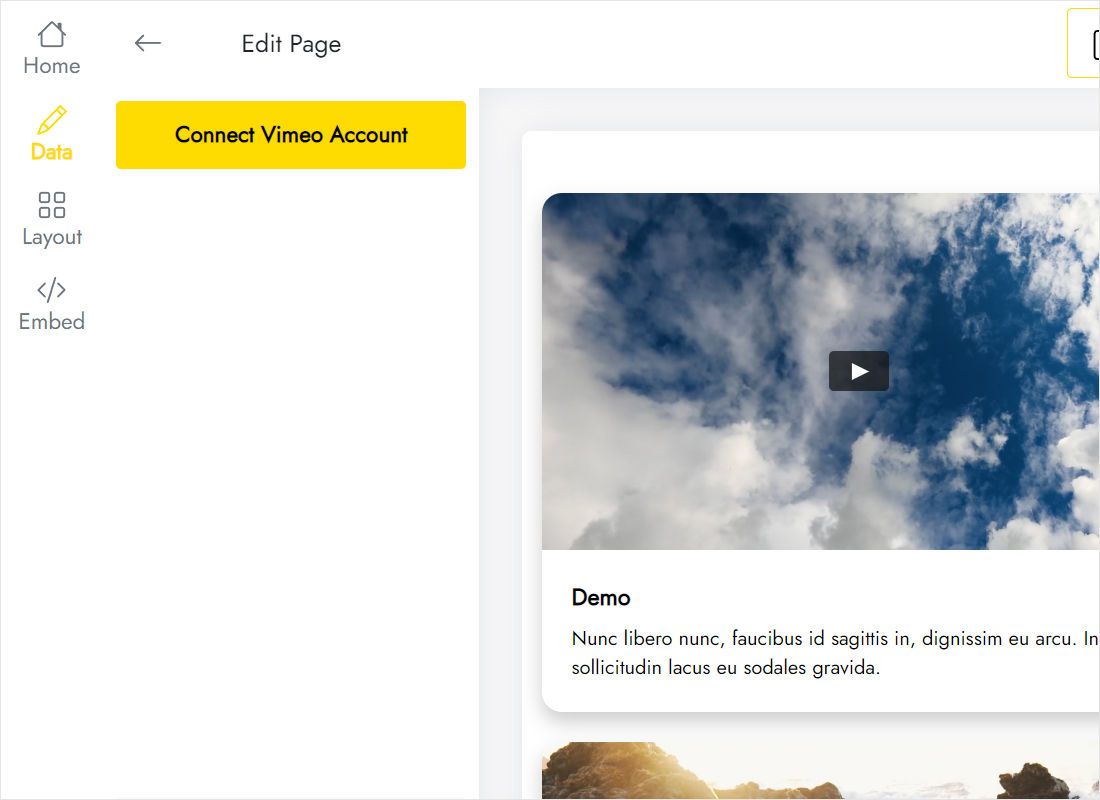
In the Data tab, click Connect Vimeo Account and complete the authorisation steps shown on screen.
-
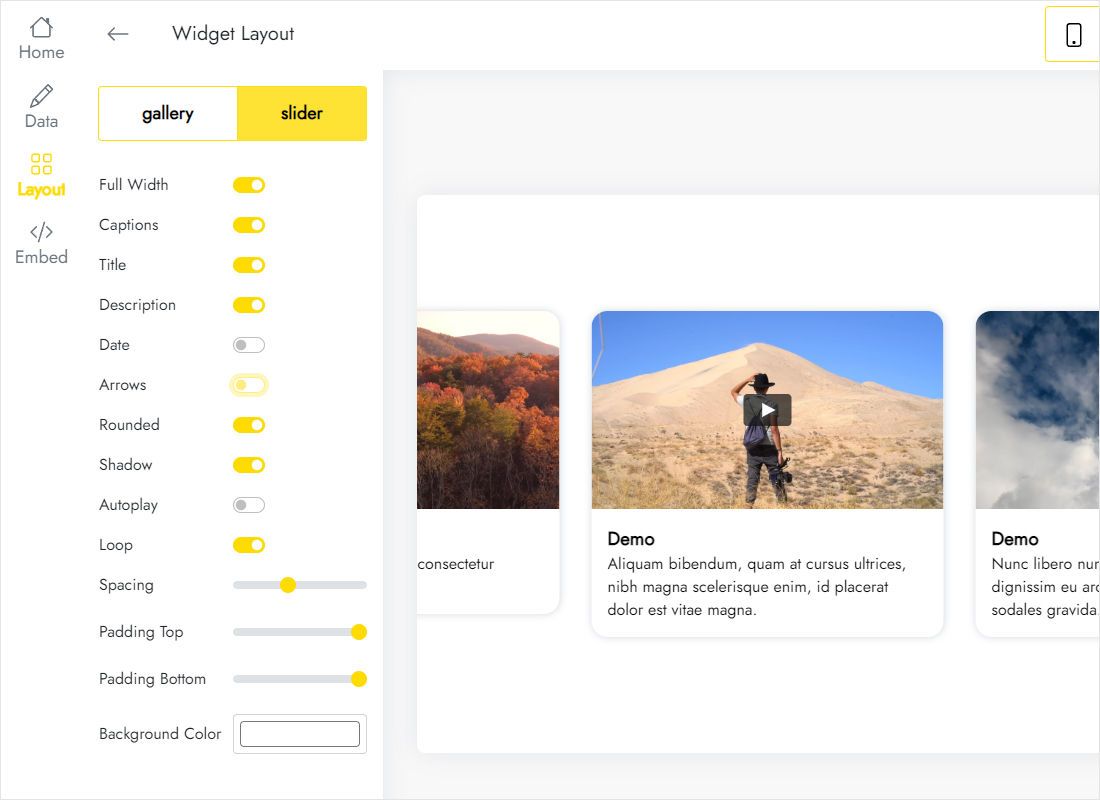
Move to the Layout tab, choose Gallery or Slider and fine-tune the appearance until the preview looks right.
-
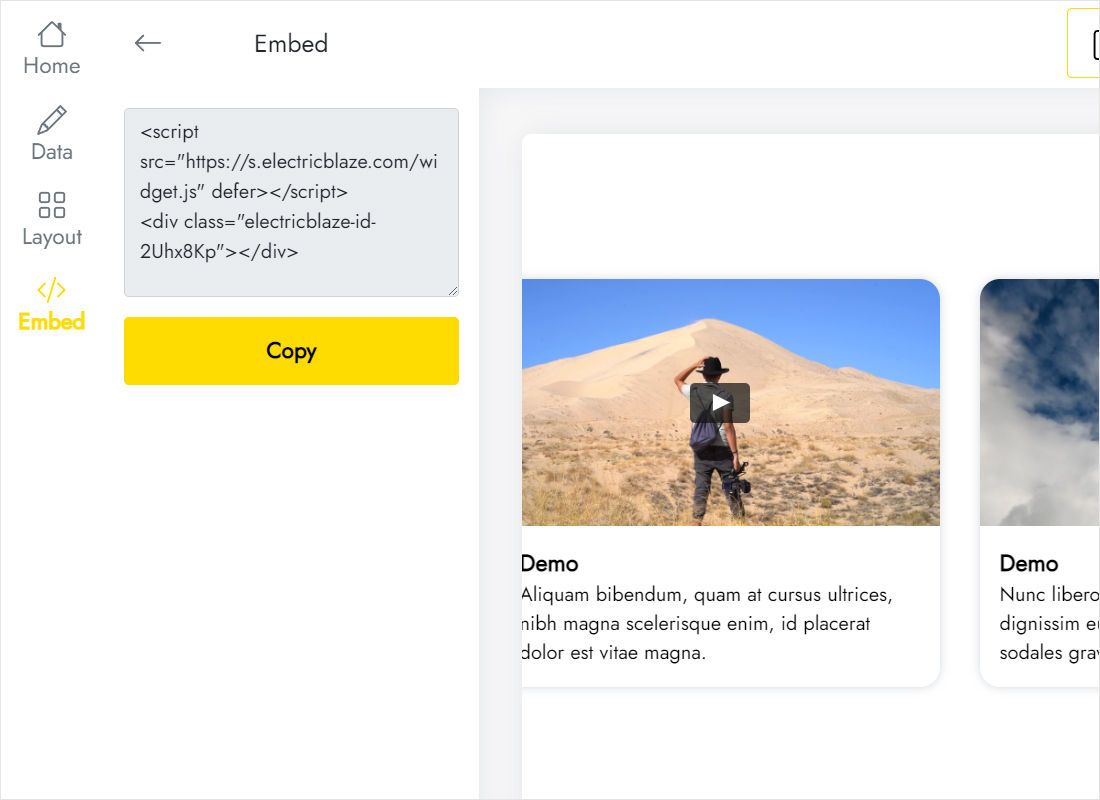
Press Add to website, grab the code and insert it into the embed area of your page where the clips belong. Publish, and they are live.
Guides for specific website builders
Pick your platform to see where the snippet goes:
Widget vs the Vimeo embed code for single videos
Vimeo gives you an iframe for each video, and eligible plans can also embed a Showcase. Here is how those options differ from a connected feed.
| ElectricBlaze Vimeo Feed | Vimeo embed or Showcase embed | |
|---|---|---|
| Content | Videos from your connected account | One video per iframe, or a hand-built Showcase |
| New uploads | Added at the next automatic refresh | New iframe, or add the clip to the Showcase yourself |
| Layouts | Gallery or Slider, styled in the editor | Vimeo player look |
| Several pages or sites | Same snippet everywhere, changed in one place | Each embed edited separately |
| Cost | Free plan, Start plan at $5/month billed yearly | Depends on your Vimeo plan |
To place one trailer inside an article, the Vimeo embed code is all you need. For a section that keeps pace with your channel, the widget saves repeated copy-pasting. Compare the plan limits.
Watch how the Vimeo gallery is set up
Vimeo widget FAQ
How do I embed a Vimeo video on my website?
For a single clip, open it on Vimeo, click Share and copy the embed code into an HTML block. For a whole set that updates itself, connect your account in the Vimeo Feed widget, choose a layout and paste the one snippet it generates.
Can I embed a Vimeo video on my website without coding?
Yes. You only paste a snippet into the HTML or embed element that almost every website builder provides. All settings, from layout to styling, are made visually in the editor.
How do I copy Vimeo’s embed code for one clip?
On the video page, click the Share button. The dialog contains the embed code along with options for size and player behaviour, depending on your Vimeo plan.
How is this different from embedding a Vimeo Showcase?
A Showcase is a collection you assemble and maintain by hand on Vimeo. The widget reads your account directly and lays the clips out in the Gallery or Slider layout styled on the Layout tab.
Which videos appear in the gallery?
Clips from the account you authorised during setup. Clips whose privacy settings block embedding on other sites may not play there.
How quickly does a new upload reach my site?
Free plan accounts get a check for new uploads once every 24 hours, Start subscribers once an hour. No page edits are required in between.
Is the Vimeo feed widget free?
Free covers as many as 5 widgets and a monthly allowance of 1,000 views across unlimited websites. Start ($5 monthly, paid for a year) removes the view cap and ElectricBlaze branding. If a paid subscription lapses, the gallery gets a link to ElectricBlaze.
Can I show one gallery on several websites?
Sure. One code works on any number of pages or domains, and edits in the dashboard apply to all of them.
How do I delete the video gallery?
Take the snippet off a page, or erase the widget from the Data tab to clear it from every site. There is no undo for that. Stuck? Email [email protected].
Other widgets for creative sites
Combine your clips with a playlist, a photo stream or live broadcasts.
Launch a gallery of your Vimeo films
Sign up free, connect your account and paste the snippet. Your next upload will find its way to the page without extra work.
Create Vimeo gallery