
WhatsApp Chat Widget for Website Visitors
Give people a quick way to reach you without leaving the page. This WhatsApp chat widget for website owners puts a small round icon in a corner of the browser window; one tap opens a popup with your greeting and a button for every messenger you use.
This is the real builder. Fill in the messenger contacts you want to offer on the Layout tab, adjust the texts and colours of the popup, and when it looks right press Add to website: that button gives you the code for your own pages.
WhatsApp button for website visitors and more
Popup Chat bundles the contact channels your customers already have on their phones into one tidy, clickable corner icon.
Six messengers in one popup
Fill in a WhatsApp number, a Telegram username, a Facebook username for Messenger, a Viber number, a Signal group link or a Discord server URL. Leave any field empty and that button simply stays hidden.
A greeting that sounds like you
Set the chat name, a subtitle and the welcome message shown at the top of the window, plus the short line that introduces the list of buttons, such as “Start a conversation with”.
Colours that match your brand
Pick separate colours for the header, the header text, the icon background and the chat background, so the popup looks like part of your design rather than a foreign object.
Stays in view while people scroll
The icon floats above the content, so a visitor reading a long price list or a blog post can ask a question at the exact moment it comes up instead of hunting for a contact page.
Conversations land in your apps
Every button hands the visitor over to the real messenger. Replies happen in WhatsApp, Telegram or Viber on your own phone, with the history saved where you already keep it.
Paste once, edit whenever
The same short script can sit on every page of a site or on several domains, next to social feeds from the same dashboard. Change a number or a colour in the dashboard, and all copies pick up the change automatically.
Floating WhatsApp button and other messengers
Most chat tools force a choice between one messenger and a heavy live chat inbox. Popup Chat sits in between: a single floating icon that opens a short menu of contacts, each leading straight into an app your customer trusts.
Supported messengers and what each one needs
- WhatsApp: your phone number in international format. The button opens a chat with that number, the most familiar route for shoppers in Europe, Latin America, India and much of Africa.
- Telegram: a username. A Telegram chat widget suits communities, tech products and audiences who prefer not to share a phone number.
- Facebook Messenger: the username of your page or profile, useful when most of your leads first meet you on Facebook.
- Viber: a phone number, handy in regions where Viber is the default messaging app for small businesses.
- Signal: a group link for customers who care about privacy.
- Discord: a server invite URL, which works well for gaming projects, creators and software communities.
How the floating button behaves
A floating WhatsApp button is fixed to the viewport rather than to one section of the layout. It stays put while the visitor scrolls, waits quietly until clicked, and then expands into the popup. Closing the popup returns everything to the small icon, so the page underneath is never blocked for long.
Because the widget lives in a layer above the page, it does not matter which block you paste the code into. Put it near the end of the page body or in a site-wide footer area and it will still appear in the corner on every page that loads it.
One channel or several?
If nearly all of your clients write on WhatsApp, fill in only that number: the popup still gives you a greeting and a clear call to action, which a bare link cannot. If your audience is mixed, add two or three channels and let each person choose. Offering every possible app rarely helps; pick the ones you actually check during working hours.
Why businesses put a chat button on their site
Questions get asked instead of abandoned
Forms feel formal and email feels slow. A visitor who wonders about sizes, delivery or availability is far more likely to type a quick message into an app they use all day than to fill in a contact form and wait.
Capturing that question while interest is high often decides whether the conversation turns into a booking or a sale, and a product list with a mini cart can send the finished order to the same chat.
No new inbox to watch
Live chat software usually means another dashboard, another login and another notification stream. With Popup Chat, messages arrive in WhatsApp or Telegram on the phone you already carry, next to the rest of your customer conversations.
For a small team this removes the classic problem of a chat window that says “online” while nobody is looking at it.
Contacts people can keep
Once a customer has written to you on WhatsApp, your number sits in their chat list. They can come back weeks later with a repeat order or a referral without searching for your website again.
Messenger threads also keep photos, voice notes and addresses in one place, which is convenient for both sides.
Works on phones first
A large share of website traffic comes from mobile devices, and on a phone a tap on the icon can open the installed messenger directly. There is no mobile version of a form to squeeze onto a small screen.
On desktop computers the same buttons typically open the web or desktop versions of the apps, so no visitor is left without a route.
Who uses a WhatsApp chat widget on website pages
Local services
Plumbers, cleaners, tutors and repair shops get enquiries with photos of the problem attached, which makes quoting a price much faster than a phone call.
Online stores
Shoppers can check stock, sizes or delivery dates in a message before they commit, and you can reply with a direct link to the right product.
Clinics and salons
Clients confirm, move or cancel appointments in a messenger thread, and reminders sent there are hard to miss.
Hotels and tour operators
International guests often prefer WhatsApp or Viber to expensive calls, especially when they are already travelling.
Agencies and freelancers
A visible way to message you on a portfolio site lowers the barrier for a first brief and moves the discussion to a channel you both use.
Communities and online courses
Point members to a Telegram group, a Signal group or a Discord server from the course site, while still offering WhatsApp for private questions.
Add WhatsApp chat widget to website pages in five steps
You do not need to write any markup yourself. Follow these steps to create the popup, then place the generated code on your site.
-

Head to a.electricblaze.com and register with Google, Facebook or an email address, or enter an existing account.
-

Press Create New Widget, then pick Popup Chat among the available widget types.
-
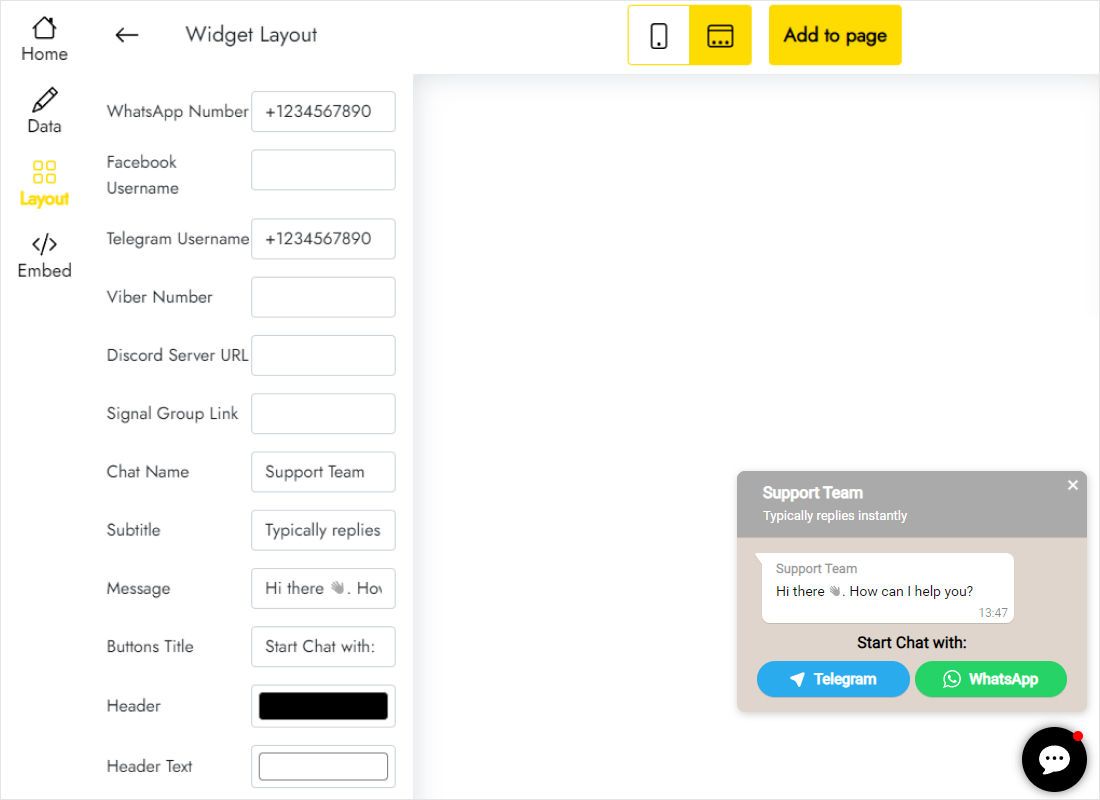
On the Layout tab enter your contacts: a WhatsApp number, Telegram and Facebook usernames, a Viber number, a Signal group link or a Discord server URL.
-
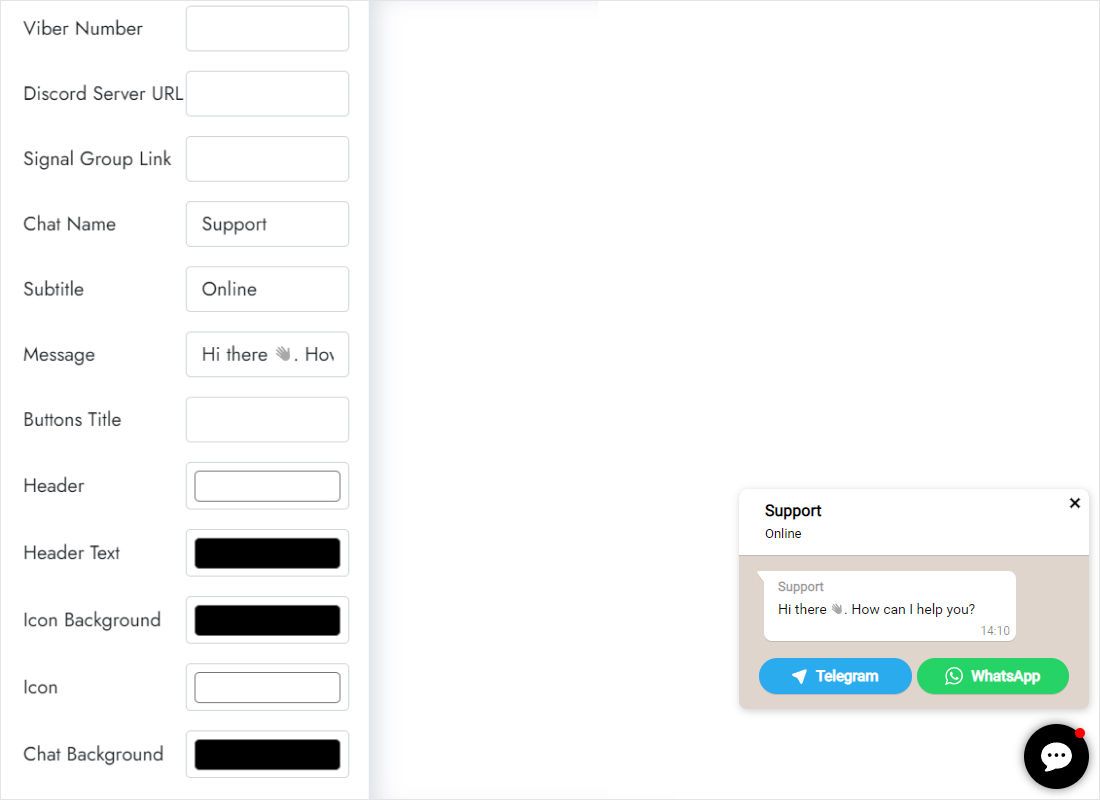
On the same tab write the chat name, subtitle, greeting and button title, and pick colours for the header, icon and background.
-
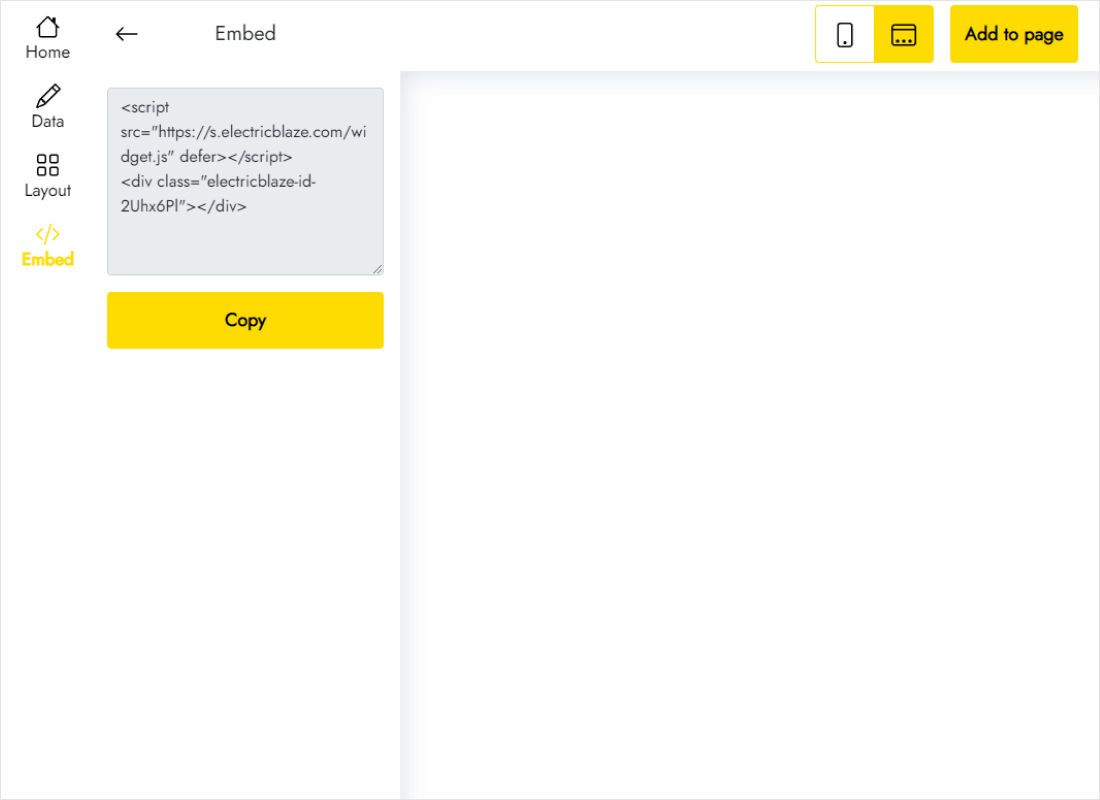
Press Add to website in the top bar, copy the generated script and drop it into a custom code element on your site. Publish, and the icon appears.
Popup Chat vs a WhatsApp click-to-chat link
WhatsApp lets anyone build a wa.me link, and many messengers offer their own single button. Here is what changes when you use a popup that combines them.
| Popup Chat | wa.me link or single-messenger button | |
|---|---|---|
| Channels | WhatsApp, Telegram, Messenger, Viber, Signal, Discord | One messenger per link or button |
| Placement | Floating icon visible on every scroll position | Only where you place the link in the layout |
| Greeting | Chat name, subtitle and welcome message | None, or plain link text |
| Styling | Header, icon and background colours in an editor | Hand-written CSS for each button |
| Updating a number | Edit once in the dashboard, every page follows | Find and change every link on the site |
| Setup | Copy one snippet | Build the URL and style it yourself |
A plain wa.me link is fine inside an email signature or a single text paragraph. For a site-wide contact option with several apps, the popup is less work to maintain. See the Free and Start plans for limits.
See the popup chat button in action
Questions about the WhatsApp chat button
What is a chat widget?
It is a small interface element placed on a web page that lets visitors start a conversation with the site owner. Some chat widgets run a full live chat inside the page; others, like Popup Chat, link visitors to messaging apps where the conversation continues.
What is a WhatsApp chat widget?
A WhatsApp chat widget is a clickable icon or popup that opens a WhatsApp conversation with your business number. The visitor does not need to save your contact first: the chat opens with your number already selected, ready for the first message.
How does live chat work on a website with Popup Chat?
The popup itself does not host messages. When a visitor chooses a channel, the matching app or its web version opens and the conversation happens there, between the visitor’s account and yours. You answer from your phone or desktop messenger, not from an ElectricBlaze inbox.
Is this a free WhatsApp chat button for website use?
Yes, you can publish it without paying. The Free plan covers five widgets and 1,000 views per month on as many sites as you like, and no card is requested at sign-up. The Start plan, $5 a month billed yearly, lifts the view cap and hides ElectricBlaze branding.
Do I need a WhatsApp Business account?
No. The button works with any WhatsApp number that can receive messages. Many companies still prefer the free WhatsApp Business app because it adds a business profile, quick replies and away messages, which pair nicely with a chat button for website visitors.
Which part of my site should hold the WhatsApp chat widget HTML code?
Into any place that accepts custom HTML or scripts: an embed or code element in your page editor, a site-wide footer code field, or the template of a hand-coded site. Since the icon floats, the exact position of the block on the page does not matter.
Can the popup include Telegram, Messenger or Viber without WhatsApp?
Yes. Every contact field is optional. You can build a Telegram-only popup, a Facebook Messenger widget for website support, or any mix of the six supported apps. Only filled-in channels appear as buttons.
Can I change the greeting or number after the code is live?
Yes. Open the widget in your ElectricBlaze account, adjust the fields and save. The snippet on your pages stays untouched and loads the updated contacts and captions; on the Free plan changes can take up to 24 hours to reach your site, on Start up to an hour.
Can one chat popup run on several sites?
Yes. Paste the same code into as many pages and domains as you need. Just remember that every page load counts as a view, and that visitors to all those sites will reach the same contacts.
What happens to the chat button if my paid plan expires?
It keeps working. A link to the ElectricBlaze service is added, the same way it appears on free widgets, until you renew your subscription.
How do I take the chat icon off my site?
Remove the pasted script from each page that carries it. To disable every copy at once, open the widget’s Data tab and use the remove option; this is permanent. For anything else, write to [email protected].
More widgets for your pages
Combine the chat icon with a simple product list that sends orders to your phone, or with fresh social content.
Let visitors message you from any page
Create a free account, add your WhatsApp number and any other messengers, and paste one snippet. Your first chat could start today.
Create chat popup