
How to Add a WhatsApp Chat Button to Wix
A Wix WhatsApp chat button lets visitors message you from any page in one tap. ElectricBlaze Popup Chat adds that button, plus Messenger, Telegram, Viber, Signal and Discord if you use them, as a small floating icon in the corner of the screen.
Requirements for a floating button
Popup Chat is not a block that sits between sections. It hovers over the page, so the code has to load outside any frame. That shapes the requirements:
- A Premium site plan with a connected domain. Only then does the dashboard unlock Custom Code, the site-wide field this guide uses.
- The phone number linked to your WhatsApp account, in international format, plus any other usernames or links you want to offer.
- A free ElectricBlaze account.
On a free site you could paste the snippet into an Embed HTML element, but the result disappoints: the button is confined to that box, and the chat window opens inside it instead of over the page.
Step 1: Configure Popup Chat
Every messenger is shown in the popup channel lineup. Setting it up takes five short steps:
-

Your dashboard is at a.electricblaze.com; newcomers sign up free.
-

Create New Widget leads to the list where Popup Chat lives.
-
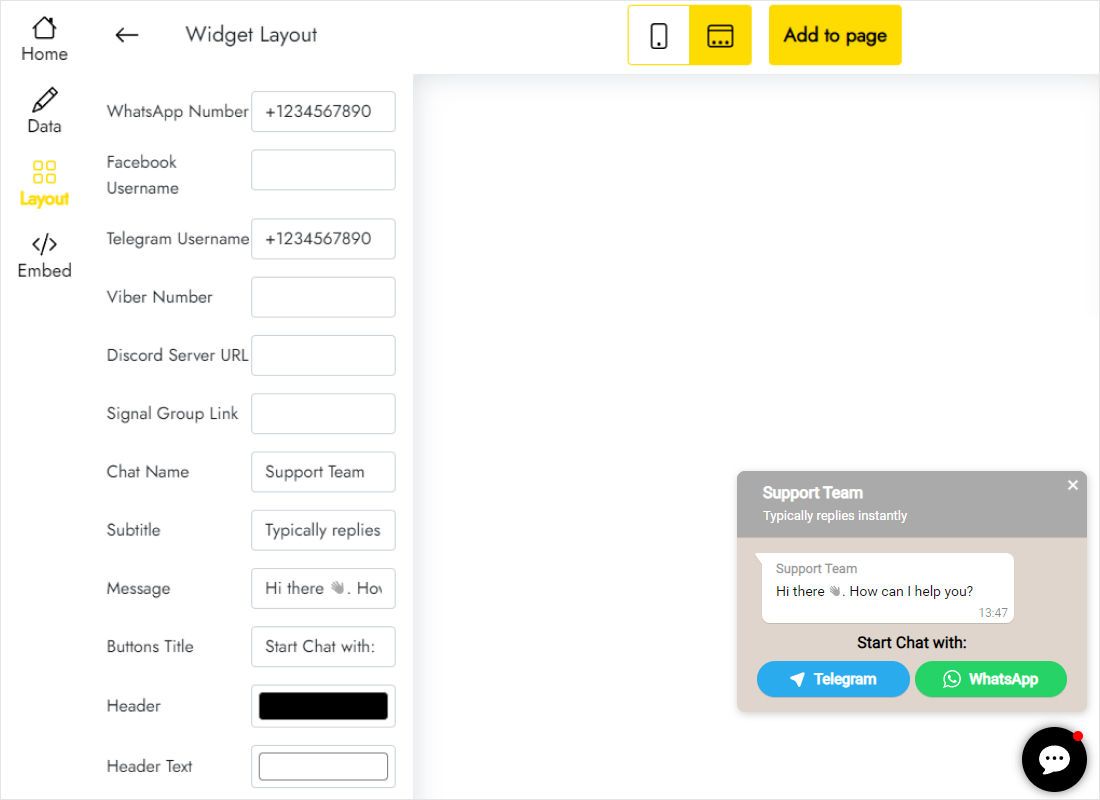
Use Layout for contacts: the WhatsApp number, extra messengers if you answer there, plus the chat title, subtitle and welcome line.
-
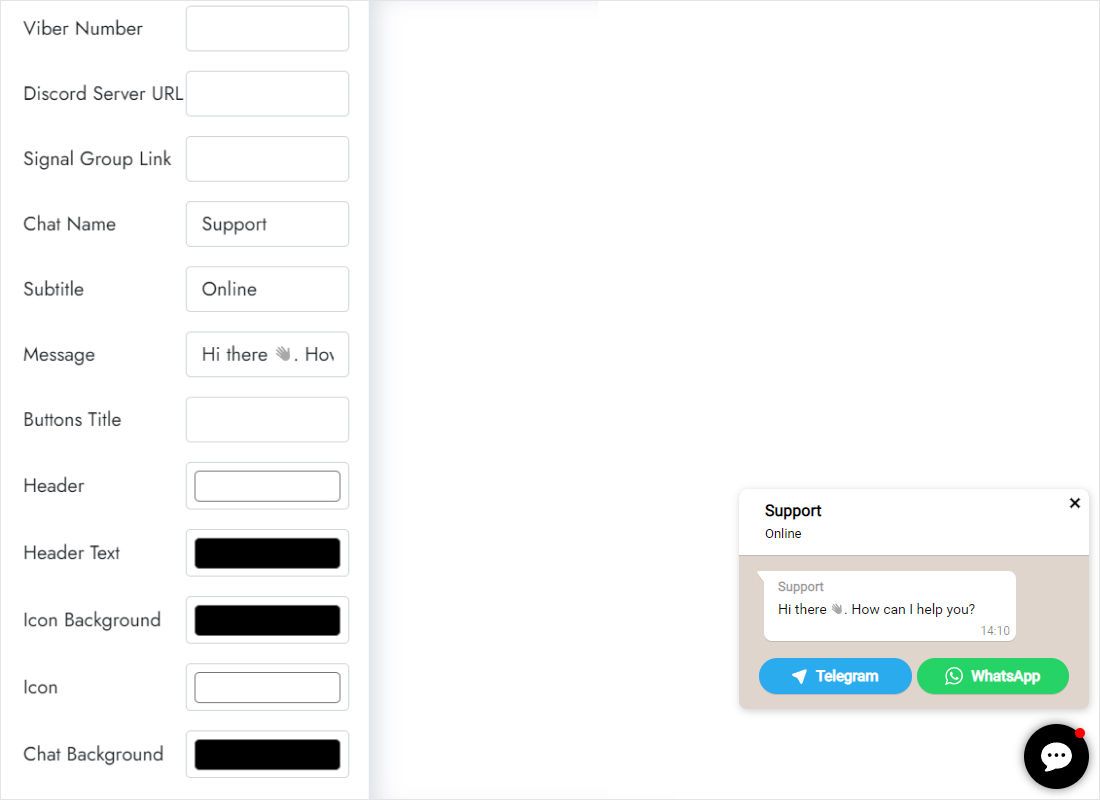
Scroll the tab to style the header, header text, icon background and chat background in your brand colours.
-
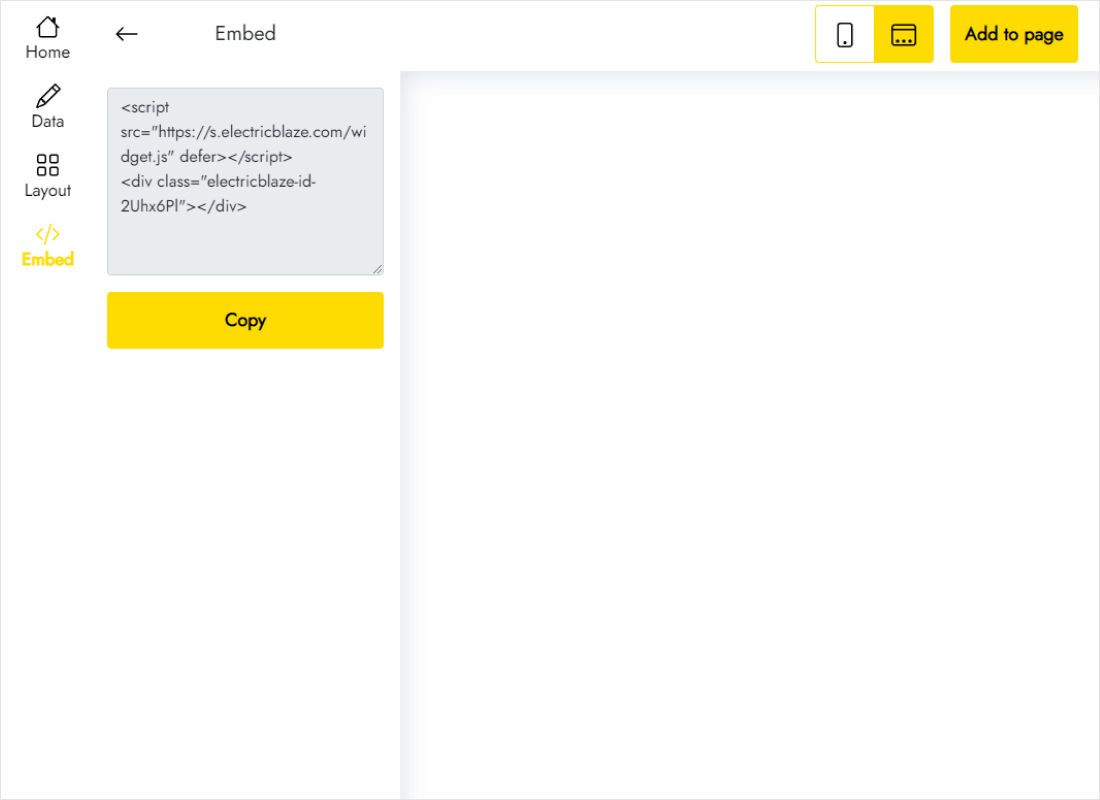
Add to website hands you the snippet to copy.
Step 2: Load the code on every page
The snippet goes into the dashboard, not onto the editor canvas.
- From the site dashboard open Settings and find Custom Code in the Development & integrations group.
- Click + Add Custom Code and paste the Popup Chat snippet into the text box.
- Give it a name you will recognise later, such as “WhatsApp chat”.
- Under Add Code to Pages select All pages; under Place Code in select Body – end.
- Click Apply, then open the published site in a new tab and tap the icon to test each channel.
Custom Code does not run inside the editor. Always check the button on the live domain.
Sharing the corner with other elements
A floating icon competes for the same few pixels as other overlays. Walk through this list once the button is live:
Wix Chat and other chat apps
If the built-in Wix Chat is installed, its chatbox also sits in a bottom corner. Either remove it or move it to the opposite side in its Display settings, so visitors do not see two overlapping icons. Running a second Wix chat widget from the App Market causes the same conflict.
Cookie banners
A consent banner spanning the lower edge may hide the icon on a first visit. Make sure the banner can be closed and that the button is reachable afterwards.
Phones
On mobile the platform may show a Quick Action Bar at the bottom of the screen. Scroll a few pages on a real device and confirm the chat icon and the bar do not overlap.
Showing it on selected pages only
Checkout or landing pages sometimes work better without distractions. Edit the code entry, switch from All pages to Choose specific pages and tick the ones you want.
Chat button on Wix: FAQ
Can I get a WhatsApp button without upgrading to Premium?
Not as a true floating button. The site-wide Custom Code field requires a Premium plan and a connected domain; an Embed HTML box keeps the button stuck inside its frame.
Does Popup Chat replace Wix Inbox?
No. Messages go straight to WhatsApp, Messenger or whichever app the visitor chooses, and you reply there. Nothing is stored in your site dashboard.
Where do I edit the greeting or phone number afterwards?
Edit the widget in ElectricBlaze and save. The code you added stays the same, so the new details appear without touching the site settings.
Is the chat button free?
On Free it uses one of five widget slots and shares the 1,000 monthly views. Start lifts that ceiling; see pricing.
Further guides
Popup Chat details, the general embedding guide and more widgets you can install: