
How to Add a Facebook Feed to Wix
This walkthrough shows how to add Facebook feed to Wix pages with an ElectricBlaze widget: connect your public Page, copy one snippet and give the Wix box enough room for posts of very different lengths.
Checklist before you start
- Admin rights on a public Facebook Page. A widget can read Page posts, but never a personal timeline or a private group.
- An ElectricBlaze account. Registration is free, and the Free plan covers up to five widgets.
- Access to the Wix Editor. The Embed HTML element works on free Wix sites as well, so no Premium upgrade is needed for this job.
Why a feed rather than a single embedded post? An embedded post shows one update and never changes. Once you add Facebook feed to Wix website pages as a widget, the section keeps pulling your newest Page posts, and you only ever publish on Facebook.
Step 1: Connect your Facebook Page in ElectricBlaze
Five clicks get you a working widget; the finer Facebook card settings have their own walkthrough.
-

Head over to a.electricblaze.com; new visitors can sign up there without a payment step.
-

From the dashboard start a widget with Create New Widget, then pick the Facebook Feed tile.
-
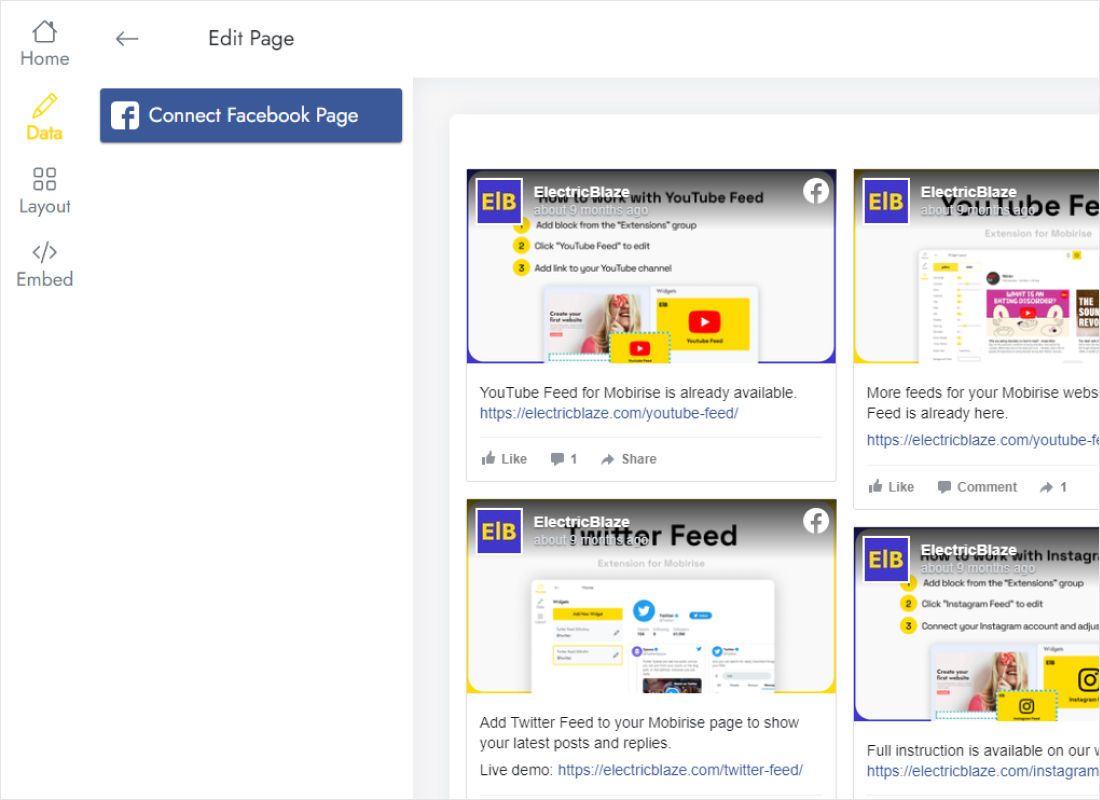
In the Data tab press Connect Facebook Page, sign in to Facebook when asked and mark the Page you run.
-
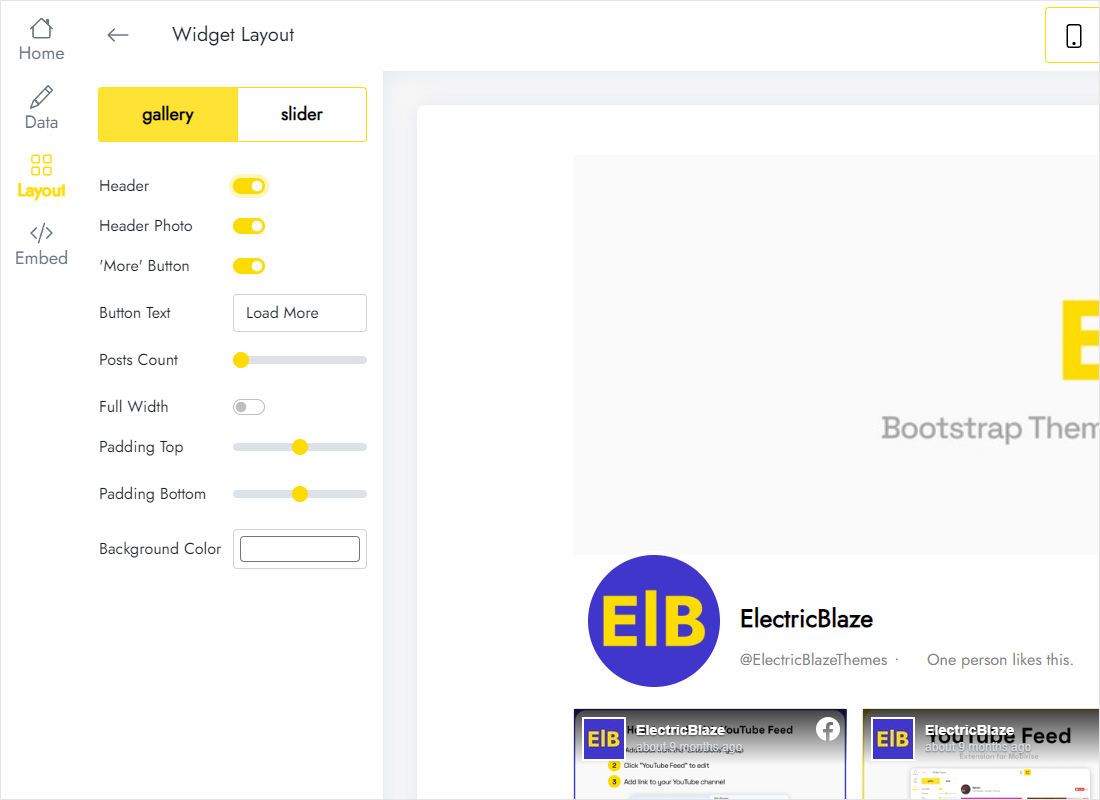
Move to Layout: grid (gallery) or carousel (slider), the number of columns and rows, and captions on or off.
-
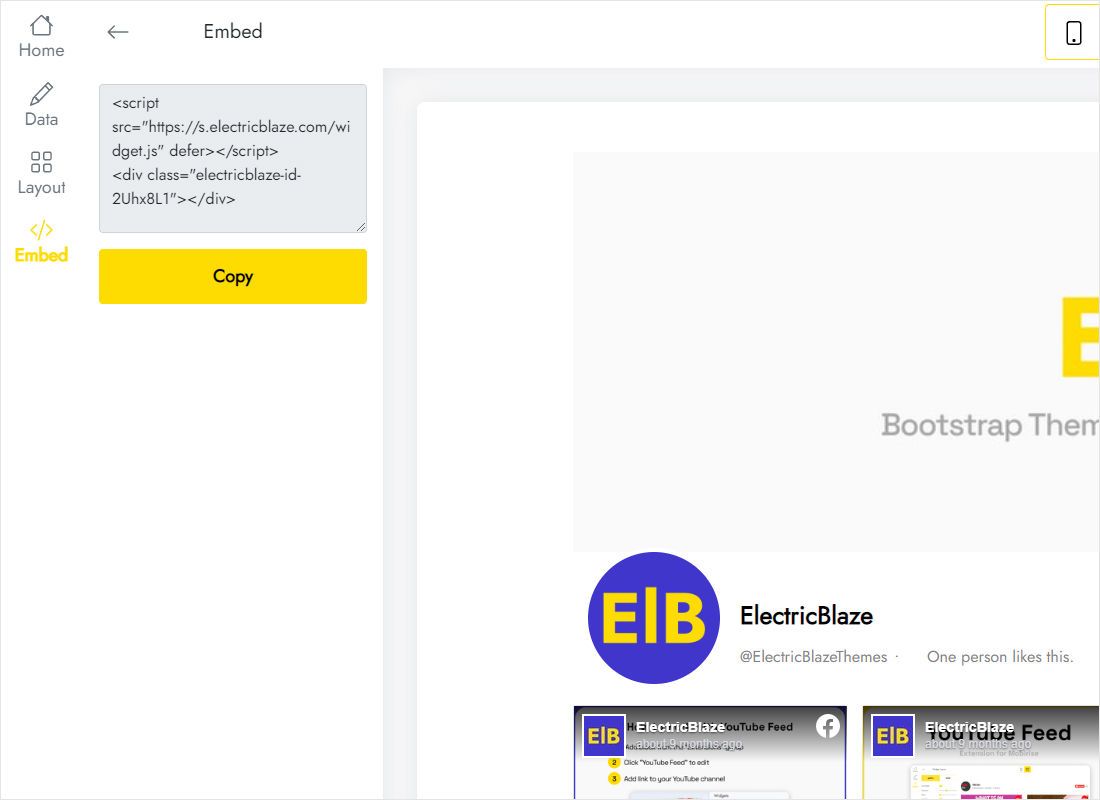
The Add to website button in the top bar reveals the snippet; copy all of it.
Step 2: Wix embed Facebook feed code on the page
Return to the Wix Editor with the snippet on your clipboard.
- Use the page switcher in the Wix Editor to open News, About or whichever page will host the posts.
- Open Add Elements, go to Embed Code and click Embed HTML; an empty box lands on the canvas.
- Hit Enter Code, drop the copied snippet in and press Apply.
- Drag the box under the right section, widen it to the column and pull its lower handle down until the last row of posts shows.
- Switch to the mobile view, check the height of the box again and click Publish.
Wix runs embedded code inside an iframe, so the canvas may display an empty square. The posts load in Preview and on the published site.
Fitting Facebook posts into the Wix layout
Page updates vary far more in length than photo posts: one is a single line, the next a long announcement with an album. That variation decides how tall the Wix box must be. A few habits keep it under control:
- Shorten or hide captions in the Layout tab when the feed sits in a narrow column. Cards stay even, so the required height becomes predictable.
- Prefer the slider for sidebars and footers. A single row of cards occupies a fixed strip, whereas a three-row gallery needs a tall box.
- Give phones extra room. Columns collapse into one stack on small screens, so the mobile box usually has to be taller than the desktop one.
Wix iframes do not resize themselves to their content, so judge the result on a real phone rather than in the editor. After that there is nothing to maintain: fresh Page posts are picked up once a day with Free or hourly with Start, and none of them require a Wix republish.
Facebook feed on Wix: common questions
How do I show a Facebook feed on Wix website pages without an app?
The Embed HTML route above needs no App Market install at all, and the one snippet can also be reused on several pages or sites built with other editors.
How to add Facebook page to Wix if I only have a personal profile?
Create a public Facebook Page first. The platform does not let third-party widgets read posts from personal profiles, which is why the connect button lists Pages only.
Wix: add Facebook feed to every page at once?
Put the Embed HTML element in the site footer. Wix shows the footer on all pages, so a single element covers the whole site.
How many visitors can see the free feed?
The Free plan includes 1,000 widget views per month. Busier sites switch to Start ($5 per month, paid annually), which lifts the view cap and drops our branding. Details are on the pricing page.
More Wix and Facebook guides
Build your Facebook feed for Wix
Connect a Page, style the posts and paste the code into Wix. Getting started costs nothing.
Create a widget