
Webflow Chat Widget for WhatsApp, Messenger and Telegram
The ElectricBlaze Webflow chat widget is a round launcher fixed to a screen corner. A tap opens a small panel listing your messengers, and the visitor continues in whichever app they prefer. Because it floats, its code lives in site-wide settings.
What to prepare
- Contact handles: WhatsApp or Viber phone numbers, a Facebook username for Messenger, a Telegram username, a Signal group link or a Discord server URL.
- Access to ElectricBlaze; the Free plan is fine for testing any widget in the catalogue.
- Site settings with editable Custom code fields. Those unlock with a Site plan or a Core, Growth, Agency or Freelancer Workspace.
There is no shared inbox or agent seat to manage. Conversations arrive in the messaging apps themselves, so you answer from your phone.
Create the Popup Chat button
Every option appears in the launcher’s full field list. Condensed:
-

Enter the dashboard at a.electricblaze.com with your login, or register first.
-

Create New Widget → Popup Chat.
-
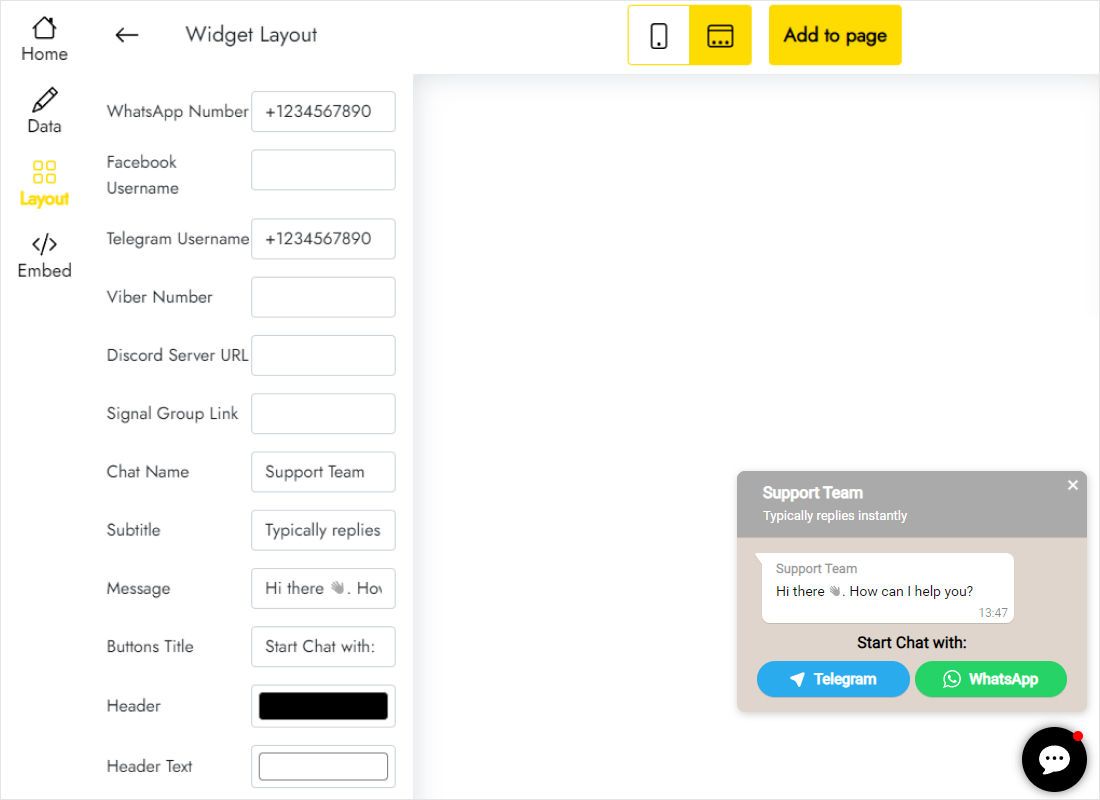
The Layout tab holds a field per messenger. Fill only the channels you actually monitor.
-
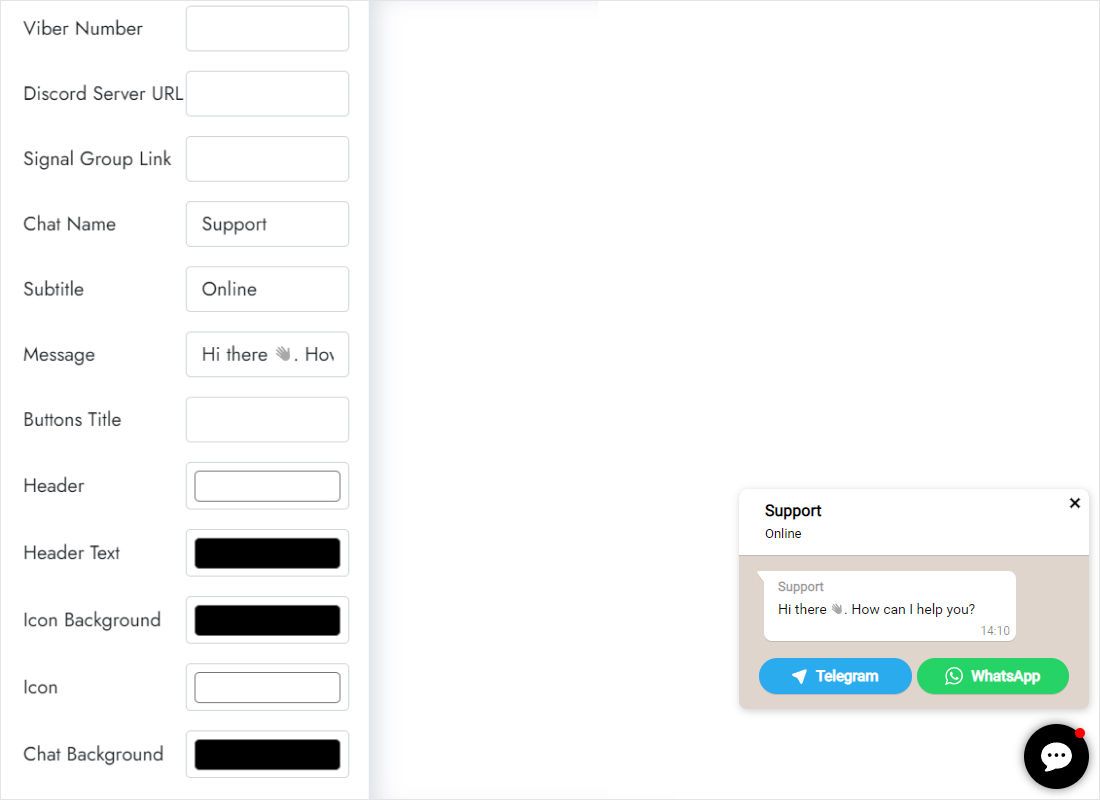
Lower on that tab, write the chat name, subtitle and greeting line and set brand colours.
-
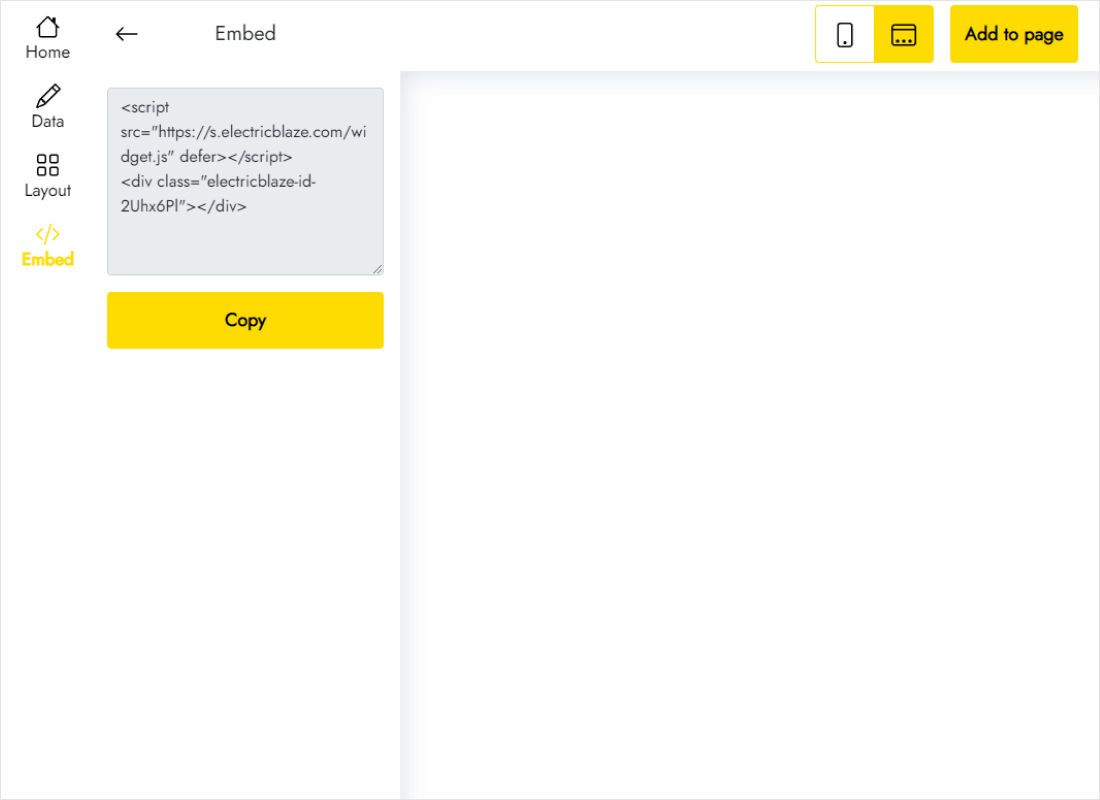
Add to website in the top bar shows the code.
Load the chat on every page
Site-wide placement keeps the launcher present on whichever URL a visitor lands on.
- From the dashboard open the project's Site settings and choose the Custom code tab.
- Drop the snippet into Footer code; Webflow outputs it right before the closing body tag.
- Confirm with Save changes.
- Publish again so the domain receives the new footer, then test the launcher on a phone.
Prefer the button only on Contact? Place the snippet in a Code Embed on that page, or in its Page settings, instead.
Keeping the button visible and usable
- Navbars and banners. Fixed layers with a large z-index, like a sticky navbar or a bottom cookie bar, may sit over the launcher. Reduce their z-index in the Style panel or move the consent bar to the top edge.
- Mobile corner. On Mobile Portrait, the bottom-right spot often already hosts a back-to-top arrow or a menu trigger. Drop the duplicate control or shift one aside.
- Interactions. Page-load animations that keep the body hidden can also postpone the launcher. Keep those delays brief.
- Staging. Publish to the webflow.io subdomain first to try the chat before it reaches production.
Chat button on Webflow: FAQ
Will the Webflow chat widget run on a Starter site?
No. Footer code and Code Embed stay locked on Starter, so the project first needs a Site plan or qualifying Workspace.
Can different pages show different contacts?
Yes. Build two widgets and put each into the Before body tag field in Page settings rather than site-wide.
Why is the launcher missing in the Designer?
Custom code executes in preview and on the published domain only, never on the canvas.
Next reads
More guides for this site builder and the chat widget overview:
Add a chat button
List your messengers, grab the code and paste it into Footer code. No charge to start.
Create a widget