
How to Add HTML to Webflow With the Code Embed Element
To add HTML to Webflow you need one element and, for some widgets, one settings field. Here is the click path in the Designer, the plan that unlocks it and the layout details that make an ElectricBlaze widget look native on the published site.
Where the Designer accepts HTML and scripts
- Code Embed element (Add panel → Advanced). A block you position inside sections, grids and flex rows. It takes HTML, CSS in style tags and JavaScript in script tags, up to 50,000 characters.
- Page settings → Custom code. Head and before-body fields for a single page.
- Site settings → Custom code. Head code and Footer code that load on every page.
All three need a paid plan: an active Site plan on that project or a Core, Growth, Agency or Freelancer Workspace. A Starter site on a Starter workspace keeps them locked, the usual cause of "webflow code embed greyed out". Adding a Site plan to the project is the quickest fix.
Paste the widget snippet into a Code Embed
First open your widget at a.electricblaze.com, press Add to website and copy the short HTML snippet.
-
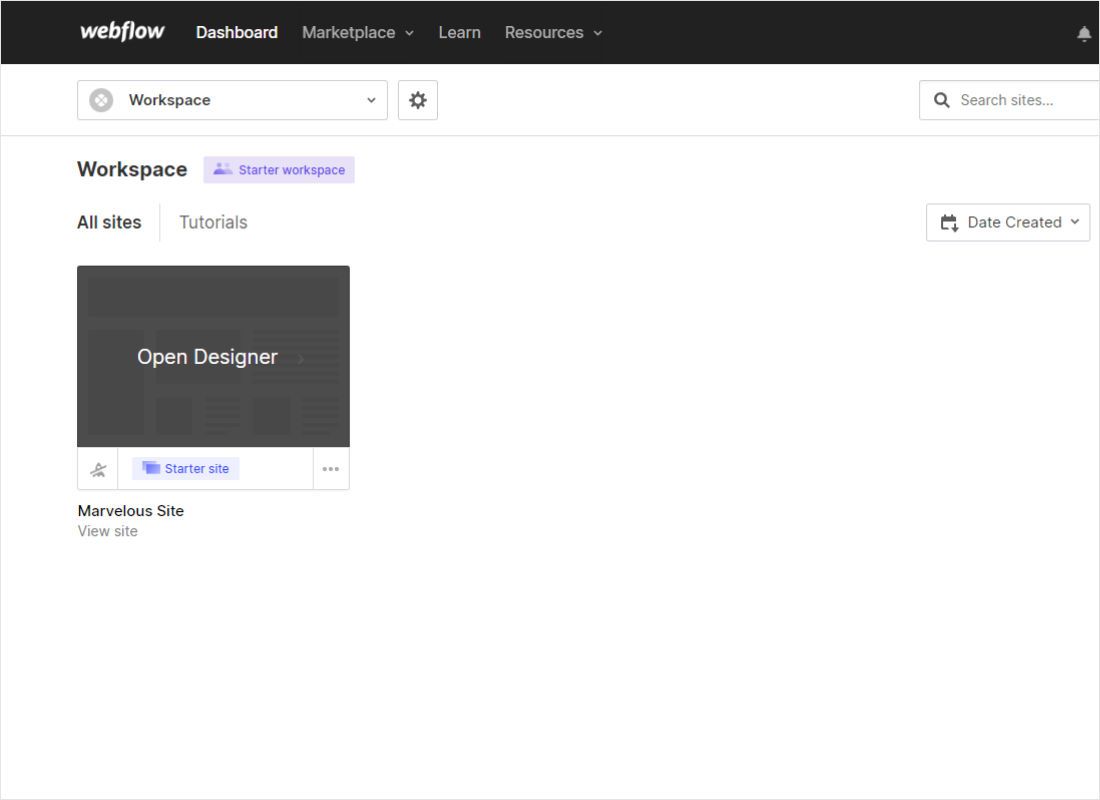
Find the project on your Dashboard and click Open Designer. Check the plan badge under the thumbnail: a Starter site cannot save embedded code.
-
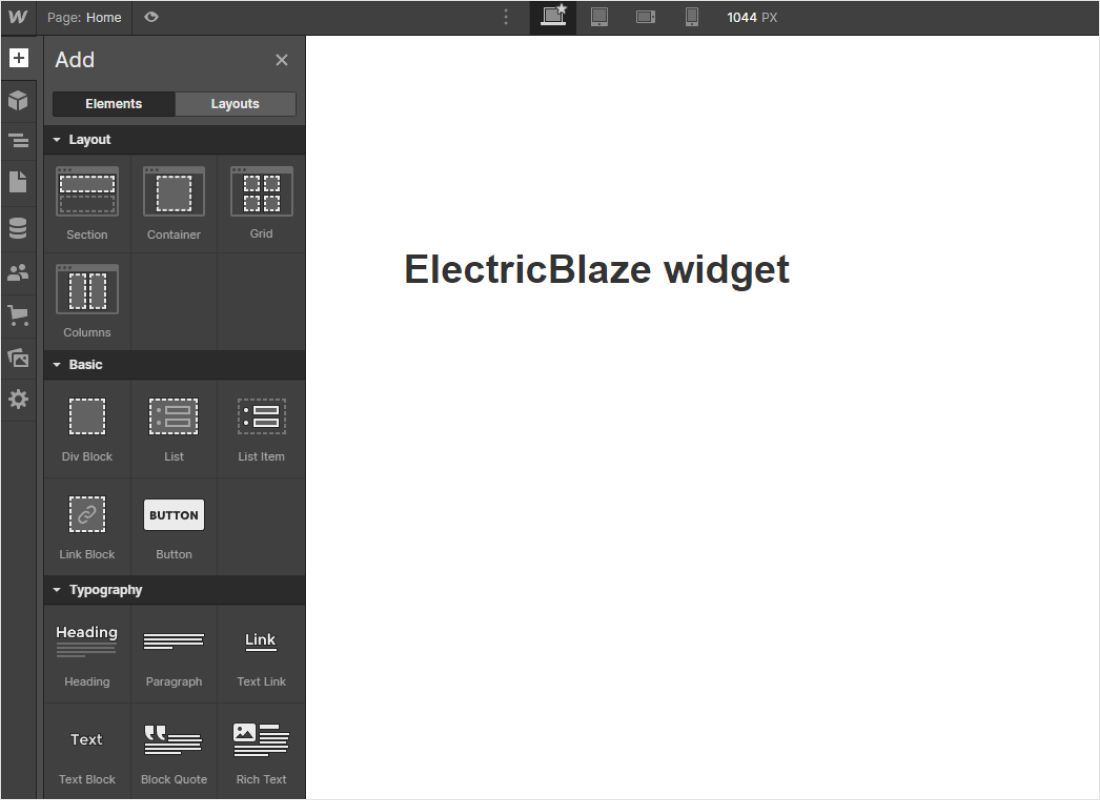
Pick the target page, then click the + icon at the top of the left toolbar to open the Add panel.
-
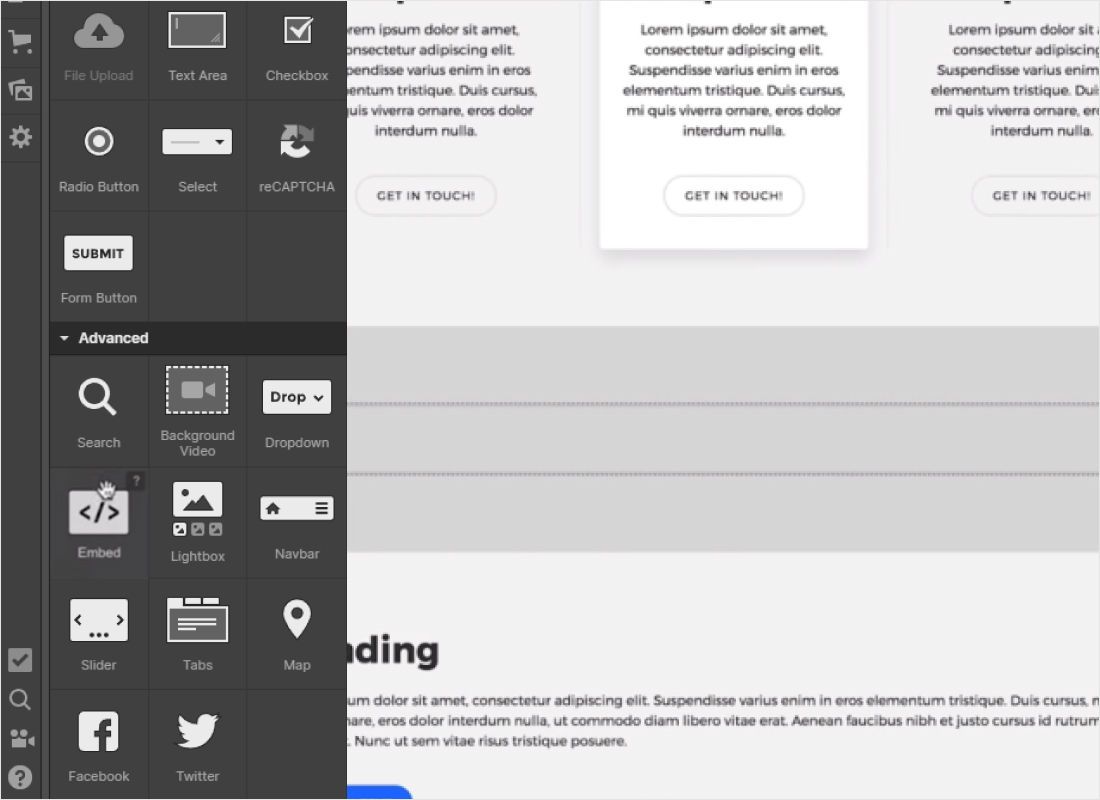
Scroll to the Advanced group and drag Code Embed (labelled Embed in older versions) into the section where the widget belongs.
-
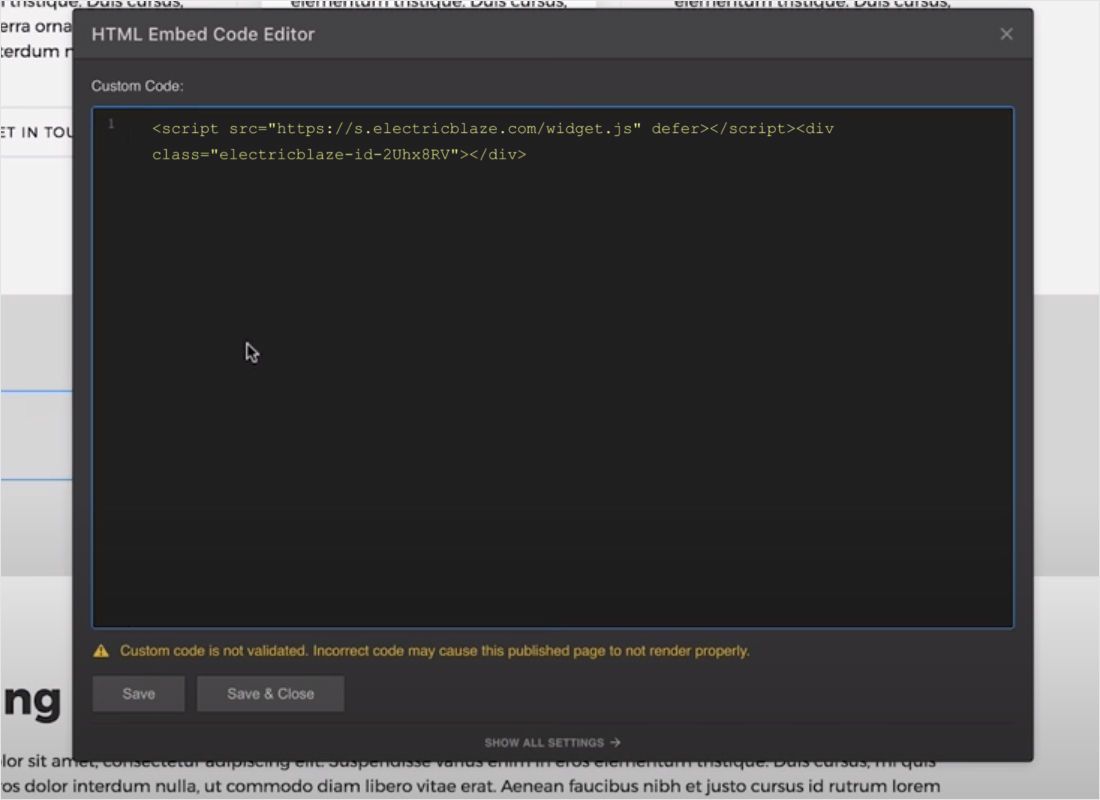
Paste the snippet into the HTML Embed Code Editor. Webflow warns that custom code is not validated; that is normal, so press Save & Close.
-
Publish to your webflow.io staging domain or custom domain and open the live page.
To edit the code later, select the element and press Enter or use Open code editor in the Settings panel.
Picking the right slot for each widget
Inline blocks: feeds and embedded players
A Code Embed stretches to its parent, so size the wrapper, not the HTML, whether it holds a feed or a Vimeo showreel. In a flex row give the embed a flex-basis or min-width, or an Instagram gallery can collapse into a thin column. In a CSS grid, let it span the columns you need. Check the Tablet and Mobile breakpoints as well.
Floating blocks: chat button, sticky music bar
Paste these into Site settings → Custom code → Footer code. The script loads on every page and pins its button to the browser corner, outside any section.
Reuse and CMS
Turn a Code Embed into a component when one feed repeats in a footer or on several pages. On Collection template pages the HTML can include dynamic fields, handy when each item needs its own widget.
Embedded code not working? Checks to run
- Grey placeholder on the canvas. Expected: script tags show a placeholder in the Designer and render in preview and on the published site.
- Upgrade prompt. The project has no Site plan and the workspace is Starter.
- Layout breaks after pasting. Pasted HTML must not contain html, head or body tags. The ElectricBlaze snippet never does.
- Feed squeezed into a strip. The parent flex item has no width; set 100% on the embed.
- Chat button under the navbar. A fixed navbar with a high z-index covers the corner. Lower it.
Changes made in the widget editor reach the live page without republishing.
Guides for each widget
Walkthroughs with sizing and placement advice for each widget type.
-

How to add Instagram Feed to Webflow
-

How to add TikTok Feed to Webflow
-

How to add YouTube Feed to Webflow
-

How to add Twitter Feed to Webflow
-

How to add Twitch Feed to Webflow
-

How to add Facebook Feed to Webflow
-

How to add Popup Chat to Webflow
-

How to add Music Player to Webflow
-

How to add Pinterest Feed to Webflow
-

How to add Vimeo Feed to Webflow
-

How to add Simple Shop to Webflow
Adding HTML to Webflow: FAQ
How to add custom code in Webflow for free?
A free Starter site cannot save custom code. Your ElectricBlaze plan can stay free, but the project needs a paid Site plan or Workspace plan.
What is the Webflow custom code character limit?
Each Code Embed and each head or footer field accepts 50,000 characters. The widget snippet is tiny because content loads from our servers.
How to add HTML code to Webflow inside a blog post?
Click inside the rich text element, press the plus icon, choose the custom code option and paste the snippet.
How to add JavaScript to Webflow without an element?
Use Page settings for one page or Site settings for all pages, placing the script before the closing body tag.
Make a widget for your Webflow project
Build it free, copy the HTML and paste it into a Code Embed.
Create a widget