
Webflow Music Player for Spotify and SoundCloud
A Webflow music player suits band sites, podcast landing pages and portfolios with a soundtrack. ElectricBlaze wraps a Spotify or SoundCloud embed into a styled player that either lives inside a section or stays docked to a corner on every page.
Inline or docked?
The widget offers two modes, and each belongs in a different part of the project:
- Embed mode behaves like a normal block. Put it in a Code Embed on the page that needs the tracks, for instance Releases.
- Floating mode hovers above the layout in a corner. Its code goes to Site settings → Custom code → Footer code so it is present across the whole site.
Custom code of either kind is locked on Starter sites; any Site plan or a paid Workspace opens it. From Spotify or SoundCloud, grab the share embed of a track, album or playlist.
Set up the player
Every setting is described in the docked and inline player tour. The flow:
-

Open a.electricblaze.com and log in; first-timers create a login on the same screen.
-

Choose Create New Widget → Music Player.
-
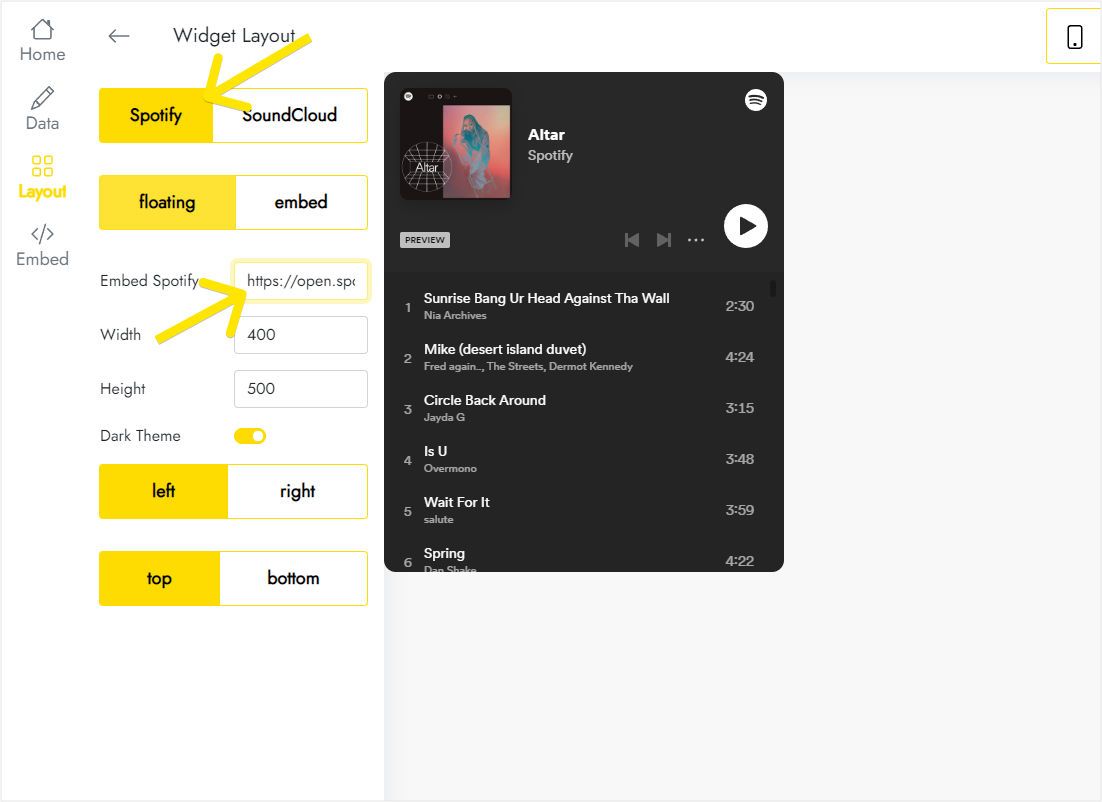
In Layout, set the source service to Spotify or SoundCloud and drop its embed markup into the code field.
-
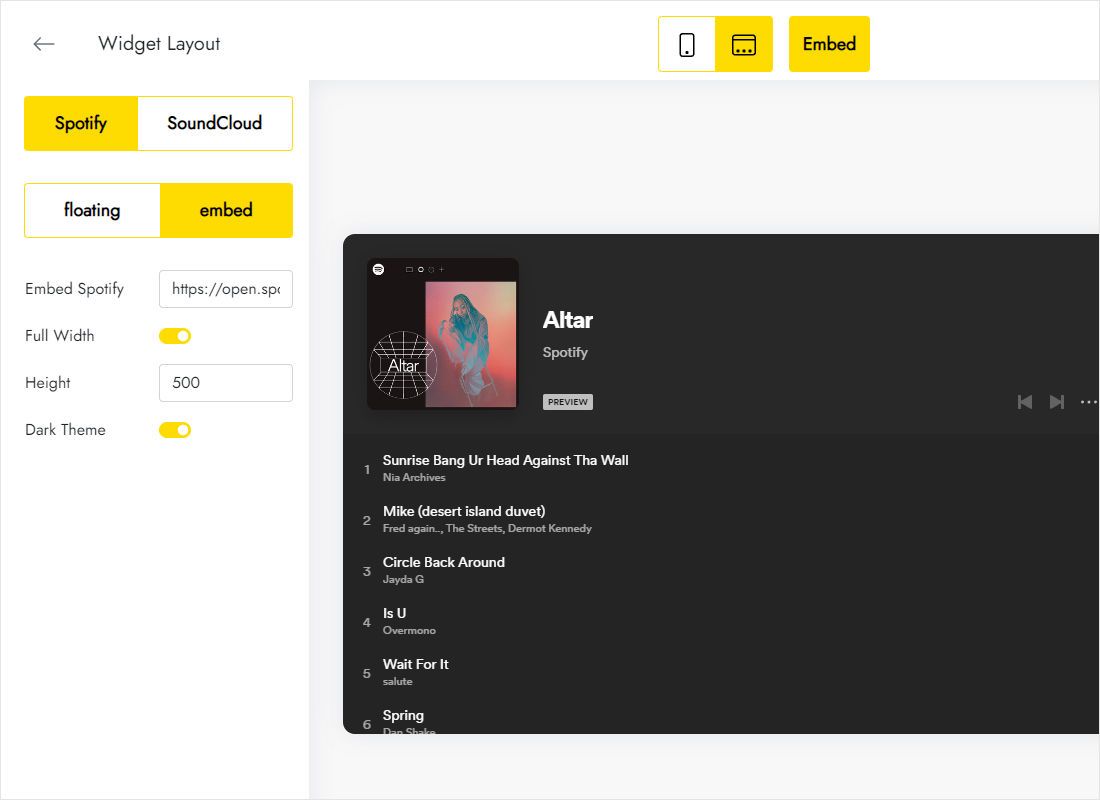
Further down Layout, decide between floating and embed, then define height and screen position.
-
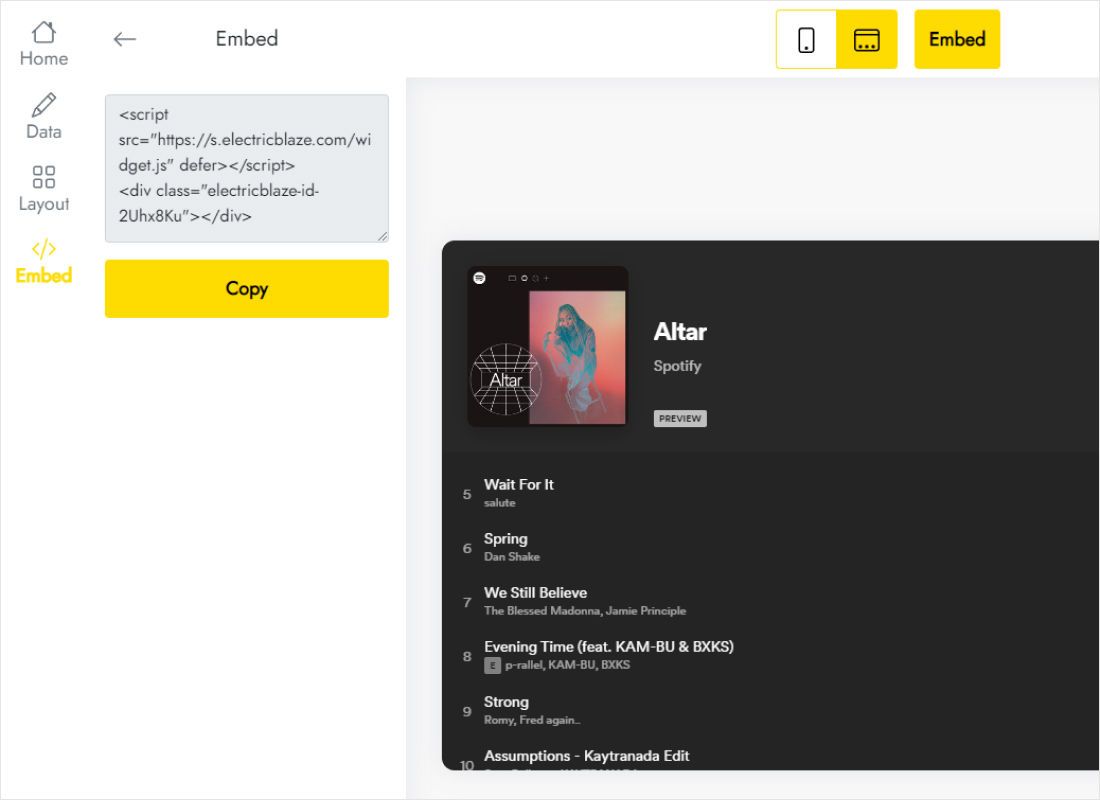
Use Add to website for the finished snippet.
Install the audio player in the project
Pick the branch that matches your mode.
- Inline: on the target page, drop a Code Embed from the Advanced group into a container, insert the code, save.
- Inline: stretch the element to 100% width and leave vertical room for the player height.
- Docked: go to Site settings → Custom code, fill Footer code with the snippet, press Save changes.
- Publish and press play on the live domain.
Footer code runs everywhere. To restrict the player to a single page, use Page settings → Custom code → Before </body> tag on that page.
Autoplay, stacking and phones
Playback waits for a click
Chrome, Safari and Firefox refuse to start sound before a user gesture on the page. Treat any Webflow audio player as click-to-play and add a visual cue, such as a short heading above the block, instead of counting on automatic start.
Docked player versus other fixed elements
Sticky navbars, consent bars and messenger chat bubbles compete for the same corners. Move the player to the free side in the widget, or lower z-index on your own fixed layers in the Style panel.
Small screens
An inline playlist with a big height shoves content down on Mobile Portrait. Reduce the height and let the list scroll internally.
Music player webflow questions
Does the audio player webflow visitors hear continue across pages?
Moving to another page reloads the document, so playback begins again after navigation, docked mode included.
Can I upload my own MP3 files?
The widget streams from Spotify or SoundCloud. Publish the track there, then use its share embed.
Will the player slow the site?
A small deferred script builds the player, and audio streams from the music service rather than your hosting.
Related instructions
Other guides for this builder and the player overview:
Create a music player
Drop in a Spotify or SoundCloud link, pick inline or docked, publish. There is a free tier.
Create a widget