
Webflow Facebook Feed: Show Page Posts on Your Site
A Webflow Facebook feed saves you from re-typing announcements on the site. Link a public Facebook Page to ElectricBlaze, drop one block into the Designer, and fresh updates flow onto the published pages.
Requirements
- Admin rights on a public Facebook Page. Profiles of individual people and closed groups are off limits for outside apps.
- An ElectricBlaze login (registration is free).
- Custom code rights for the project, which come with any Site plan or with a Core, Growth, Agency or Freelancer Workspace.
The Add panel already contains a Facebook element, but it only renders a like button with a counter for a Page URL. Posts with images and text need an embedded feed instead.
Configure the Facebook widget
All options are described in the Facebook Page feed feature list. Setup in brief:
-

Reach the builder at a.electricblaze.com and enter your credentials, or register.
-

Press Create New Widget; Facebook Feed is in the list.
-
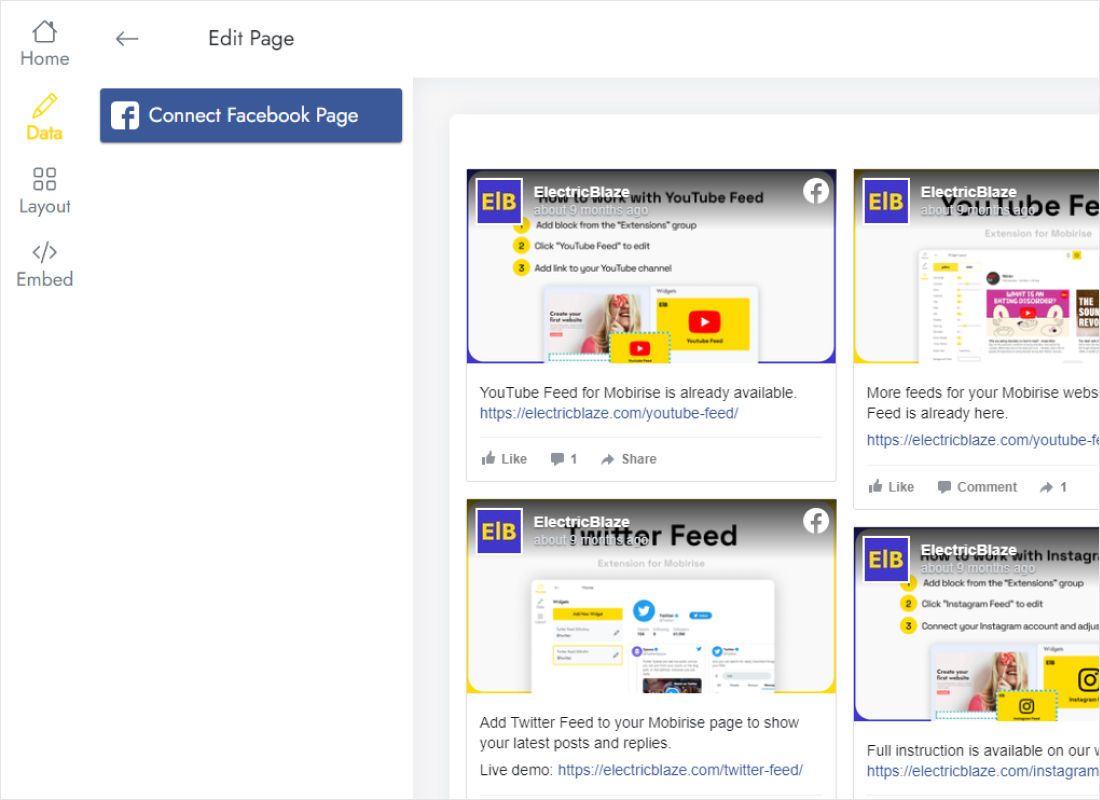
Data tab: Connect Facebook Page, then tick the Page whose posts should appear.
-
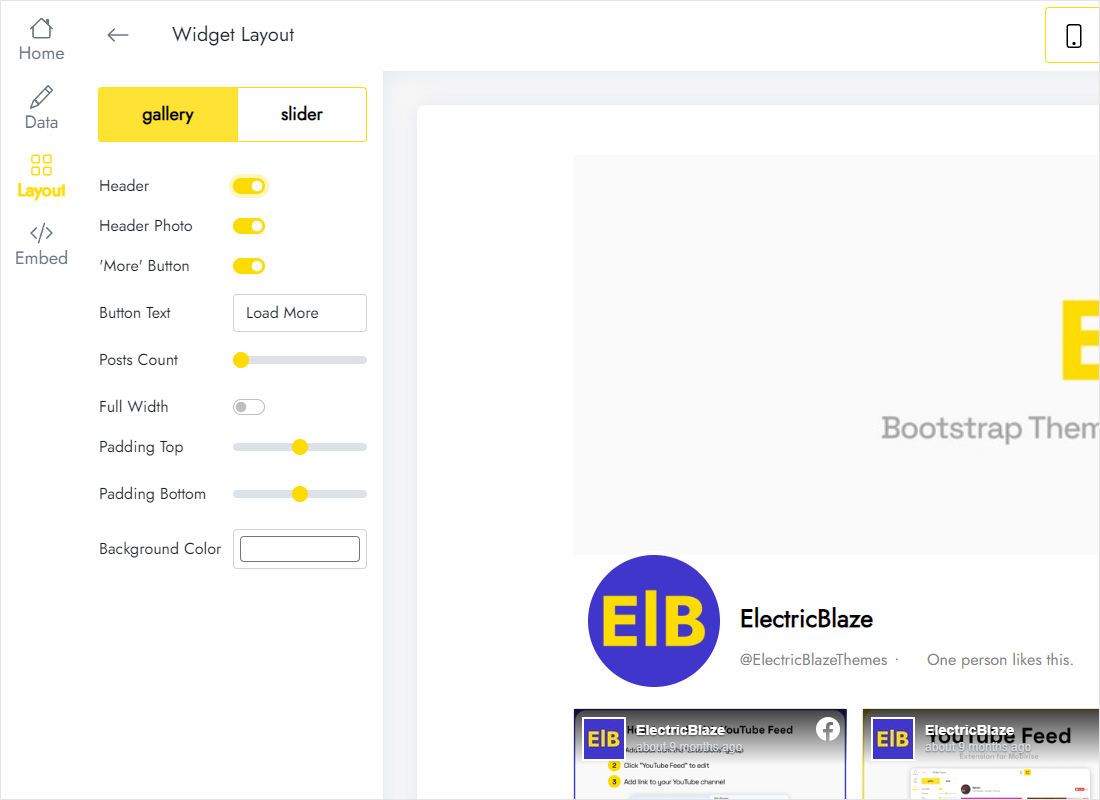
Layout tab: gallery for a wall of cards or slider for a single strip, plus columns, rows and background colour.
-
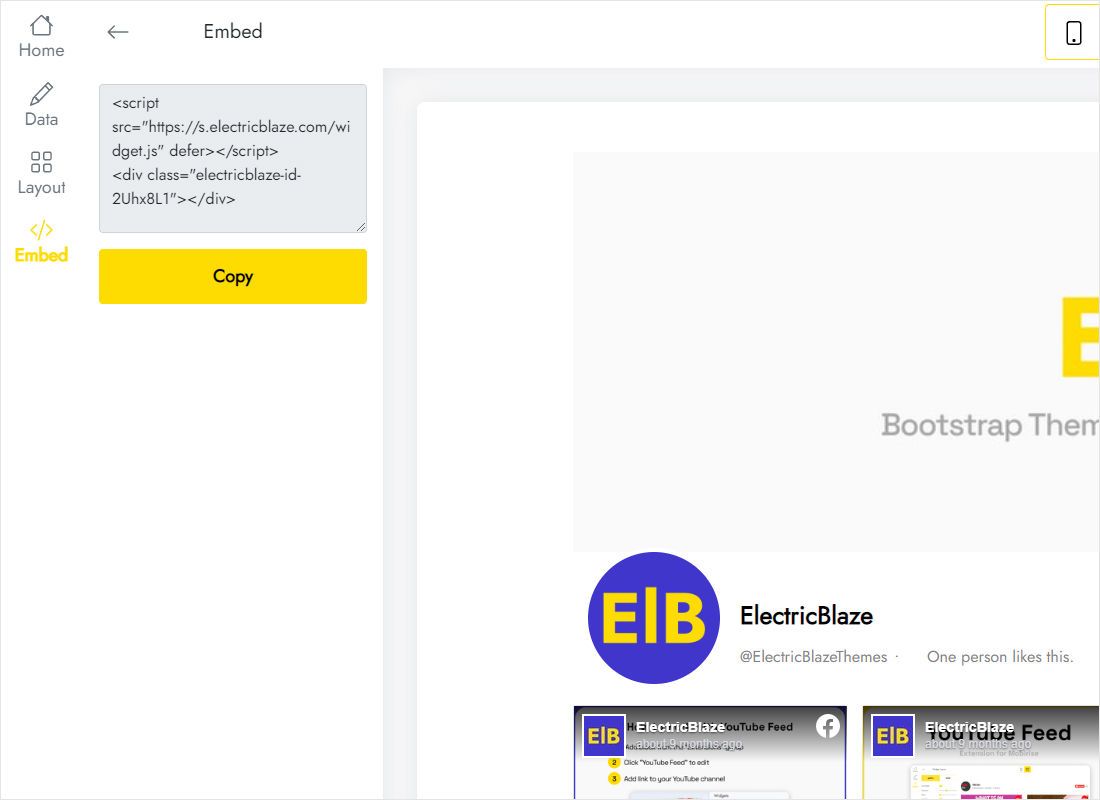
Top bar: Add to website reveals the code to copy.
Add the posts to a page in the Designer
A News or About page is a typical home for the posts.
- Insert a Section with a Container inside, or reuse an empty div.
- Drag the Code Embed element from the Advanced group into the container.
- Paste into the code window and close it with Save & Close.
- Widen the element to 100% via the Style panel.
- Publish, then look at the page on a laptop and on a phone.
While editing you will see a placeholder. Facebook content appears in preview and on the live domain.
Layout advice for Facebook posts
Page updates carry longer captions than photo feeds, so cards grow taller. Budget vertical space for that.
- Sidebar placement. Next to an article in a two-column flex layout, a single column of two or three cards reads well, much like a vertical X timeline. A min-width near 280px on the embed prevents cramped text.
- Full-width band. A slider with three cards visible spans a wide section yet keeps the page short.
- Mobile Portrait. Review this breakpoint separately; long captions stack into tall cards, so trim rows or lean on the slider.
Refresh timing depends on the widget plan: once daily on Free, every hour on Start ($5 per month when paid annually, branding removed).
Facebook posts on Webflow: FAQ
Can a personal profile power a Webflow Facebook feed?
No. Facebook only lets outside apps read public Page content, so connect a Page where you are an admin.
Why is the section blank while I edit?
The Designer never executes scripts. Open preview or the published URL.
Can the same posts appear on the home page and a blog template?
Yes. Convert the embed into a component and drop instances wherever needed; one widget feeds them all.
Keep going
Related instructions for this builder and the full widget description:
Start your Facebook feed
Link a Page, grab the code, publish. Trying it costs nothing.
Create a widget