
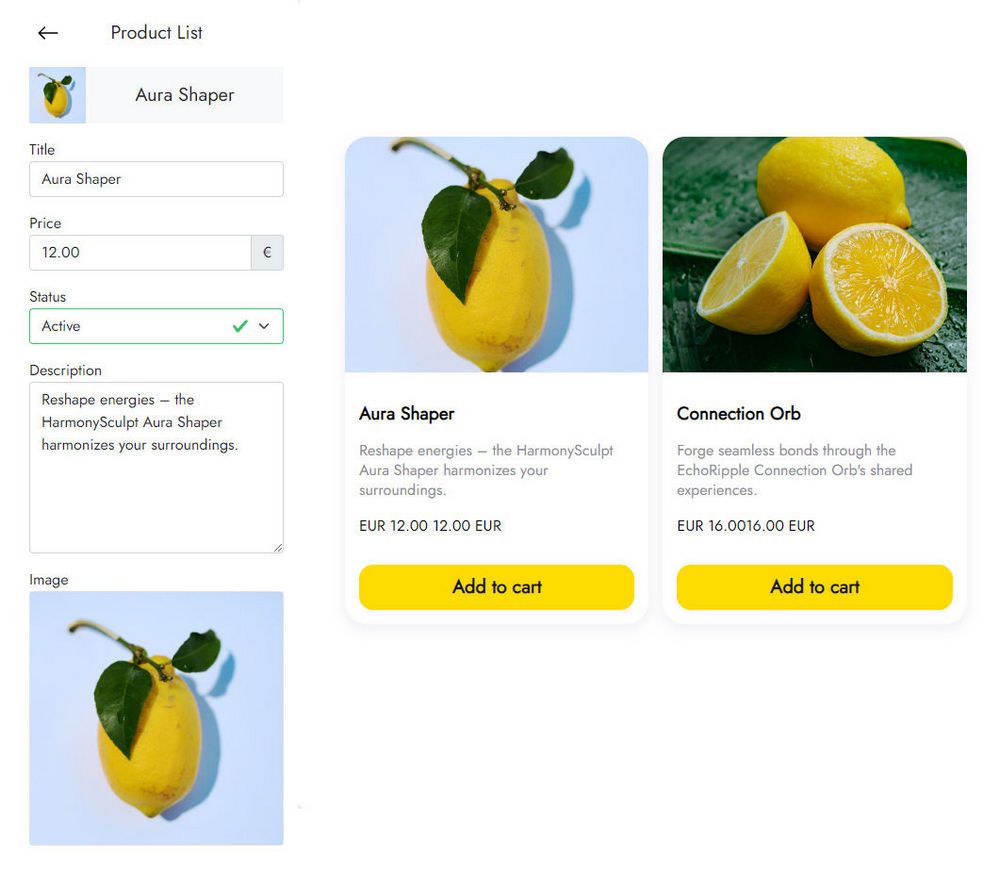
Simple Shop Extension for Mobirise
The Mobirise Simple Shop extension lets you start taking orders in a few clicks. Add products to a list, and customers send their order to you by email or WhatsApp.
Buy NowProduct list demo
Take orders with the Mobirise Simple Shop block
Payments are not built in. Orders arrive as messages, and you contact each customer to agree on a way to pay, get the delivery address and settle any other details. It is a quick fit for small catalogs and local sellers, especially next to a messenger button for buyer questions.
Not building with Mobirise? Try the order-taking tool for other websites.
Adding products and order options in Mobirise
- Open Menu → Extensions in Mobirise and import Simple Shop using the Import link.
- In your site, add the Simple Shop block from the blocks list.
- Click the block to enter the app.
- Select Add New Widget and choose Simple Shop.
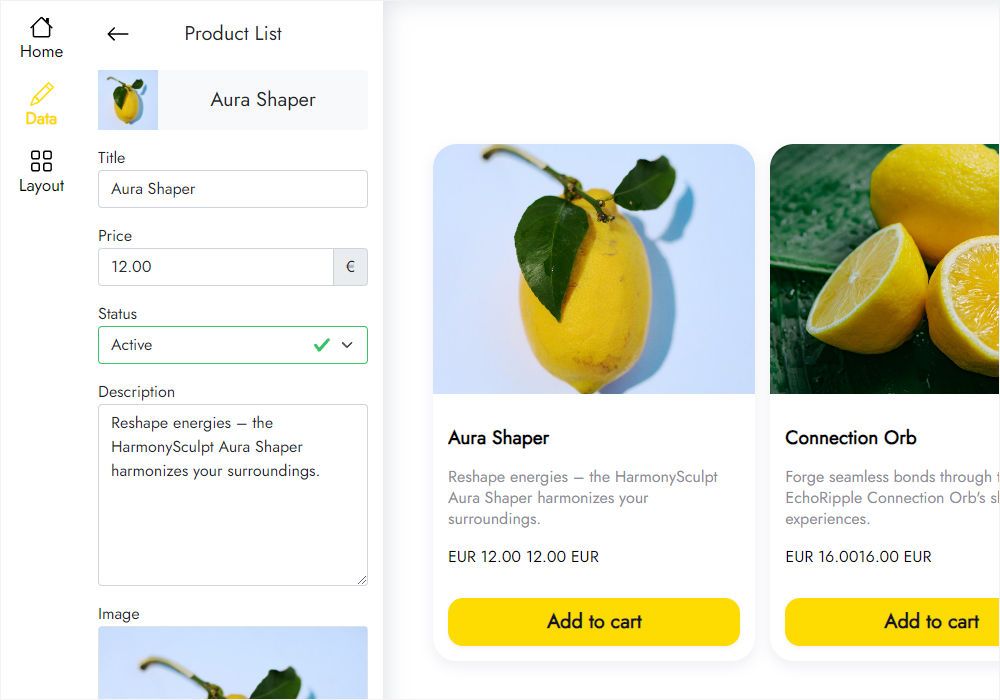
- On the Data tab add your products, replace the placeholders and set each product status to Active.
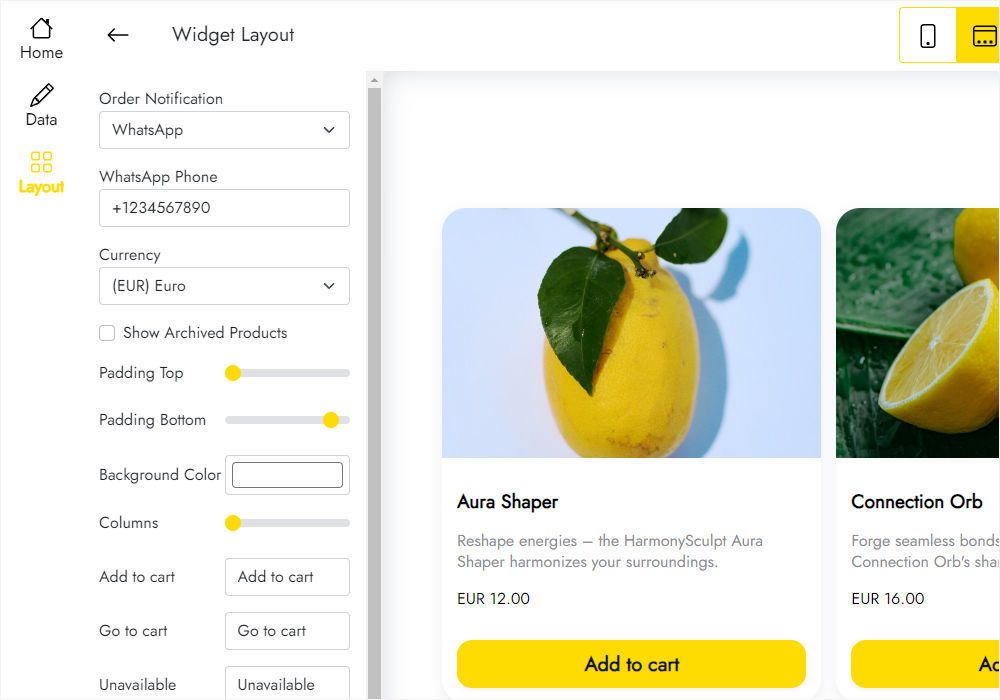
- In the Layout tab enter your phone number for WhatsApp or select the Email option.
- Click Save and Close and publish to start receiving orders.
Simple Shop questions
How do orders reach me?
By email or WhatsApp, depending on what you set on the Layout tab. There is no online payment: you contact the buyer to arrange it.
How do I add the block to a page?
Import the extension from the Extensions menu, then add the block from the blocks list to the page where products should be listed.
How many shops can I create?
You can create up to five widgets in total.
Can I show the same products on several pages?
Yes. Save the block to User Blocks and insert it anywhere, or add a new block and select the existing shop under Home in the widget editor.
How do I delete a shop?
Open Data and click Remove at the bottom of the panel. The shop is deleted from all projects and published sites, and you cannot undo it.
Can I edit products after publishing?
Yes. Change prices, add items or switch a product off in the editor, and the published site shows the updated list without editing the site.
Who develops Simple Shop?
ElectricBlaze, a Mobirise partner company.
Who can help me with setup?
Write to [email protected] and include ElectricBlaze in the email text; it is passed to the ElectricBlaze developers.
Is Simple Shop part of Mobirise Kit?
Yes. You can use it with no extra payment while your Kit license is valid, or buy the extension separately.
What happens when the license runs out?
Adding and editing the shop block is disabled, and your published site may display a “Your license has expired” alert above it.