
Smart Cart: Mobirise Shopping Cart
Sell from any Mobirise site without switching to a store builder. Smart Cart turns an ordinary button or link into Buy Now or Add to Cart, then hands checkout to PayPal or Stripe, or sends the order to your WhatsApp.
Buy Now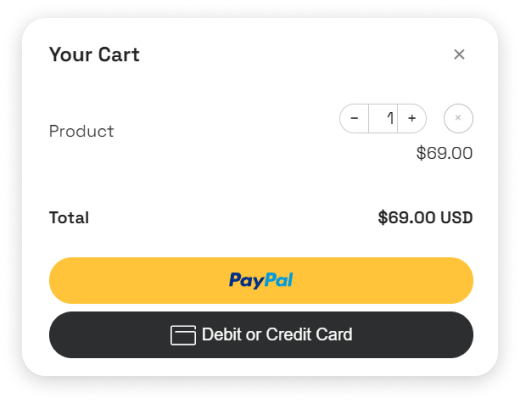
Mobirise ecommerce with three checkout options
Choose one payment system per project. Everything else, from product blocks to design, stays in your usual Mobirise workflow.
-
Mobirise PayPal checkout
Buyers pay with a PayPal balance or a debit or credit card through PayPal Smart Checkout. A PayPal account is not required on their side.
-

Mobirise Stripe payments
Stripe handles cards and a wide range of local payment methods and currencies, depending on your Stripe account settings.
-

Orders in WhatsApp
No payment gateway at all: the order arrives as a chat message, and you agree on payment and delivery with the customer.
Try the cart: Buy Now and Add to Cart
These buttons use the PayPal option with a test price. Add items to watch the counter update, but please do not complete a payment.
Buy Now Link
$ 0.50 USD
These buttons are for test only. Don't place the orders.
What's Included:
- It's the Buy Now demo link.
Add to Cart Link
$ 0.50 USD
These buttons are for test only. Don't place the orders.
What's Included:
- It's the Add to Cart demo link.
Add to Cart Link 2
$ 0.50 USD
These buttons are for test only. Don't place the orders.
What's Included:
- It's the Add to Cart demo link.
Buy Now or Add to Cart?
Both actions can live on the same page, so you decide product by product.
Buy Now
Best for a single item that people rarely combine with anything else: an e-book, a ticket, a consultation, a donation. One click opens payment with exactly that product, which keeps the path to purchase as short as possible.
Add to Cart
Best for catalogues where a customer may pick several things: clothes in different sizes, menu items, prints. A floating icon stays on screen, shows the number of items and lets the visitor change quantities before checkout. The total is calculated automatically.
PayPal, Stripe or WhatsApp orders: which to choose
| PayPal | Stripe | ||
|---|---|---|---|
| Money flow | Online payment to your PayPal Business account | Online payment to your Stripe account | No online payment, you arrange it in chat |
| What you need | Live Client ID | Account key from the Stripe connection | A WhatsApp number |
| Buyers pay with | PayPal balance or card | Cards and local methods enabled in Stripe | Any way you agree on |
| Fees | Standard PayPal fees | Standard Stripe fees | None from a payment provider |
| Good for | International buyers who trust PayPal | Card-first stores, many currencies | Local shops, made-to-order goods, delivery |
Smart Cart does not add its own transaction fee; the payment provider charges its usual rates.
What people sell with Smart Cart
Digital downloads
E-books, presets, templates and courses. Take the payment with Buy Now and send the file from your email after the notification arrives.
Events and workshops
Tickets with a fixed price and a unique name for each date, so every order clearly shows which session was booked.
Food and local delivery
A menu page where guests pick several dishes and send the order to WhatsApp to agree on delivery time; on sites built elsewhere, a product grid with chat checkout does the same job.
Handmade goods
Small catalogues of prints, jewellery or ceramics where each piece gets its own button and price.
Services and deposits
Consultations, photo sessions or booking deposits paid online before the appointment.
Donations and support
Fixed contribution buttons for clubs, schools or creators who prefer PayPal or Stripe over a crowdfunding platform.
Selling from a static website without a store platform
Mobirise publishes plain HTML pages, so there is no database or server code to run a traditional online shop. Smart Cart solves that on the client side: the basket lives in the browser, and the payment is processed by PayPal or Stripe on their secure pages, the same way our hosted social feeds bring live content to static pages.
That keeps the site fast and cheap to host on any server, FTP space or GitHub Pages, while still accepting payments. Mobirise ecommerce of this kind suits small catalogues, event tickets, digital goods and service deposits. If you need stock control, customer accounts or hundreds of products with filters, a dedicated store platform will serve you better.
How to add a shopping cart in Mobirise
- Update the Mobirise app to the latest version.
- Open the main menu and go to Extensions.
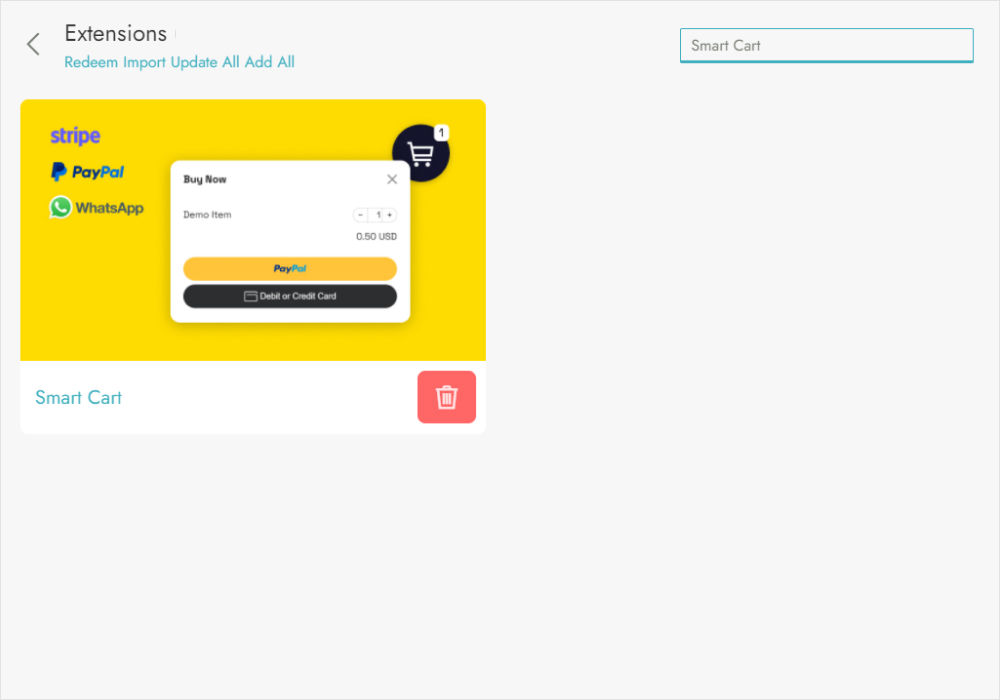
- Find Smart Cart in the list. Mobirise Kit subscribers get it included; otherwise buy it separately.
- Install the extension and open the project you want to sell from.
- Add a block with your product and select its button or link.
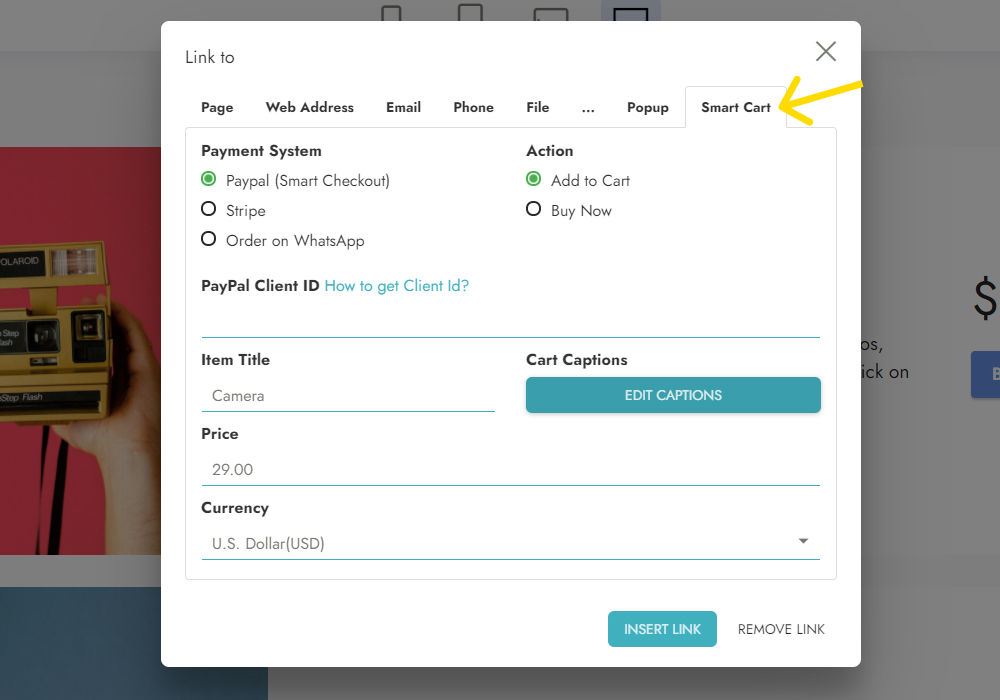
- In the Link dialog open the Smart Cart tab.
- Choose the Payment System: PayPal, Stripe or WhatsApp. One system applies to the whole project.
- Pick the Action: Buy Now sends the shopper straight to payment, Add to Cart puts the item in the cart shown on the site.
- Enter the product price and a unique product name.
- For PayPal paste your Client ID, for Stripe your Account Key (see how to get them), then press Insert Link.
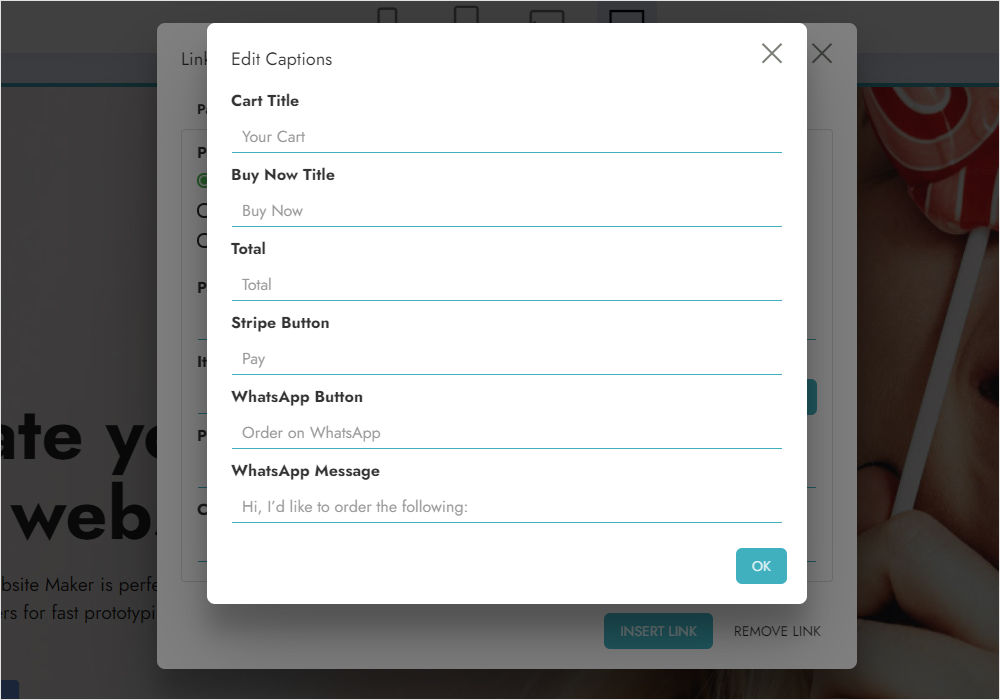
- Optionally press Edit Captions to rename labels or change the WhatsApp order message.
- Publish the site and place a test order.
Smart Cart FAQ
Is Smart Cart included in Mobirise Kit?
Yes, it is available to Mobirise Kit subscribers. You can also purchase the extension on its own with the Buy Now button at the top of this page.
Do customers need a PayPal account?
No. PayPal Smart Checkout lets them pay with a card as a guest; a PayPal login is only one of the options.
Can I use PayPal and Stripe on the same site?
Not within one project: a single payment system is selected for the whole project. Use separate projects if you really need two gateways.
Where do I get the PayPal Client ID or Stripe key?
Follow the step-by-step credentials guide. PayPal needs a Business account; Stripe is connected through ElectricBlaze.
Are there extra fees?
Smart Cart does not charge per sale. PayPal and Stripe apply their standard processing fees to each payment.
How do WhatsApp orders work?
When the customer confirms the order, WhatsApp opens with a prepared message listing the items and total. You reply in the chat to confirm payment and delivery. The message text can be edited with Edit Captions.
Can I change button captions and other labels?
Yes. Edit Captions lets you translate or rename labels such as the basket title, buttons and messages, so the store can speak your customers’ language.
How can I test the checkout before launch?
Publish the project, add a product the way a buyer would and complete one small real payment with your own card, then refund it from the PayPal or Stripe dashboard. This confirms that the credentials, prices and notifications are set up correctly.
Is the Mobirise shopping cart secure?
Card details are entered on PayPal or Stripe pages, never on your site, so you do not handle or store payment data yourself.