
HTML Facebook Feed for a Custom Website
This guide shows how to put an HTML Facebook feed on a static or custom-built site: posts from your public Page, rendered inside your own layout, with a snippet you paste into the markup like any other element.
Page Plugin or widget?
Meta publishes its own Page Plugin, which many tutorials offer as the HTML Facebook Page code. It is an iframe in Facebook’s styling with a width range fixed by Meta, so on a wide layout it stays a narrow column, and it loads Facebook scripts for every visitor.
The ElectricBlaze widget, one of a set of hosted social embeds, renders Page posts as cards that follow your container width and your chosen colours, in a grid or a slider. Requirements:
- A public Facebook Page you manage (personal profiles and groups are not available).
- Write access to the site files or templates.
- An ElectricBlaze login on any plan.
Step 1: Get the HTML code to embed Facebook feed posts
See how Facebook cards can be styled for every setting.
-

Log in to a.electricblaze.com, or sign up if you have no account yet.
-

Start with Create New Widget and select the Facebook Feed type.
-
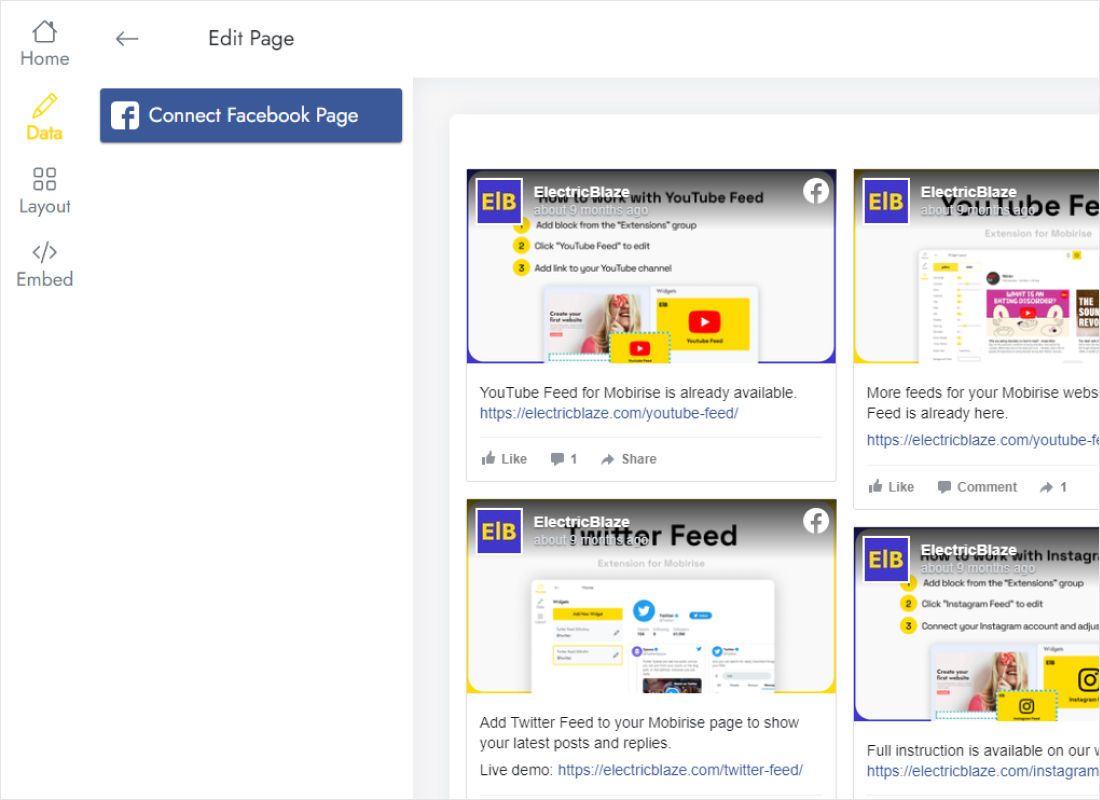
On the Data tab, Connect Facebook Page launches Meta’s login; choose the Page whose posts belong on your site.
-
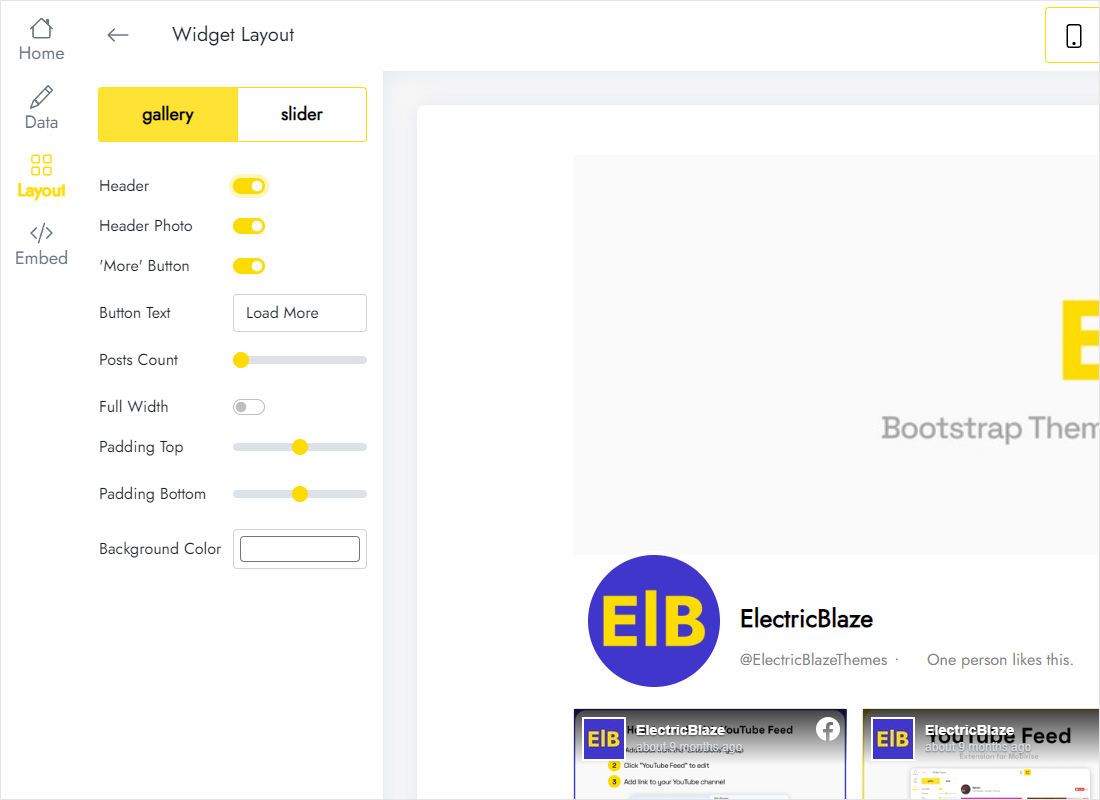
On Layout, set the card arrangement (gallery or slider), columns, rows, gaps and background.
-
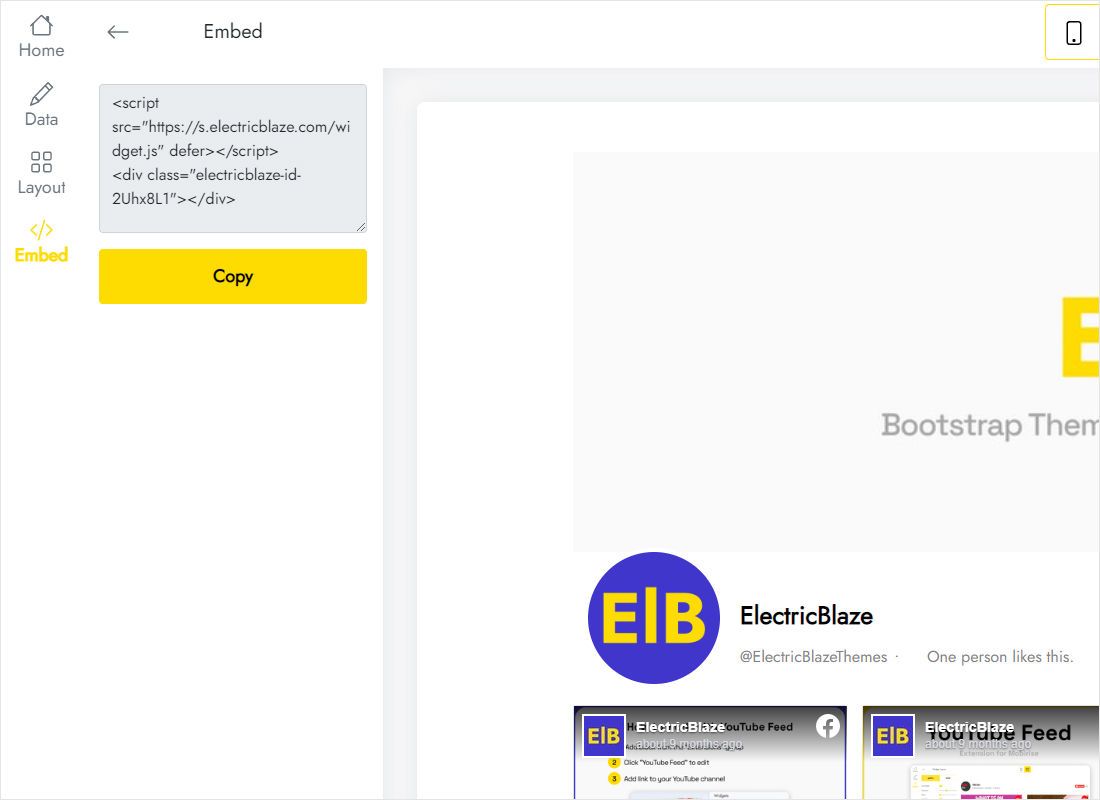
Press Add to website and copy the full snippet from the dialog.
Step 2: Paste it into your markup
Open the file or template that renders the page:
- Find the element where posts should appear, for example a News section on the home page.
- Paste the snippet inside it without changing any attributes.
- Make sure the parent has a sensible width, such as a centred wrapper, and no fixed height.
- Save, deploy or upload, and reload the page with the cache cleared.
- Resize the browser or use device emulation to check how the cards reflow.
On a site with a template engine, paste into the partial for that section so every page using it gets the feed.
Container and layout tips
The widget takes the width of its parent. A simple wrapper keeps it aligned with the rest of your content:
.news-wrap {
  max-width: 1100px;
  margin: 0 auto;
  padding: 0 16px;
}- Wide section: three columns and two rows read like a news wall.
- Sidebar: slider mode with one card visible at a time.
- Full-bleed band: turn on Full Width in Layout and place the code outside the centred wrapper.
If the embed Facebook Page HTML stays empty, check the console for Content Security Policy errors and whether a parent element is hidden. Free widgets fetch new Page posts once a day and Start widgets once an hour.
Privacy note: with the Page Plugin, Facebook code runs in each visitor’s browser. Whichever option you pick, review your cookie and consent setup so the privacy notice on your HTML site stays accurate.
Facebook posts on a coded site: FAQ
Can I combine it with my own CSS?
Yes, around it. Style the wrapper freely; colours and spacing inside the widget are set in the Layout tab.
Does the feed work on a local file opened in the browser?
Test on a local server or the live host instead. Opening a file directly can behave differently from a real web address.
Will it show posts from a Facebook group?
No. Only public Pages can be connected.
Can I put the feed on several sites?
Yes. The same snippet works on any number of websites; views count toward the monthly total on the Free plan.
More guides
The general embedding guide for coded sites, the Facebook widget overview and related guides:
Get your Facebook Page posts on the site
Connect the Page, copy the snippet, paste it into the markup. Free to start.
Create a widget