
How to Add Facebook Feed to Hostinger
Offers, opening hours and event photos often land on a Facebook Page long before anyone edits the website. The steps below add Facebook feed to Hostinger pages so those updates reach your builder site automatically, with no retyping.
Prerequisites
- An admin role on a public Facebook Page (personal profiles cannot be linked).
- An ElectricBlaze login, which costs nothing on the Free plan.
- A site made with Hostinger Website Builder. If your Hostinger plan runs WordPress, use the WordPress version from the builder guides collection.
Because the widget runs from a short snippet, the same Page feed can later be reused on a landing page, a second Hostinger project or any other site you own.
Step 1: Link the Page in ElectricBlaze
Beyond these basics, the detailed Facebook widget tour documents each option.
-

Sign into the dashboard at a.electricblaze.com; first-timers register there too.
-

Start a Create New Widget flow and tap the Facebook Feed card.
-
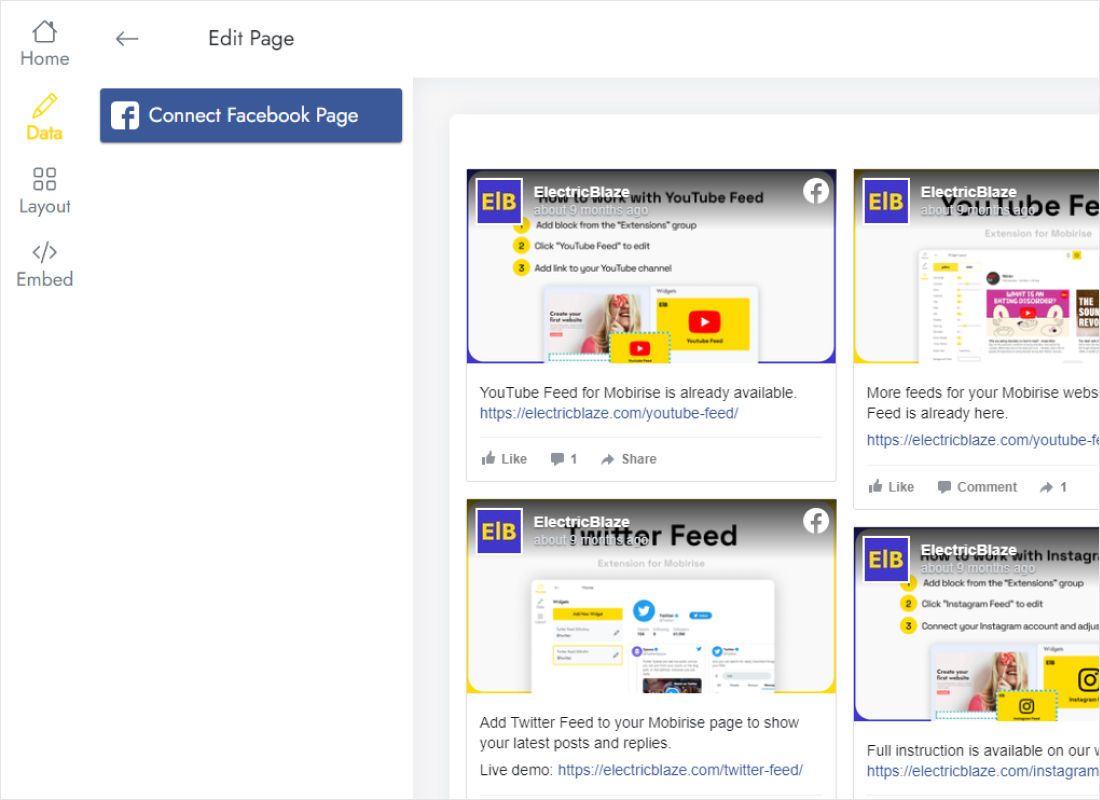
The Data tab holds Connect Facebook Page; approve the Page you administer in the Facebook window.
-
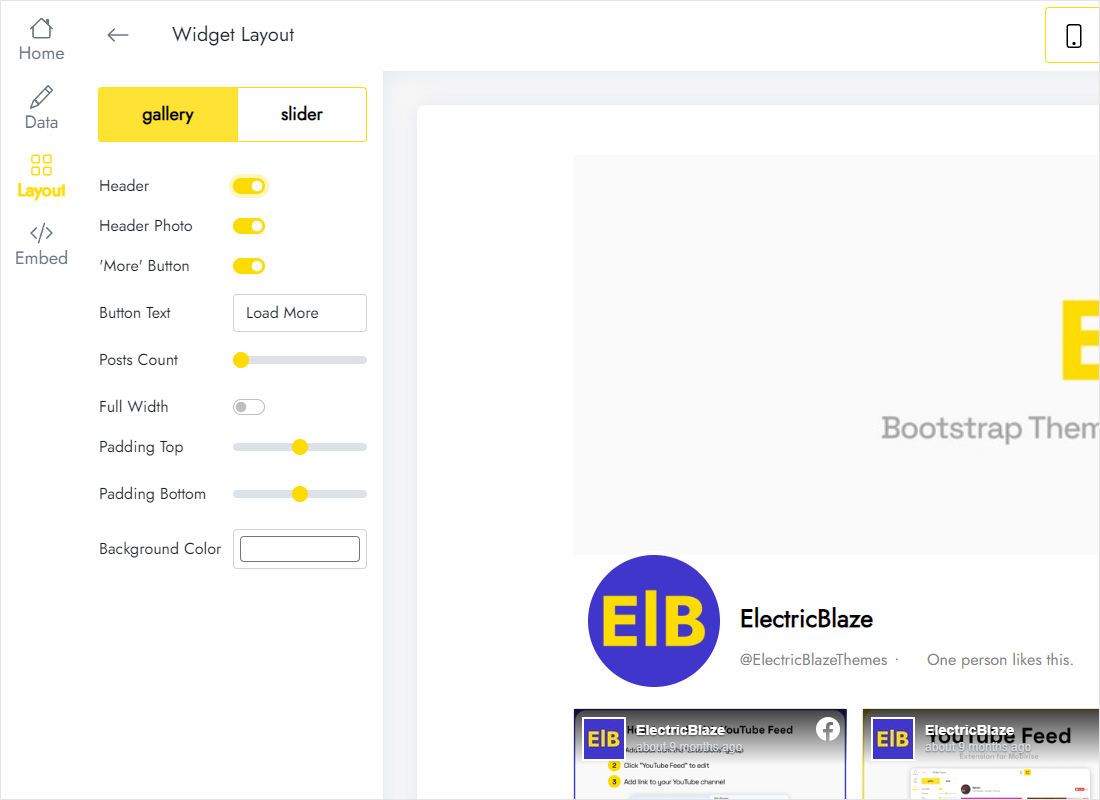
The Layout tab decides gallery versus slider, how many columns and rows, and whether post text shows.
-
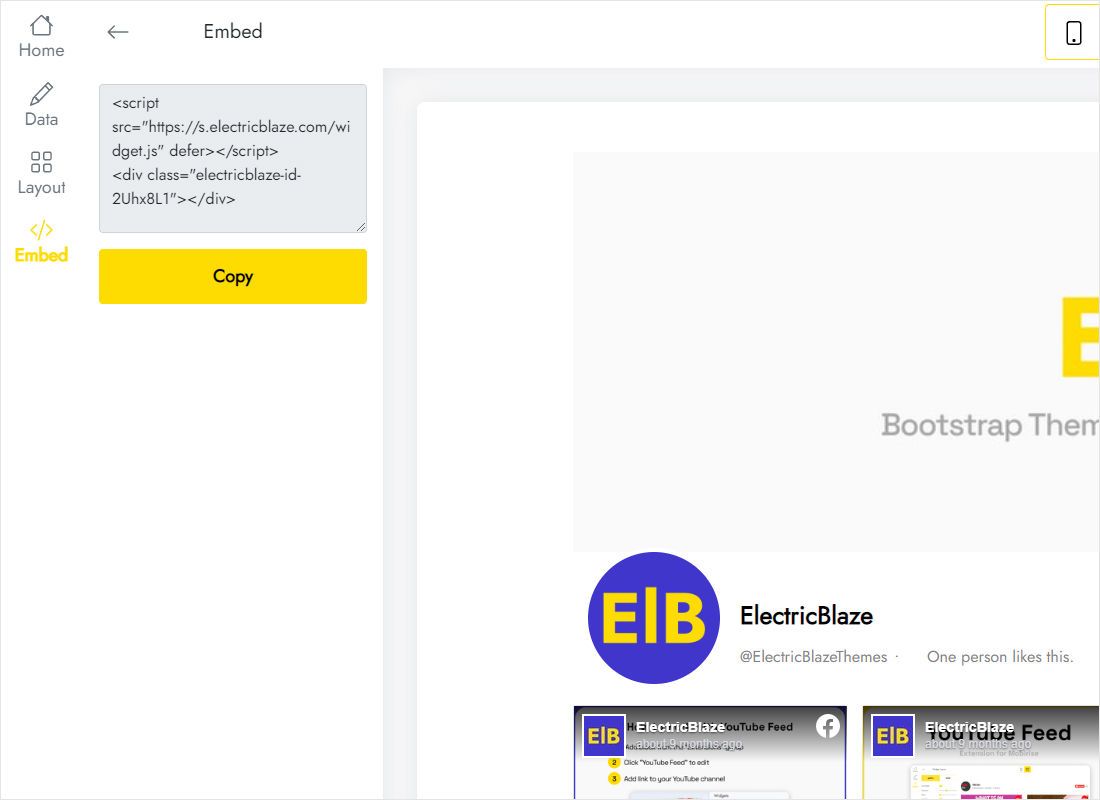
Grab the two code lines from the Add to website button.
Step 2: Put the Page posts into the builder
Keep the code copied and open your site editor.
- Pick the target page, say Home or News, from the builder’s page switcher.
- Click Add elements on the left side and pull Embed code into an empty area of a section.
- Select the new element, pick Enter code, insert the snippet and apply it with the Embed code button.
- Stretch the frame to the section width and drag the bottom handle so every row has space.
- Press Update website, then load your public address to see real posts.
While editing, the element shows a placeholder rather than your posts. Only the published site runs the script.
Giving Page posts enough room
Facebook posts carry text as well as photos, so a Page feed grows taller than an image-only gallery. Keep that in mind when you set the frame height.
- Short on space: the slider layout with one row fits under a hero banner.
- News page: two columns and several rows read like a blog roll.
- Phone layout: open the mobile view in the builder; when columns stack the element usually needs to be taller.
- Background: set the widget background to match the section colour so the frame edges disappear.
Fresh Page posts arrive by themselves: once every 24 hours on Free, every hour with Start. Republishing is only needed after you shift the element around.
Facebook posts on Hostinger: FAQ
Why is the lower part of the feed hidden?
Its Embed code frame is shorter than the posts. Pull the frame taller, or show fewer rows from the ElectricBlaze Layout tab.
Can I connect a Facebook group?
No. The connection works with public Pages only, so group discussions stay off the site.
Does the feed need a paid Hostinger add-on?
Hostinger’s own help pages list no surcharge for Embed code, and the widget runs on the free ElectricBlaze tier.
Can I add the same feed to a second page?
Yes. Drop another Embed code element on that page and paste identical code.
Other Hostinger guides
The overview for Hostinger embedding, the Facebook widget features plus guides for other widgets:
Create your Facebook Page feed
Link your Page today and have posts on the builder site within minutes.
Create a widget