
How to Add TikTok Feed to Hostinger
Recipe reels, product unboxings and studio tours tend to live on TikTok while the website shows last year’s photos. The steps below add TikTok feed to Hostinger builder pages, so each new upload turns up on the site too.
Getting ready
- The TikTok login for the profile you want to show, needed once.
- An ElectricBlaze account on any tier, Free included.
- Editing rights in Hostinger Website Builder. On WordPress hosting from Hostinger, pick the WordPress walkthrough from the builder-by-builder guide index.
Copying individual video links into the builder means another edit after every upload. A connected feed follows the profile itself, which suits creators who post several times a week and shops that run seasonal campaigns.
Step 1: Connect TikTok to a widget
Want every setting explained? See the clip feed feature rundown.
-

Load a.electricblaze.com and get into your account, or make one.
-

Pick TikTok Feed after pressing Create New Widget.
-
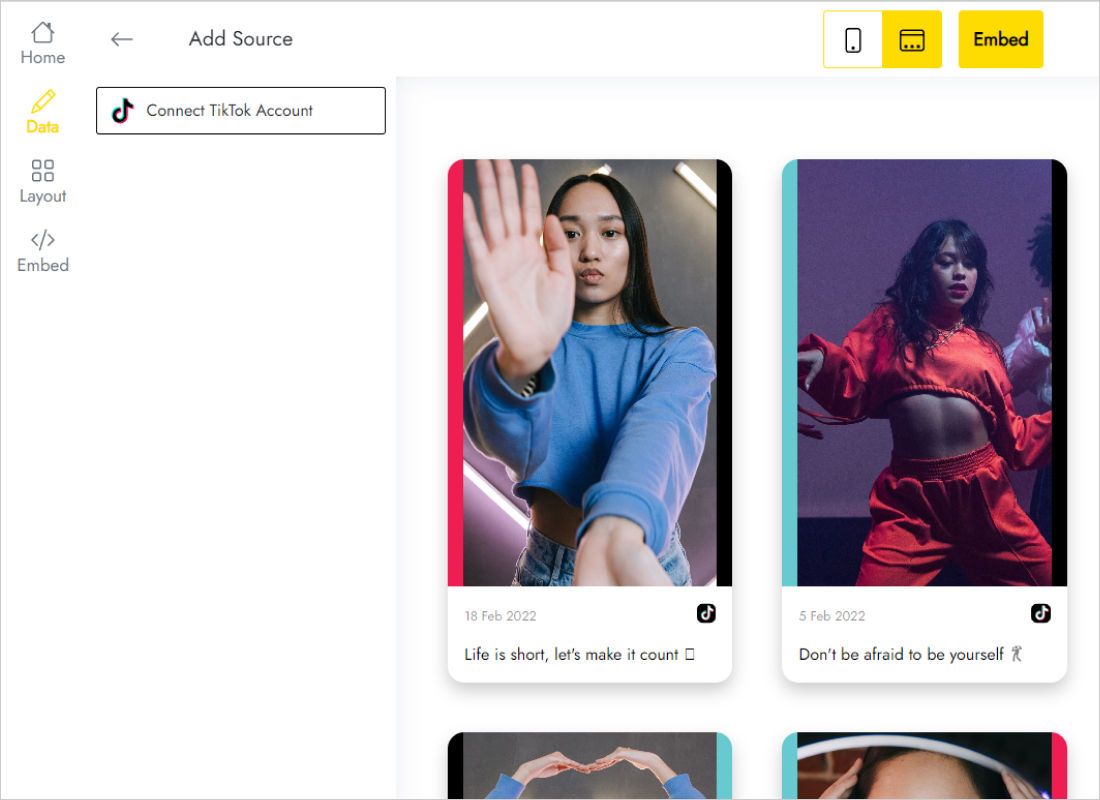
Connect TikTok Account lives on the Data tab. Approve the permissions TikTok requests.
-
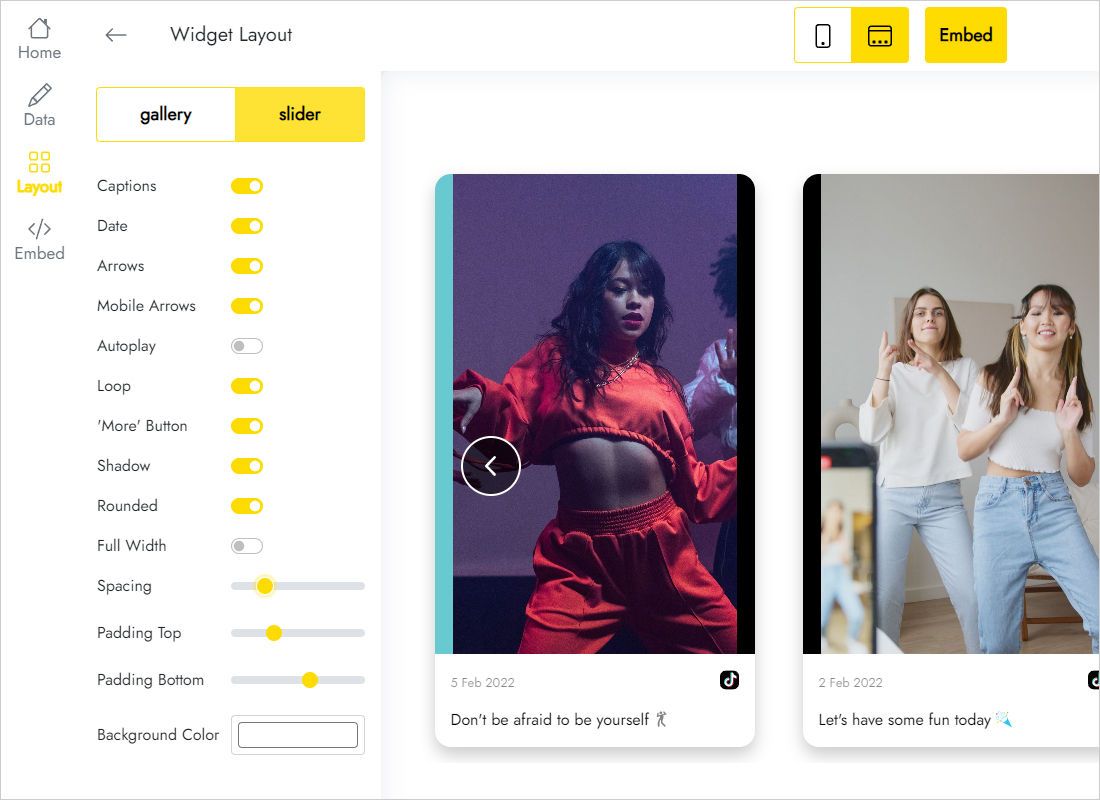
The Layout tab sets slider versus gallery and the grid size for your clips.
-
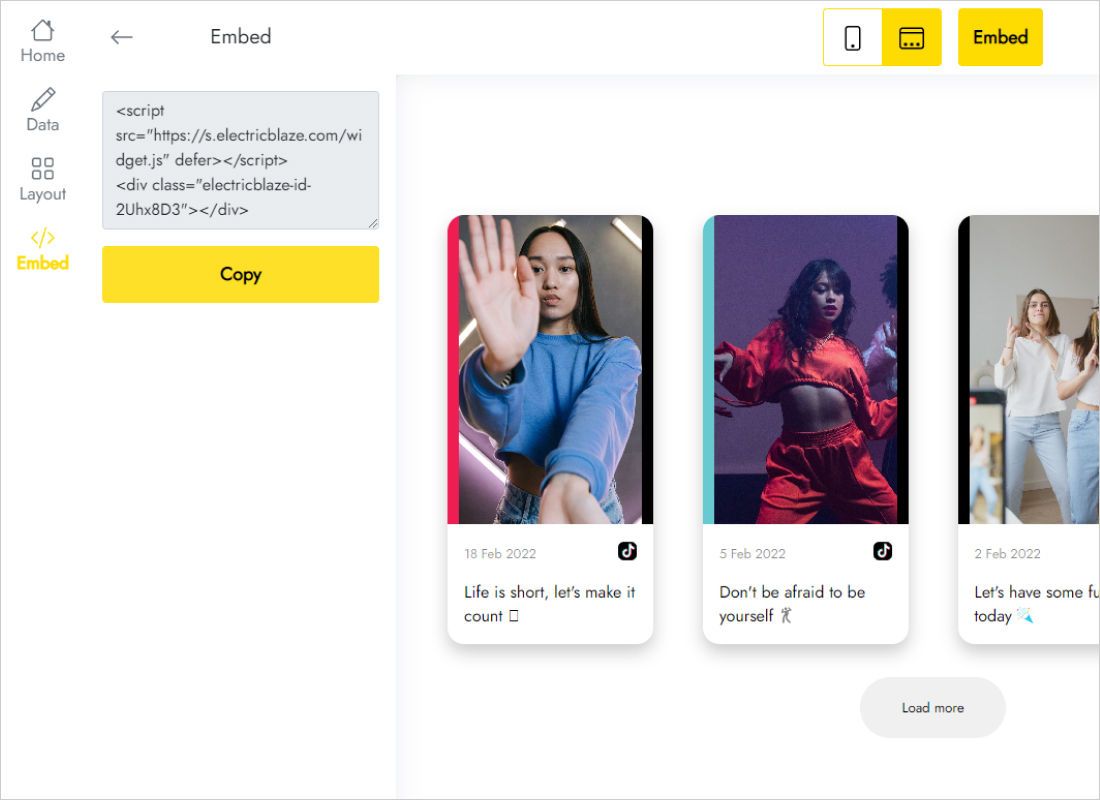
Add to website shows two lines; put them on your clipboard.
Step 2: Add the clips to a Hostinger page
Return to the builder tab.
- Head to the page meant for videos, such as a promo landing page.
- Inside Add elements (left side) locate Embed code and place it in a wide section.
- Select it, choose Enter code, insert your TikTok lines and confirm through Embed code.
- Pull the lower handle until each row of portrait thumbnails fits.
- Push the changes live with Update website, then compare desktop and handset views.
In edit mode Hostinger substitutes a placeholder; genuine clips play only on the public address.
Tall thumbnails need tall frames
Vertical clips use a 9:16 frame, so every row of thumbnails is much taller than a row of square photos. Whatever overflows the Embed code frame is cut off.
- One-row slider: the slimmest choice, comfortable between a hero banner and a testimonial strip.
- Multi-column gallery: belongs in a full-width section, together with the Full Width switch in the widget.
- Handset layout: Hostinger lets you tweak phone view on its own; wrapped columns there call for extra frame height.
New clips surface once the widget syncs, a daily cycle on Free and an hourly one on Start.
TikTok on Hostinger: FAQ
Portrait thumbnails are sliced off. What should I change?
Lengthen the frame in the builder, or change the widget to a one-row slider.
Can a campaign page and the homepage share one feed?
Yes. Give each page its own Embed code element with identical code; a single widget drives both.
The frame is empty inside the builder. Is something broken?
No. The editor never executes embedded scripts. Update the website and look at the public page.
Which ElectricBlaze plan fits a small shop?
Free allows five widgets and a thousand monthly views. Start ($5 a month, billed annually) drops the credit line and syncs hourly.
Related Hostinger pages
Hostinger embedding basics, TikTok widget features and walkthroughs for other widgets:
Start your TikTok feed
Connect the profile once and let every new clip show up on your Hostinger site.
Create a widget