
How to Add HTML to a Duda Website
To add HTML to Duda, you drag a single widget onto the page and paste your snippet. This guide also covers the site-wide code fields, the permissions an agency may need to grant, and how to check the tablet and mobile views.
Two places for code in Duda
Duda is sold mainly through agencies and web professionals, so the person editing a site is often a client with limited rights. Check which of these tools your account can open:
- HTML widget. A drag-and-drop widget whose content is raw HTML, CSS and JavaScript. It stays where you drop it, which suits feeds, photo galleries and inline players.
- Header HTML in the site settings, with a Head HTML field and a Body End HTML field. Both apply to every page, which makes them the place for floating widgets.
Server-side languages such as PHP have no effect in either spot, while client-side JavaScript, the kind ElectricBlaze uses, runs normally. If a field is missing, ask the agency that manages your site to open it for your account.
Drop the HTML widget onto a Duda page
Copy the snippet behind the Add to website button in ElectricBlaze, then open the Duda editor.
-

Open the site in the Duda editor and click Widgets in the left-hand panel.
-
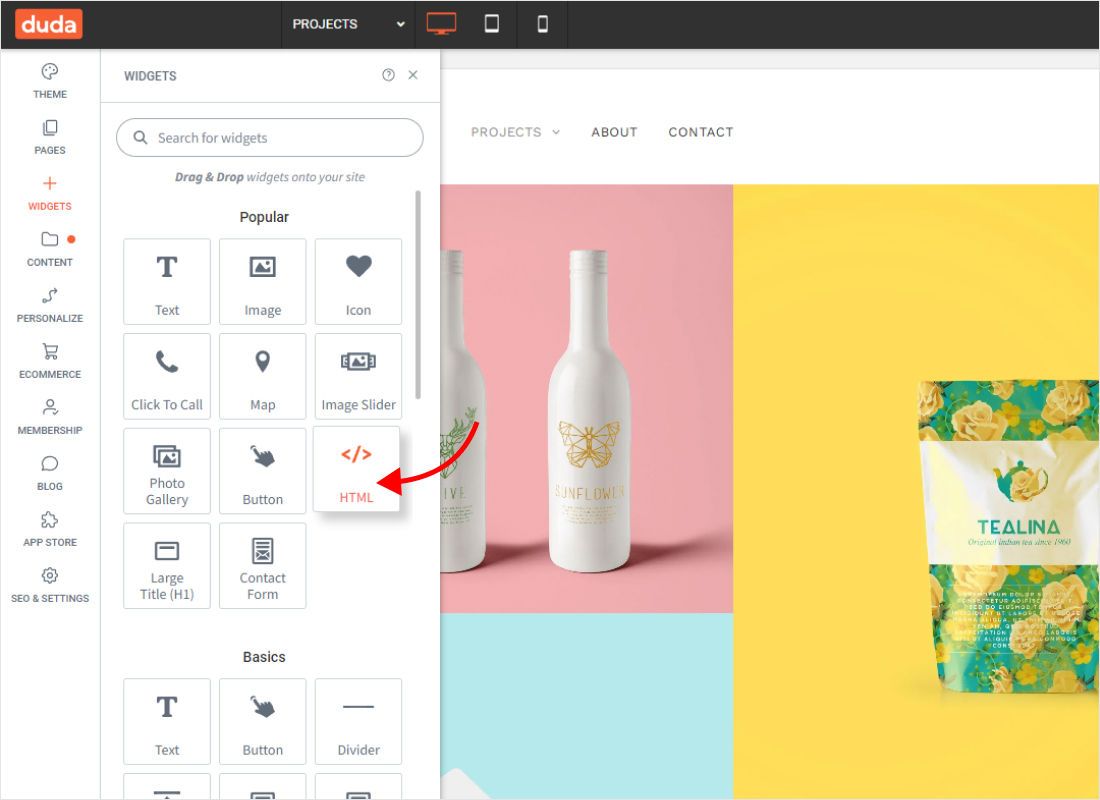
Find HTML among the popular widgets, or type it into the search field, and drag it to the section where the widget should appear.
-
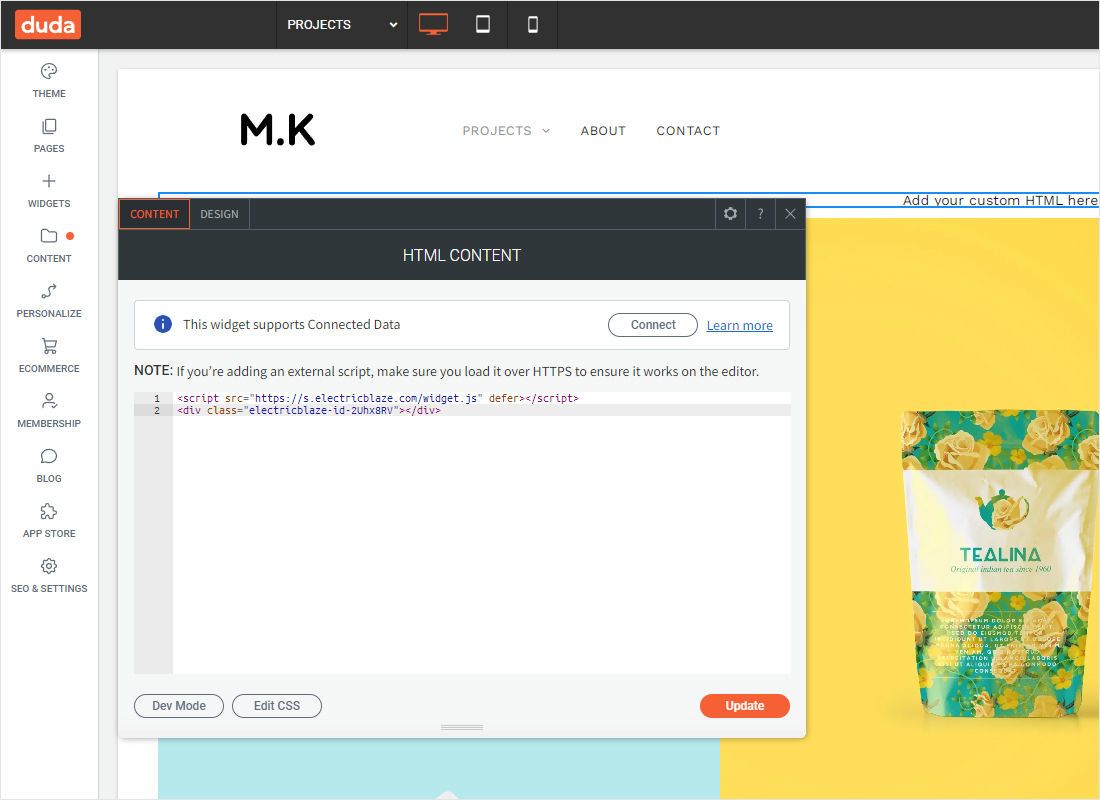
The HTML Content panel opens. Paste the ElectricBlaze code into its editor area.
-
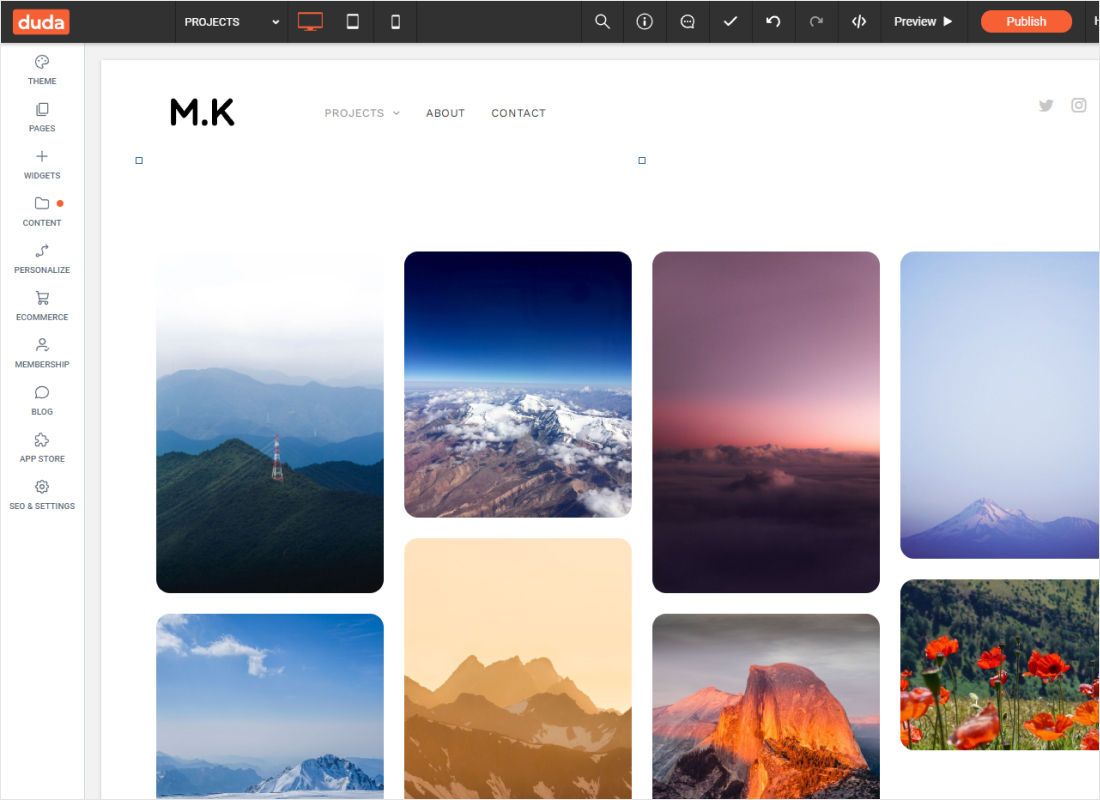
Click Update to apply the code, preview the page and then republish the site.
The panel reminds you that external scripts must load over HTTPS to work in the editor. The ElectricBlaze script already uses an https address.
Duda custom code: which field for which widget
Feeds, galleries and the shop
Place the HTML widget in a full-width row or a wide column and let the widget set its own height. The device switcher at the top of the editor shows desktop, tablet and mobile; open each view and make sure the block has not been hidden on smaller screens.
Chat buttons and floating players
Go to the site Settings, open Header HTML and paste the code into Body End HTML. Duda outputs that code just before the closing body tag of every page, so the chat bubble shows across the site. Duda also recommends the body-end field when a consent management tool is installed, because code in the head can run before consent.
Duda widgets vs Duda custom widgets
Duda’s library and its Widget Builder let developers create Duda custom widgets that agencies reuse across client sites, and some developers offer Duda widgets for sale. ElectricBlaze takes another route: nothing is installed in Duda, and one snippet in an HTML widget loads content you manage in our dashboard.
Duda embed not showing: fixes
- Empty area in the editor. Some scripts wait for the real page. Use Preview, or publish and open the live address.
- Edits not visible to visitors. Changes stay unpublished until you click Republish.
- Header HTML missing from Settings. Your client account lacks permission for site-wide code; the agency can grant it or paste the code for you.
- Block shows on desktop only. The HTML widget was hidden in the tablet or mobile view.
- Two chat icons. The same floating snippet is in Body End HTML and in an HTML widget. Remove one.
Duda Support does not troubleshoot custom code, so for widget problems write to [email protected] and include the page link.
Duda widgets from ElectricBlaze
Guides for each widget on Duda, with the field and the size that suit it.
-

How to add Instagram Feed to Duda
-

How to add TikTok Feed to Duda
-

How to add YouTube Feed to Duda
-

How to add Twitter Feed to Duda
-

How to add Twitch Feed to Duda
-

How to add Facebook Feed to Duda
-
How to add Popup Chat to Duda
-

How to add Music Player to Duda
-

How to add Pinterest Feed to Duda
-

How to add Vimeo Feed to Duda
-

How to add Simple Shop to Duda
HTML on Duda: FAQ
Can a client paste code into a Duda site without the agency?
Only when the agency has given the client account rights to edit widgets or site settings. Otherwise, send the snippet to the agency and they can paste it for you.
Should ElectricBlaze code go in Head HTML or Body End HTML?
Use Body End HTML. The snippet contains a container element, and Duda’s head field is meant for tags such as script, link and meta.
Do I need Dev Mode to edit HTML on Duda?
No. Dev Mode is for developers changing a site’s underlying HTML and CSS. For a widget, the HTML widget is all you need.
Does Duda have to be republished when my feed gets new posts?
No. The widget fetches new content by itself. Republish only after you change the HTML widget or move it.
Will the widget pick up my Duda theme fonts?
It uses the styles set on its Layout tab, although some site-wide CSS can reach it. Keep it out of text widgets to limit that.
Get code for your Duda site
Create a widget for free and paste it into an HTML widget in a minute or two.
Create a widget