
How to Add Facebook Feed to Duda
Many local businesses announce specials, closures and events on Facebook long before the website catches up. Learn how to add Facebook feed to Duda pages so those announcements mirror themselves automatically, and how to arrange the posts for desktop, tablet and phone.
Checklist before you begin
- Admin or editor rights on a public Facebook Page. Neither a personal timeline nor a closed group qualifies.
- Permission to drop widgets into pages in the Duda editor. When an agency built the site, ask whether your login includes that.
- An ElectricBlaze dashboard login (the Free tier works).
A Page stream pays off for businesses that post regularly: holiday opening hours, weekly offers, photos from last night’s event. If your Facebook Page sometimes goes quiet for months, a slider stops stale announcements from filling a whole section of the homepage.
Step 1: Link your Page in ElectricBlaze
Screenshots of every setting are in the visual walkthrough of Page feed settings. The short version for Duda users:
-

Point your browser to a.electricblaze.com and enter with Google, Facebook or email.
-

Hit Create New Widget and pick the Facebook tile.
-
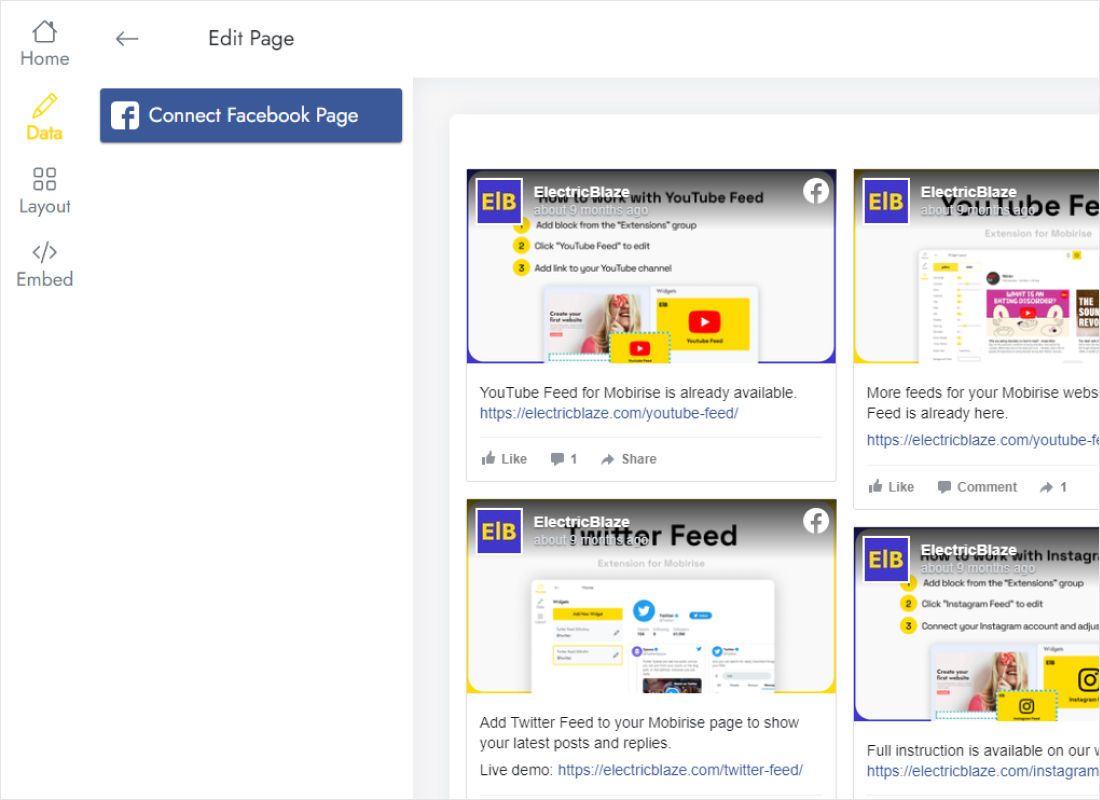
Inside Data, press Connect Facebook Page, log in to Facebook if asked and tick the business Page.
-
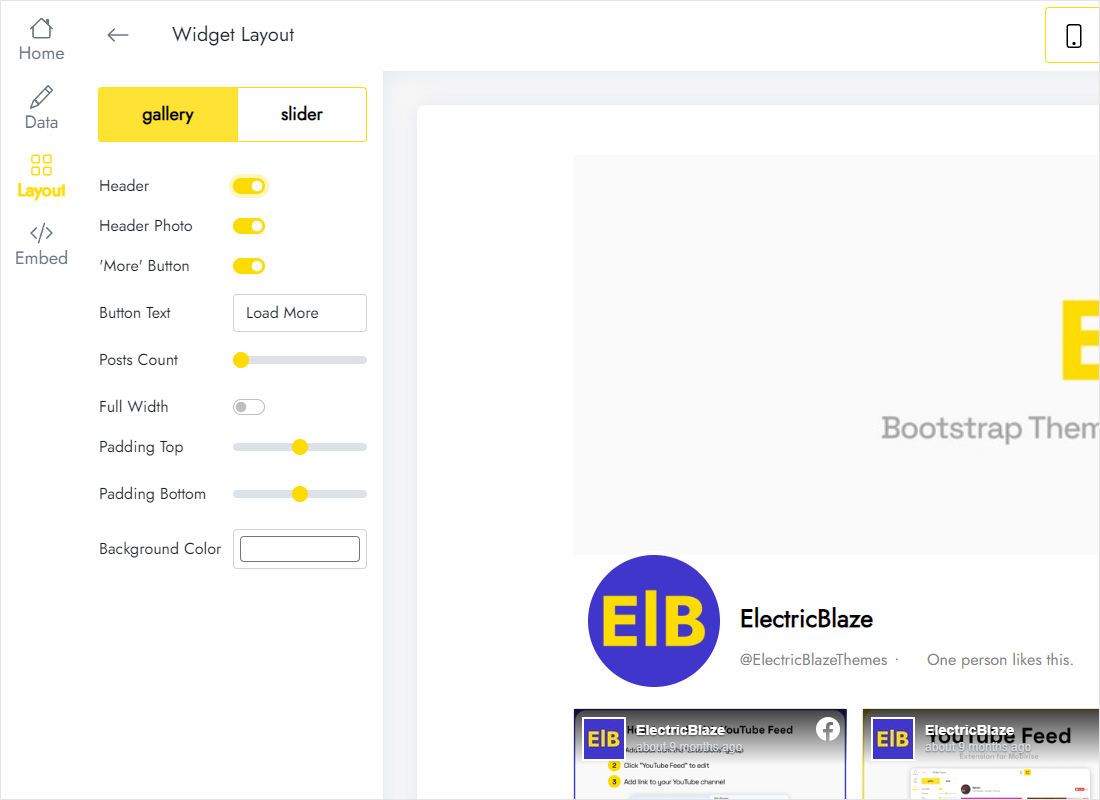
Inside Layout, switch between gallery and slider, adjust columns and rows, and decide whether post text is shown.
-
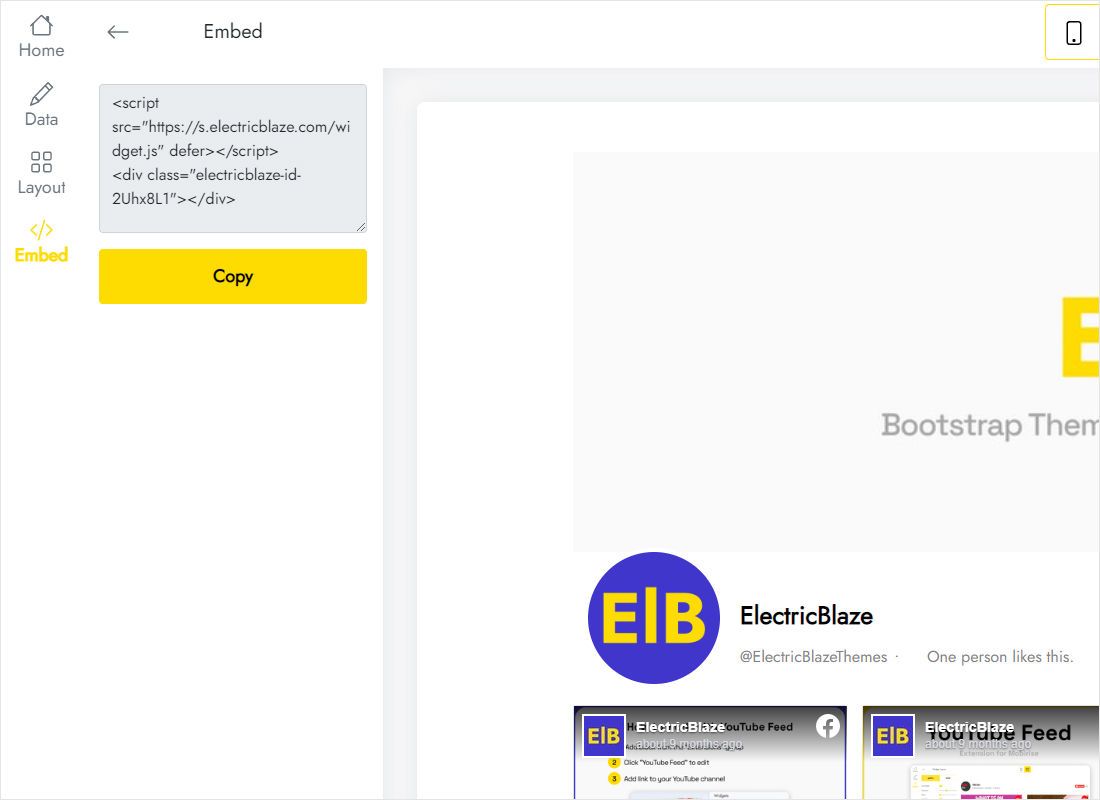
The Add to website button reveals a short snippet; copy all of it.
Step 2: Drop the posts onto a Duda page
Start in the desktop view of your Duda project.
- Press Widgets on the vertical toolbar at the left.
- Pull the HTML tile into a full-width row, say beneath a Latest News title.
- Replace the placeholder markup with your Facebook snippet, then confirm with Update.
- Flip the device toggle at the top to tablet, then mobile, look over the section and republish.
A blank rectangle inside the editor is normal for many scripts. Preview mode and the live URL display the posts.
Layout advice for Facebook posts on Duda
Facebook updates tend to be wordier than Instagram photo galleries, so captions add real height. Two gallery columns with captions keep the text readable; three or more columns work better with captions switched off.
- Slider on the homepage. A single moving row costs little space and still proves the business is active.
- Gallery on a News page. A few rows turn that page into a simple archive of your announcements.
- Full width. Tick it when the Duda row holding the widget stretches across the screen.
- Colours. Copy the row’s hex colour into the widget background so nothing looks pasted on.
Whatever you publish on Facebook reaches Duda with the next sync, which runs daily for Free accounts and hourly for Start subscribers.
Facebook feed on Duda: FAQ
My own profile is missing from the connection list. Why?
Facebook only lets apps read public Pages. Set up a Page for the business, publish there, and link that Page.
Do fresh Facebook posts require republishing Duda?
No. The snippet stays untouched while the widget pulls newer posts on its own schedule.
Could I show this Page stream on a landing page and the homepage together?
Sure. Reuse the identical snippet in a second HTML block; both spots mirror a single configuration.
My client account has no Widgets panel. What now?
Editor permissions are decided by whoever provides Duda to you. Email them the snippet, or request widget access.
Other Duda guides
Continue with neighbouring Duda tutorials or read about Facebook embeds in depth:
Show your Facebook Page on Duda
Link the Page, arrange the posts and grab your snippet, all on the Free tier.
Create a widget