
How to Add HTML to Shopify With Custom Liquid
You can add HTML to Shopify from the theme editor in a few clicks, no app install or developer needed. This guide covers the Custom Liquid section, product page placement, store-wide code for floating buttons, and the pages Shopify keeps locked.
Where Shopify accepts outside code
Online Store 2.0 themes, including the free ones Shopify maintains, offer a Custom Liquid section. Despite the name it accepts plain HTML and script tags, so it is the simplest answer to how to embed HTML in Shopify. There are three routes in total:
- Custom Liquid section in the theme editor. Lands on one template: the home page, all products, a collection or a single custom page template.
- Header or Footer group. A Custom Liquid section added there is shared across every storefront page.
- theme.liquid in the code editor, just before the closing body tag. The classic store-wide spot, best left to people comfortable with Liquid.
App embeds, the toggles under Theme settings, belong to installed apps. ElectricBlaze is not an app, so its HTML goes into one of the routes above.
Paste HTML into a Custom Liquid section
First copy the snippet: open the widget in ElectricBlaze and press Add to website. Then switch to your Shopify admin.
-
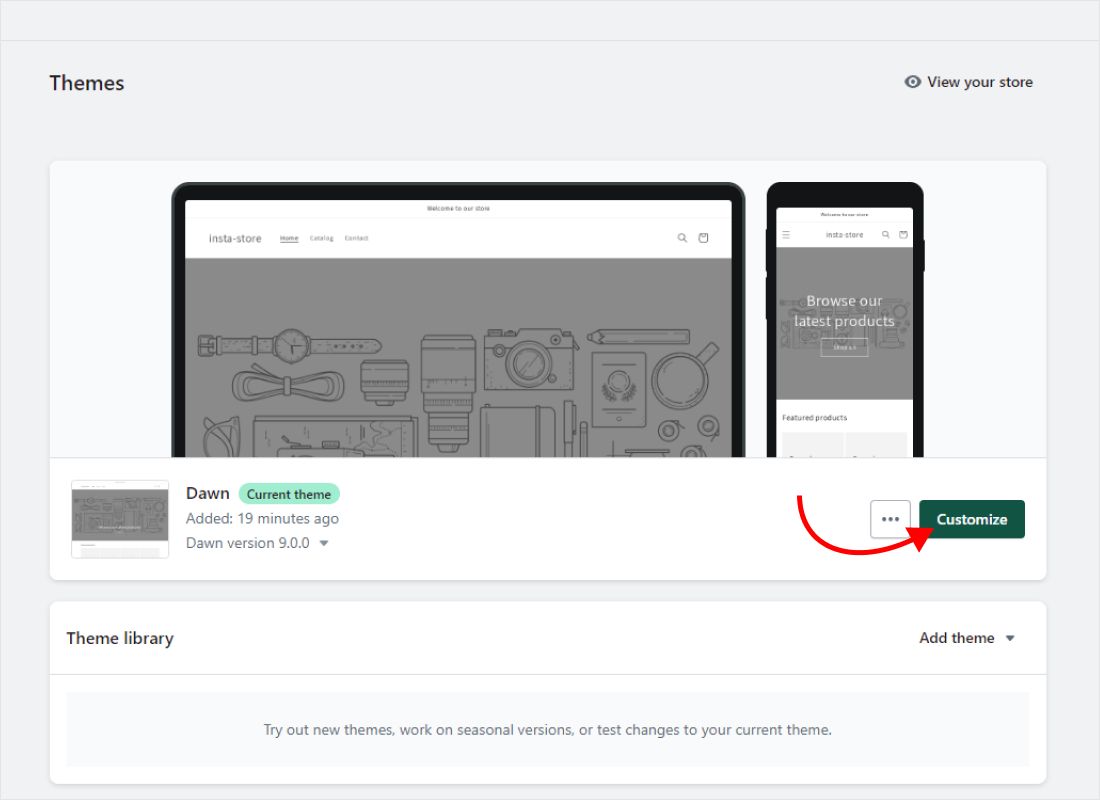
Go to Online Store → Themes and click Customize on the live theme (newer admin screens label it Edit theme).
-
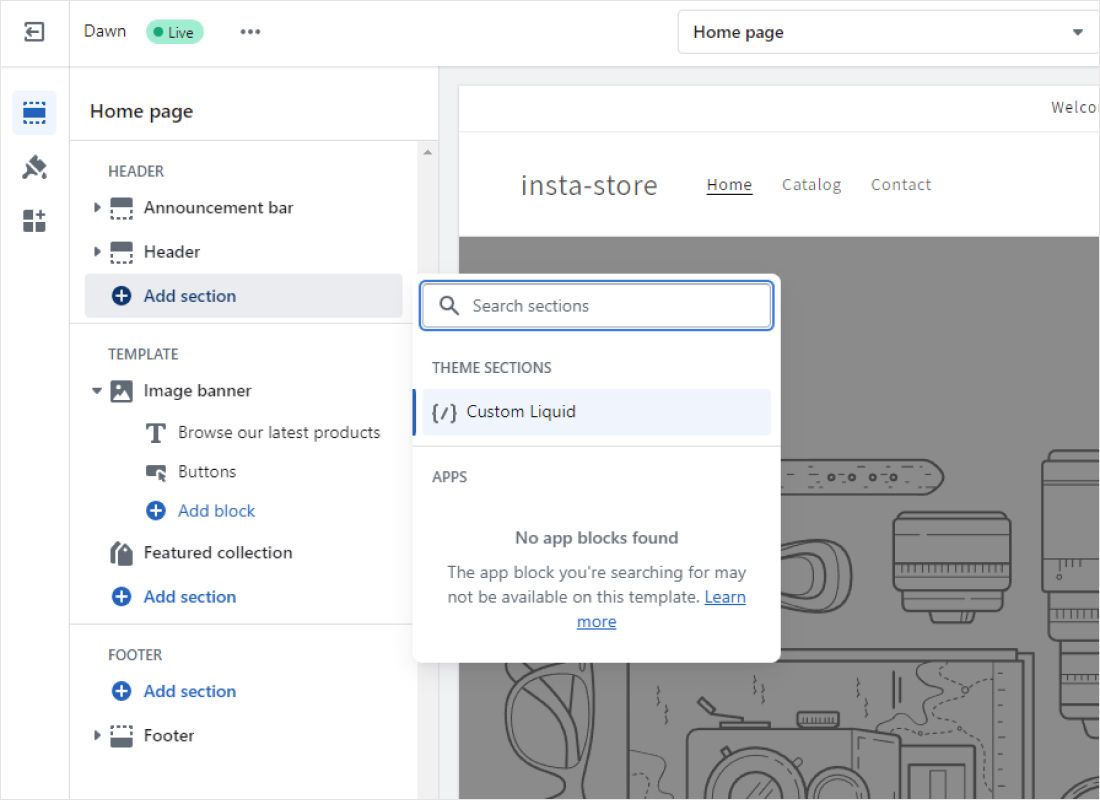
Choose the template from the drop-down at the top, for example Home page or Products, click Add section in the sidebar and pick Custom Liquid.
-
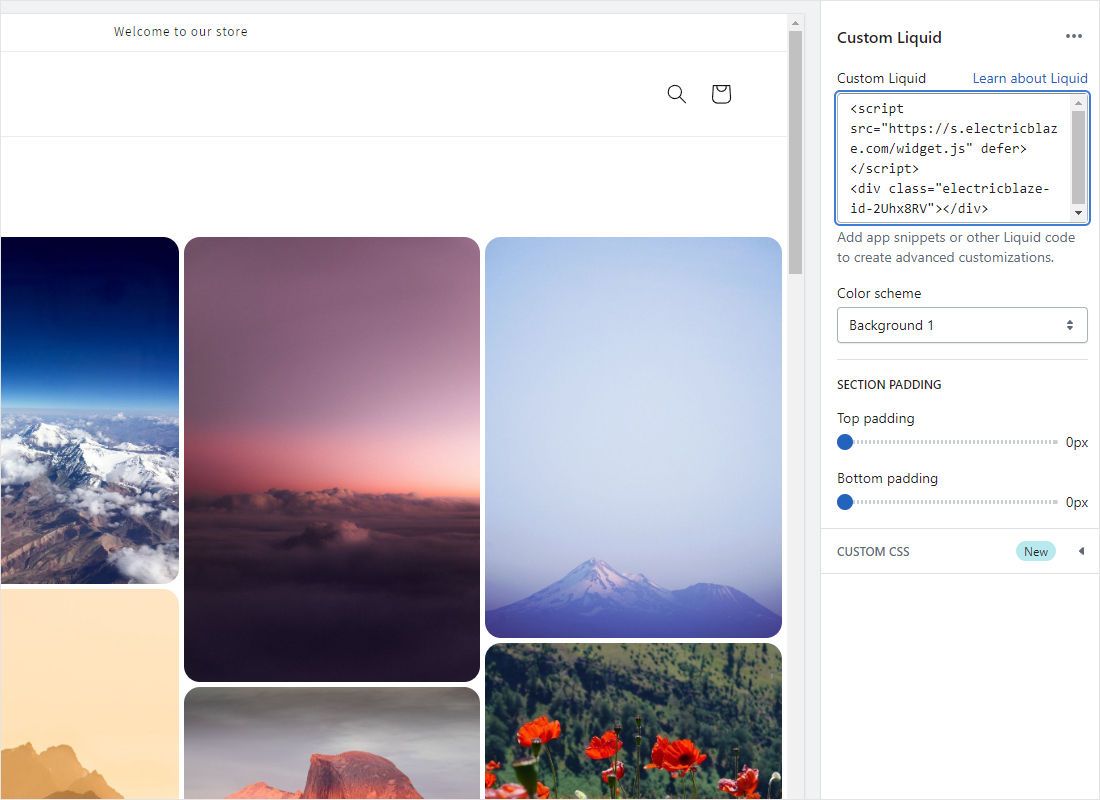
Paste the widget HTML into the Liquid field, drag the section to its position and click Save.
-
Open the storefront in a new tab to confirm the widget loads, then check it on a phone.
If your theme has no Custom Liquid option, look for a “Custom HTML” section in the theme documentation, or edit theme code as described below.
Choosing the right spot in a store
Product pages
Select the product template, then add the section below product information. Every product using that template shows the widget, which suits customer photo walls or a slider of posts featuring your goods. For a single item only, create an alternate product template and assign it in that product’s admin page.
Home page and landing pages
A feed between featured collections and the newsletter block works as social proof. Keep it to one or two rows so shoppers still reach the collections quickly.
Store-wide floating widgets
A chat button for shoppers or a sticky player should load everywhere. Add a Custom Liquid section to the Footer group in the theme editor, or paste the HTML before</body> in layout/theme.liquid via ⋯ → Edit code. Duplicate the theme before touching code so you have a backup.
Checkout
Shopify no longer lets merchants place custom scripts on checkout steps. Widgets appear on the storefront, cart page included where the theme allows sections, but not inside checkout.
HTML not showing? Troubleshooting
- Empty section in the editor preview. Some scripts wait for the full storefront. Save and look at the live store.
- Widget on one product only, not the rest. That product uses an alternate template. Add the section to that template too.
- Two chat buttons. The code sits in both the footer group and theme.liquid. Remove one.
- Snippet gone after a theme update. Hand edits in theme.liquid are not copied to a fresh theme version, and they can make a theme ineligible for automatic updates. Custom Liquid sections avoid that.
Content inside the widget updates from ElectricBlaze, so there is nothing to re-save in Shopify when posts or colours change.
Step-by-step guides per widget
Pick a widget to see how it fits a store, from product pages to a site-wide corner button.
-

How to add Instagram Feed to Shopify
-

How to add TikTok Feed to Shopify
-

How to add YouTube Feed to Shopify
-

How to add Twitter Feed to Shopify
-

How to add Twitch Feed to Shopify
-

How to add Facebook Feed to Shopify
-

How to add Popup Chat to Shopify
-

How to add Music Player to Shopify
-

How to add Pinterest Feed to Shopify
-

How to add Vimeo Feed to Shopify
-

How to add Simple Shop to Shopify
Custom HTML in Shopify: questions
How to get Shopify embed code for a widget?
Shopify does not generate it. Copy the snippet from the Add to website button in the ElectricBlaze editor and paste it into Custom Liquid.
How to add social media to Shopify without an app?
Social icons usually live in theme settings. To show actual posts, add a feed widget through a Custom Liquid section on the home or product template.
Can I add HTML to a regular Shopify page?
The page content editor is meant for text. Create a page template in the theme editor, add Custom Liquid to it and assign that template to the page.
Is there a limit on sections?
Shopify allows up to 25 sections per template, far more than a store typically needs for widgets.
Does the widget work on every Shopify plan?
It works on any plan that includes the Online Store sales channel with a theme. Plans without a themed storefront have nowhere to place the code.
Get widget code for your store
Create a widget on the Free plan, copy the snippet and paste it into Custom Liquid.
Create a widget