
Squarespace Music Player: Embed or Floating
A Squarespace music player can sit inside a page like any other block or hover in a corner while visitors browse. Below you will find both setups, with the Spotify and SoundCloud options and the browser rules that decide when sound starts.
Can you add music to Squarespace?
Yes, in several ways. Can you add music to Squarespace without extra tools? The Audio block plays uploaded MP3 or M4A files, the SoundCloud block accepts a track or playlist URL, and an Embed block takes the code Spotify gives you. Each of those shows one fixed box on one page.
The ElectricBlaze player adds two things: a consistent design for Spotify and SoundCloud, and a floating mode that stays in view while the visitor scrolls. You need Core, Plus or Advanced for scripts, plus a public playlist, album or track.
Step 1: Configure the player
Both modes are compared in the player’s live showcase. Here is the setup:
-

Log in at a.electricblaze.com with the account you use for your other site widgets, or register one.
-

Choose Create New Widget; Music Player is in the list of types.
-
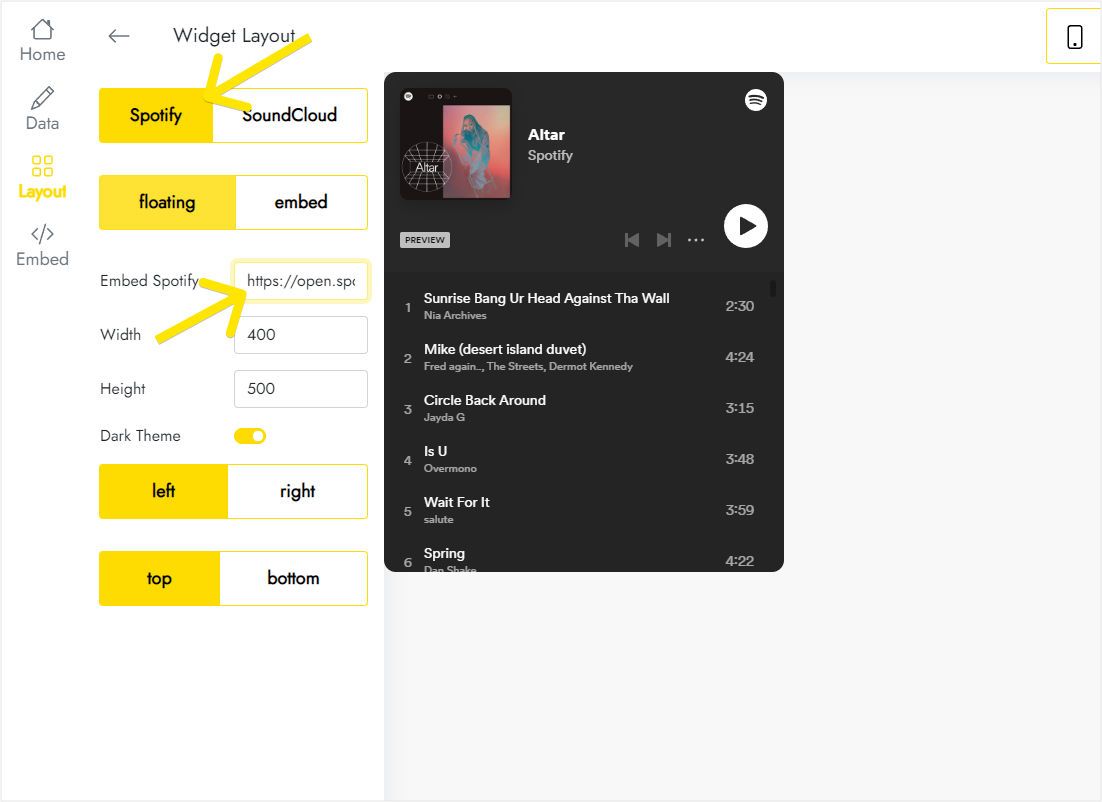
In Layout, flip the source to Spotify or SoundCloud and drop in the embed code you copied for the playlist, album or track.
-
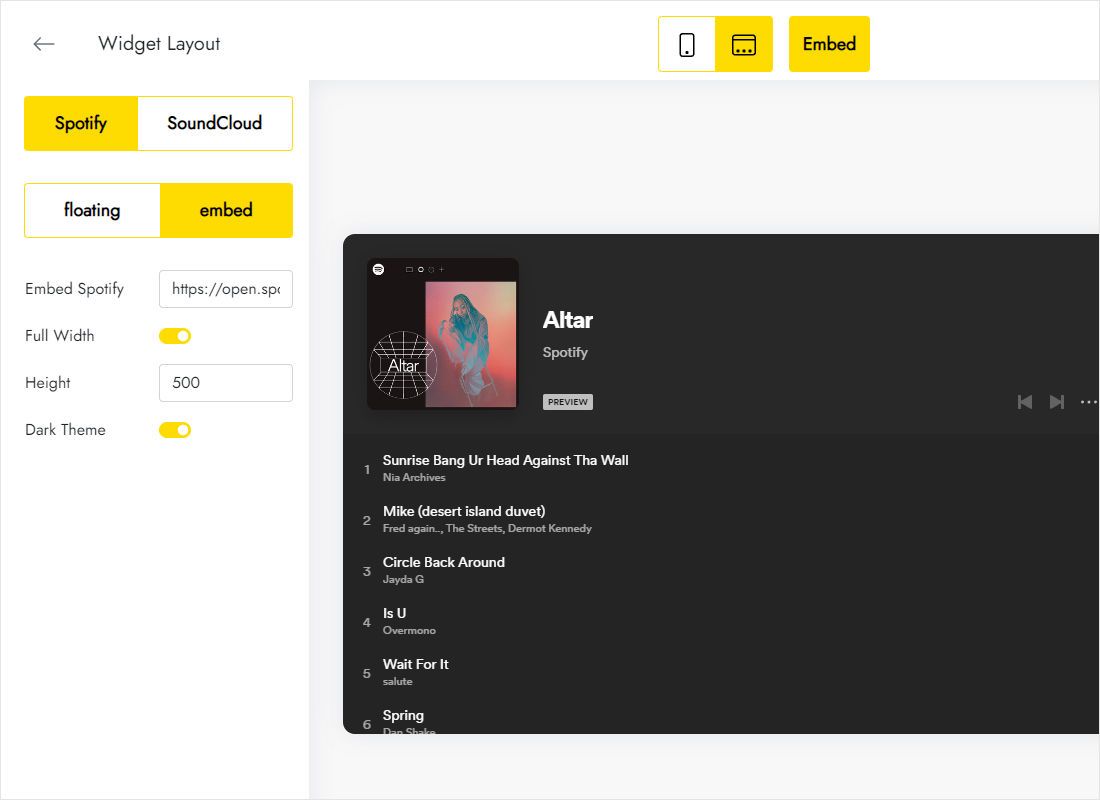
Further down the same tab, decide between a floating bar and an embedded box, then adjust height and where on the screen it sits.
-
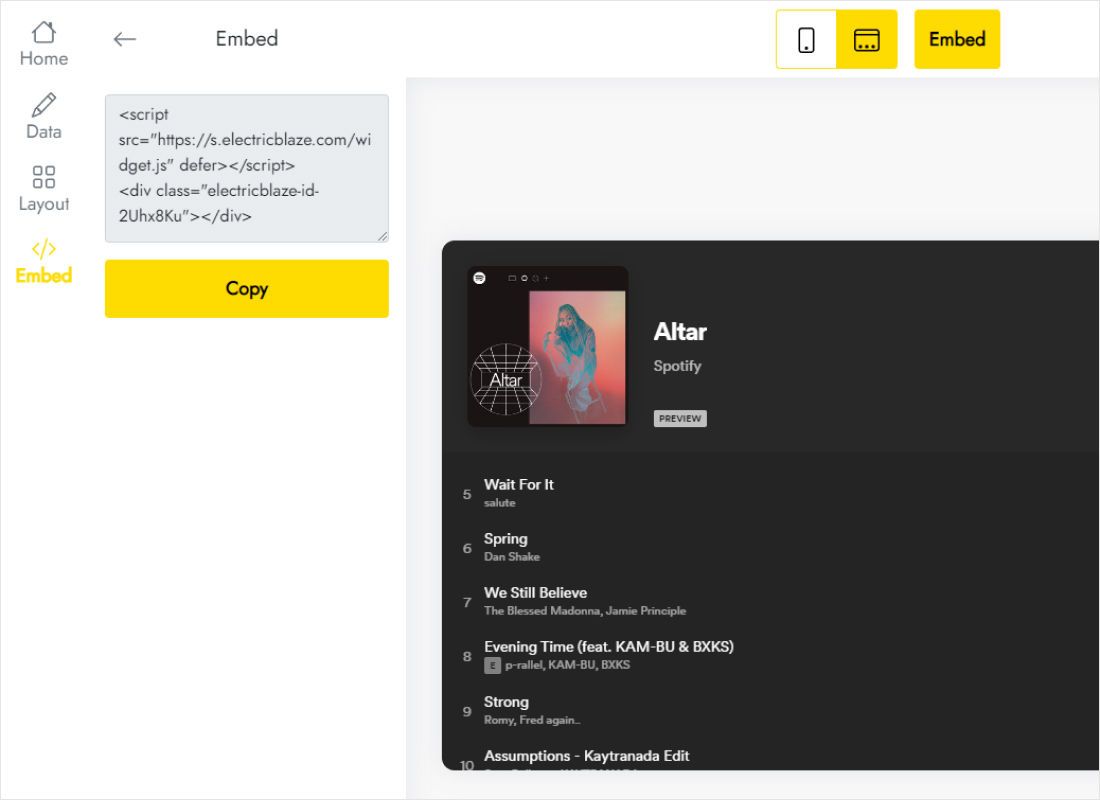
The top-bar Add to website button produces the code for your site. Copy it.
Step 2: Place the player on your site
Where the code goes depends on the mode you picked:
- Embed mode: edit the page, add a blank section, choose Add Block → Code, paste the snippet and save.
- Floating mode, all pages: open Settings → Website Tools → Code Injection, paste into Footer and save.
- Floating mode, one page: open that page’s gear icon, go to Advanced and paste into the page header injection field.
- Publish and test in a private window, because Squarespace skips scripts for logged-in editors.
Put the floating code in one place only. A copy in Code Injection plus another in a block shows two players.
How to add Spotify playlist to Squarespace and keep it playing
In Spotify, open the playlist, choose Share → Embed playlist and copy the code, then paste it into the Layout tab. That is the whole answer to how to add Spotify playlist to Squarespace with this widget; the playlist must be public.
- No autoplay. Chrome, Safari and Firefox block sound until the visitor interacts with the page. Expect people to press play themselves.
- Page changes. Squarespace loads a fresh page on each click, so a floating player usually restarts its track on the next page.
- Short previews. Spotify may play clips instead of full songs to listeners who are not logged in to Spotify.
Squarespace audio player not working?
Check three things: the plan supports JavaScript, you are viewing the page logged out, and the playlist is not private. If a file-based Audio block is silent, confirm the upload is MP3 or M4A.
Musicians who sell merch on the same site can put an embedded album on the release page right next to the store link, so a fan hears the record before clicking through to buy it.
Music on Squarespace: FAQ
Does the floating player cover my navigation on phones?
Choose a bottom corner position in the Layout tab and check the page on a phone; move it if it overlaps a sticky button.
Can I use SoundCloud and Spotify at once?
Each widget uses one source. Create two players and place them in separate blocks.
Is this a licence to play music in my business?
No. Tracks stream under Spotify or SoundCloud terms. Background music in a shop or venue has its own licensing rules.
Related reading
The Squarespace code guide, the player overview and feeds you can combine with it:
Add your playlist to Squarespace
Paste a Spotify or SoundCloud code, pick a mode and publish. No credit card needed.
Create a widget