
How to Add Twitter Feed to Squarespace
The built-in block that once showed tweets has stopped refreshing. This walkthrough explains how to add Twitter feed to Squarespace again with a widget, so posts from your X (Twitter) profile appear on the site with the columns and colours you choose.
Why the old block went quiet
After X changed its API, Squarespace stopped allowing new Twitter blocks, and existing ones no longer pull in fresh posts. Squarespace itself suggests replacing them with an Embed block, but that route shows a single post or depends on X’s own timeline script, which does not always load for visitors who are not signed in to X.
The ElectricBlaze widget fetches the posts on its side and draws them as tidy cards. Prepare:
- The public X (Twitter) username to display.
- A plan from Core upward, since cheaper tiers ignore scripts.
- An account at ElectricBlaze (no card needed for Free).
Step 1: Create the X (Twitter) widget
The full feature list is in the tidy post card layouts. Setting it up:
-

Go to a.electricblaze.com and log in, or open a new account in a minute.
-

Select Create New Widget and choose the Twitter Feed type.
-
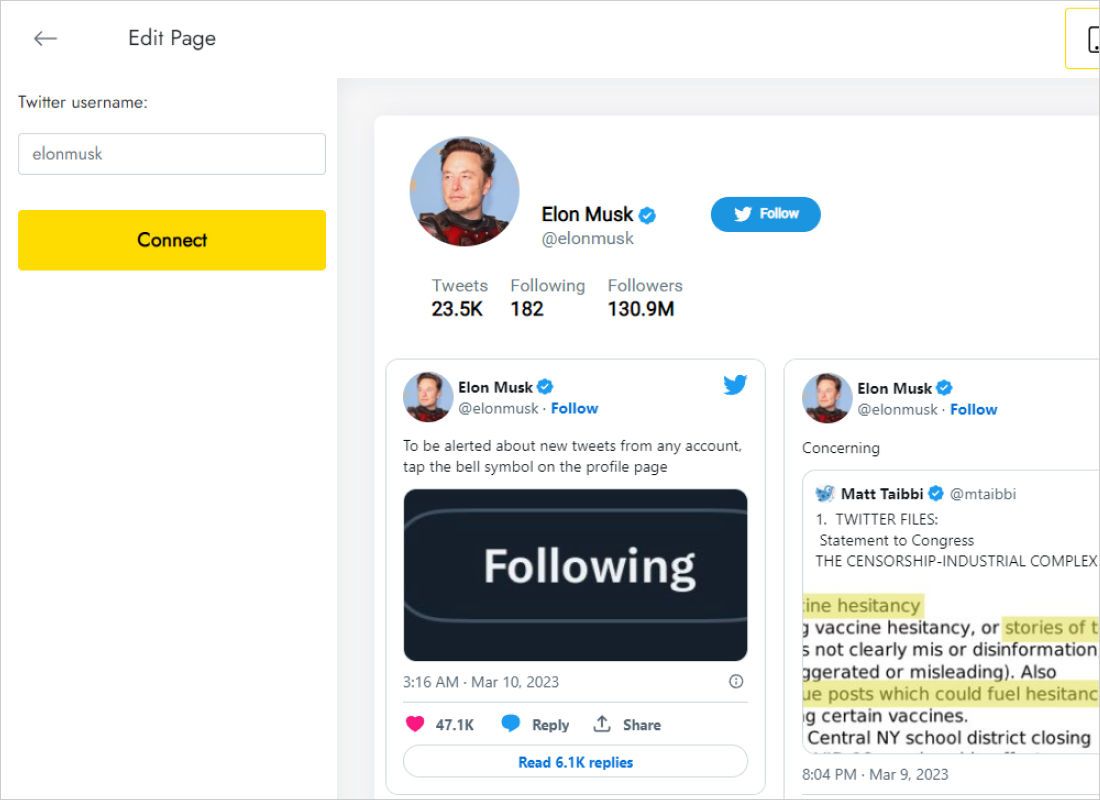
The Data tab asks only for the Twitter username. Type the handle and hit Connect.
-
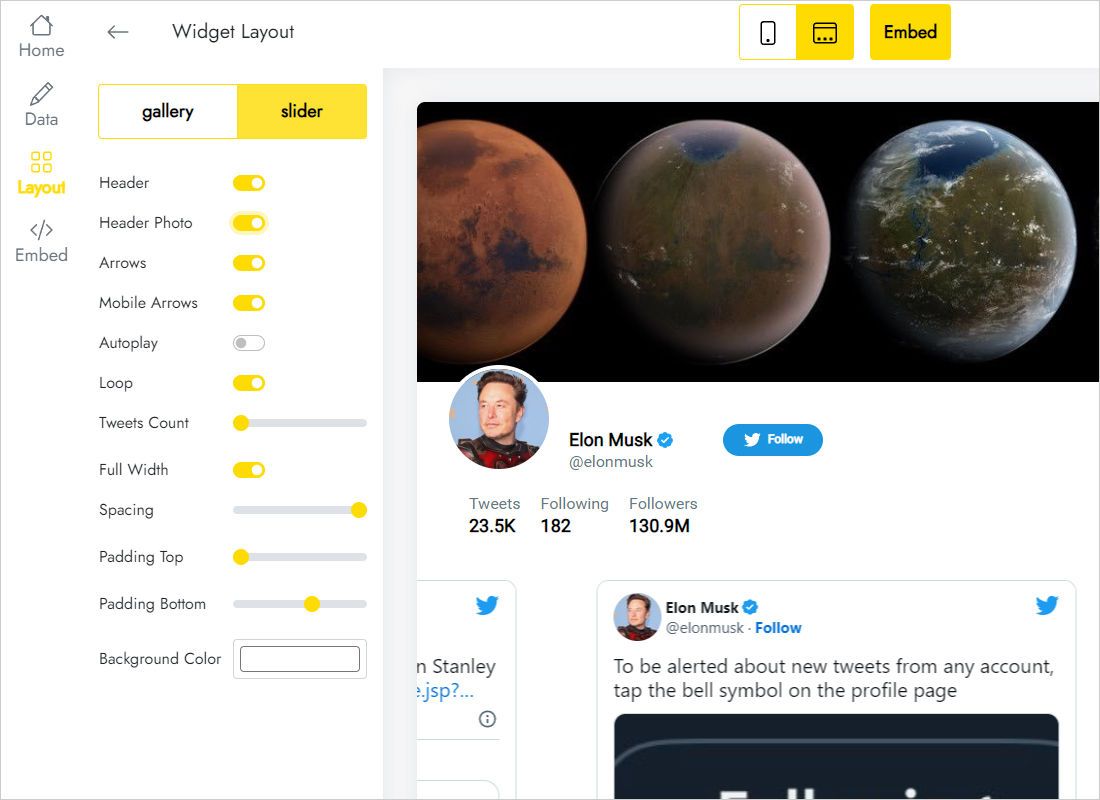
Shape the cards in Layout: gallery or slider, column and row counts, captions on or off.
-
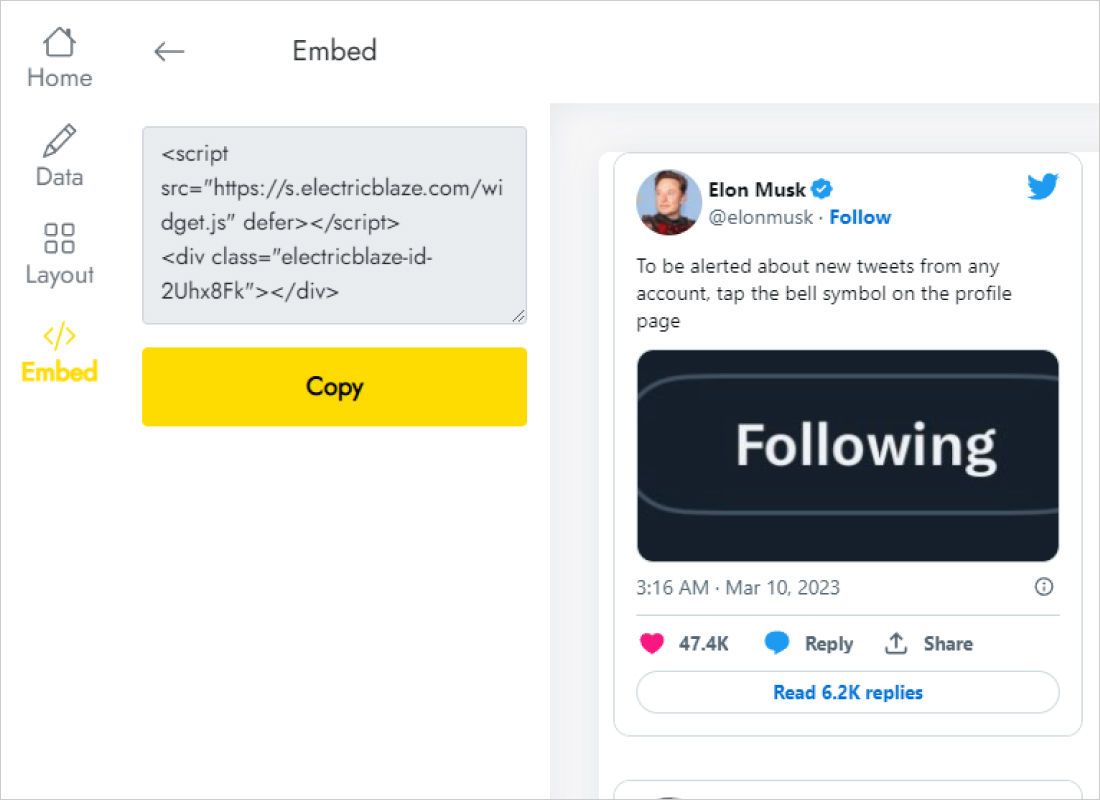
Click Add to website to reveal the snippet and copy it.
Step 2: Embed Twitter feed Squarespace style
Replace the retired block with a Code block:
- Edit the page. If an old Twitter block is still there, delete it.
- Add a blank section, or use the space the old block left, and click Add Block → Code.
- Paste the snippet, leave Display Source off and save.
- Publish, then check the page from a browser where you are not signed in to Squarespace.
Edit mode shows a blank rectangle because the script waits until the page is viewed as a visitor.
Making posts readable
Short text posts look lost in a wide four-column grid. In a footer or beside blog text, a single-row slider shows the latest post in little vertical space. On a Press or News page a two-column gallery reads like a wall of updates.
- Phones. In the Fluid Engine mobile view, widen the block to the full grid so cards stack cleanly.
- Brand match. Set the background in the Layout tab to the section colour to avoid a visible box.
- Update speed. Free widgets fetch new posts once a day; Start widgets check every hour.
Local newsrooms, councils and sports clubs often announce schedule changes on X, or on their Facebook pages, within minutes. A strip of those posts on the home page lets visitors who never open X still catch the update.
X (Twitter) on Squarespace: FAQ
Can I keep my old Twitter block?
It may stay on the page, but it will not load new posts. Replacing it avoids an outdated list.
Do I need to log in to X to connect the widget?
Only the public username is required on the Data tab.
What about a protected account?
No. Protected posts are private by design and cannot be displayed on a public website.
See also
Squarespace embedding help, the X widget overview and other guides for this site:
Restore your X posts on Squarespace
One handle, a few layout choices and a Code block bring the posts back.
Create a widget