
How to Add TikTok Videos to Squarespace
You can add TikTok videos to Squarespace one clip at a time or as a feed that refreshes by itself. This guide covers the feed approach, where vertical videos fit best in a Squarespace layout and when a single embed is enough.
Single clip or live feed?
TikTok gives every public video an embed code under Share → Embed. Pasting it into a Code block shows exactly that video, and a new post means another block. That works for one campaign clip on a landing page.
A feed widget suits a shop, studio or creator who posts often: connect the account once and the latest uploads replace older ones automatically. You will need:
- A TikTok account you can log in to.
- Squarespace Core or above, because lower plans drop scripts from Code blocks.
- An ElectricBlaze sign-in, Free plan or Start.
Step 1: Create the TikTok widget
The vertical video widget overview lists every setting; the essentials are below.
-

Log in to a.electricblaze.com; a free account is enough to try the feed on a draft page.
-

Pick Create New Widget and the TikTok option among the widget types.
-
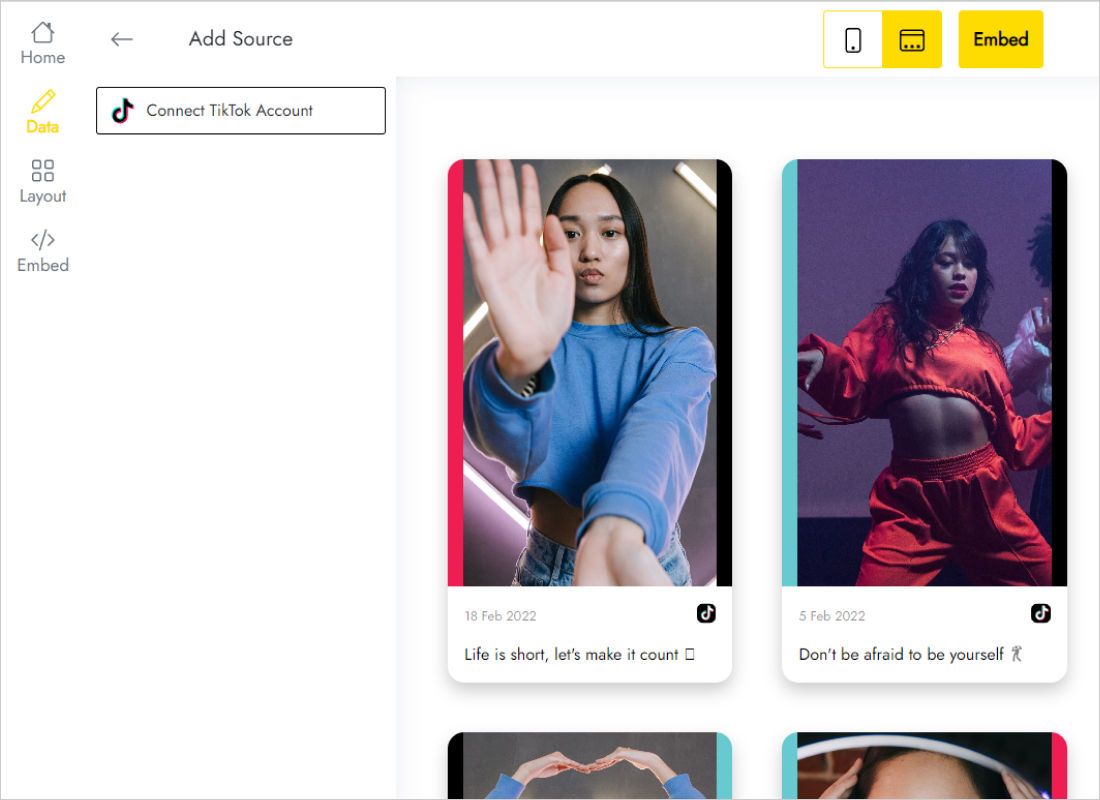
Under Data, Connect TikTok Account opens TikTok’s login. Grant access with the profile whose clips should play on the site.
-
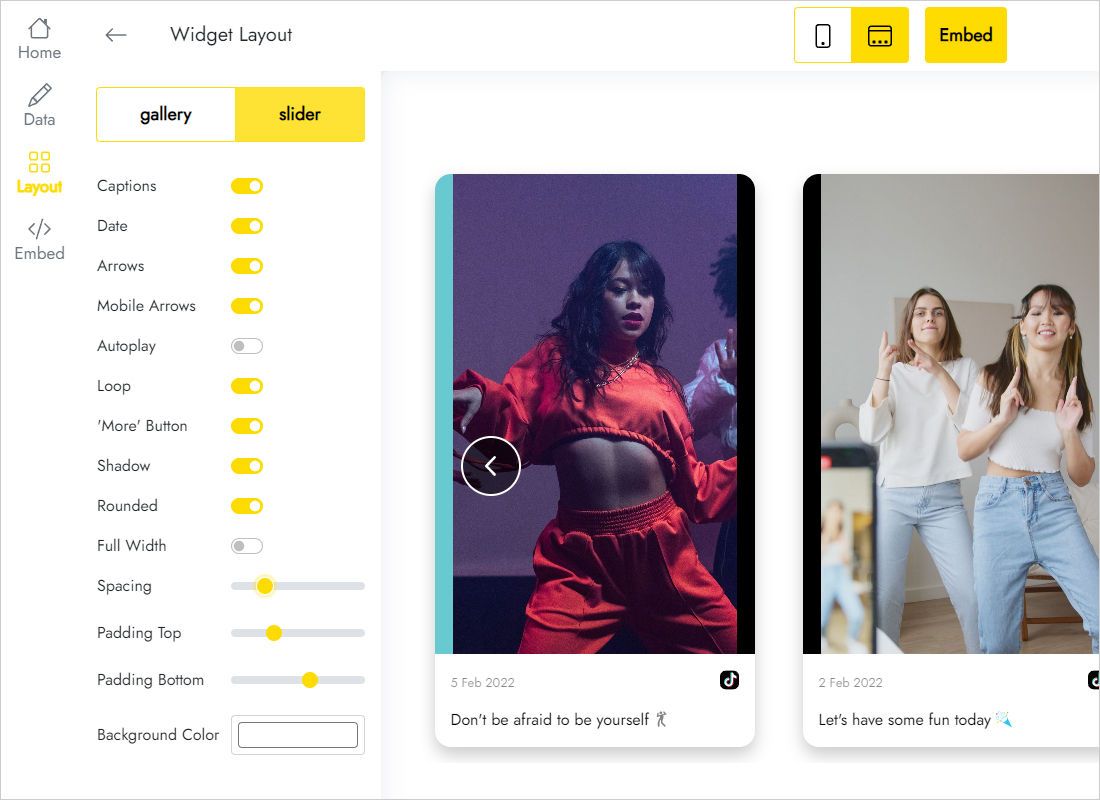
In Layout set grid or slider, then the columns, rows and spacing that suit tall video tiles.
-
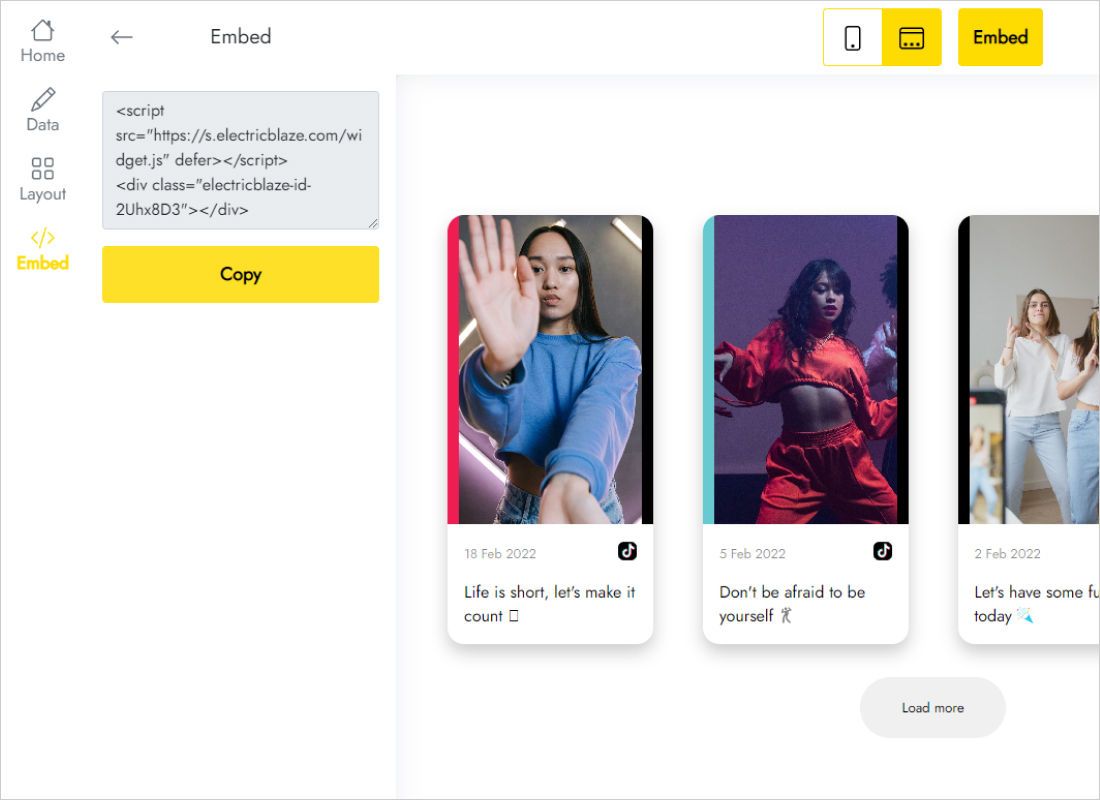
Add to website shows the snippet; copy it for the Code block.
Step 2: Embed TikTok video Squarespace blocks
The Squarespace side mirrors any other Code block embed:
- Edit the page, then insert a blank section where the clips should play.
- Press Add Block and choose Code.
- Paste the TikTok snippet with Display Source switched off.
- Make the block tall enough for portrait thumbnails, save and publish.
- Open the live URL in a logged-out browser to confirm the videos load.
While you are signed in, the Code block stays blank. That is Squarespace pausing scripts, not a broken embed.
Fitting vertical video into the layout
TikTok clips are tall. Four columns on a laptop look like a film strip; the same four columns on a phone turn each tile into a thin sliver. Two practical patterns:
- Slider with one row. Takes the least height and lets phone visitors swipe, the gesture they already use in the app.
- Grid with three or four columns and one or two rows. Good on a wide Portfolio or Reviews page.
In Fluid Engine, open the mobile view and let the Code block span the full grid width. Keep captions short or off, since long hashtags crowd small tiles.
New uploads appear once the widget refreshes, every 24 hours for Free accounts and every hour for Start.
Salons, gyms and cafés that film short behind-the-scenes clips get the most from a TikTok strip on the home page: the videos show the place in motion, which a static photo gallery cannot.
TikTok on Squarespace: FAQ
Do videos play on the page or open TikTok?
Visitors watch inside the widget. Links to the original post remain available for likes and comments.
Can I choose which clips appear?
The feed follows your account in posting order. For a hand-picked single clip, use TikTok’s own embed code in a separate Code block.
Will a private account work?
Only public videos can be shown on a public website, so the account content needs to be public.
Next steps
Squarespace basics, the TikTok widget overview and more sources for the same site:
Bring your TikTok clips to Squarespace
Link the account, pick a slider or grid and paste the code. Start for free.
Create a widget