
How to Add TikTok Feed to Blogger
Short videos keep a blog feeling current between long articles. The steps below add TikTok feed to Blogger using ElectricBlaze, and the tips help you pick a layout for tall, vertical clips.
Before connecting TikTok
- Login details for the TikTok profile that publishes the clips.
- An ElectricBlaze account. Free is enough to begin.
- Blog access: admin rights for gadgets, or author rights if you only paste into posts.
Pasting TikTok's own embed code works for a single clip, but then every new TikTok video Blogger readers should see needs another edit. A connected feed updates itself.
Step 1: Connect TikTok in ElectricBlaze
Everything the widget can do is listed in the clip widget feature list. To build one:
-

Browse to a.electricblaze.com; sign in if you already use it, register if not.
-

Begin a new widget and select TikTok Feed as its kind.
-
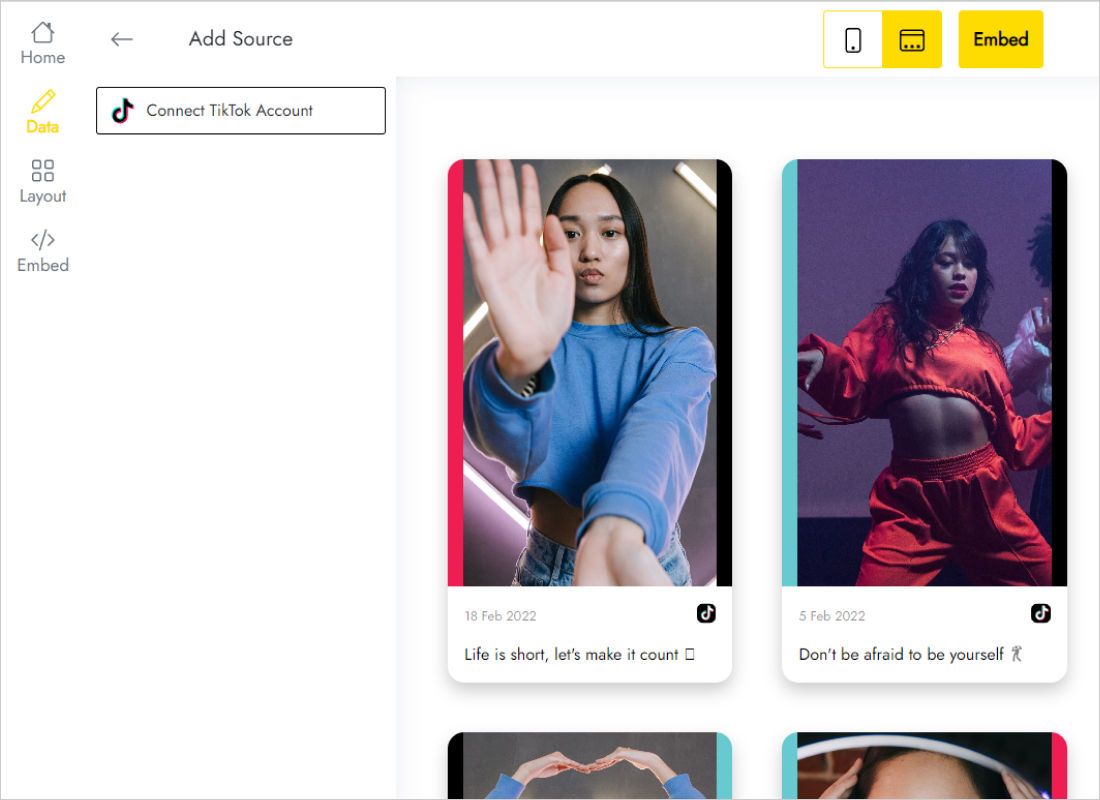
Data shows Connect TikTok Account. Click it and approve the request TikTok displays.
-
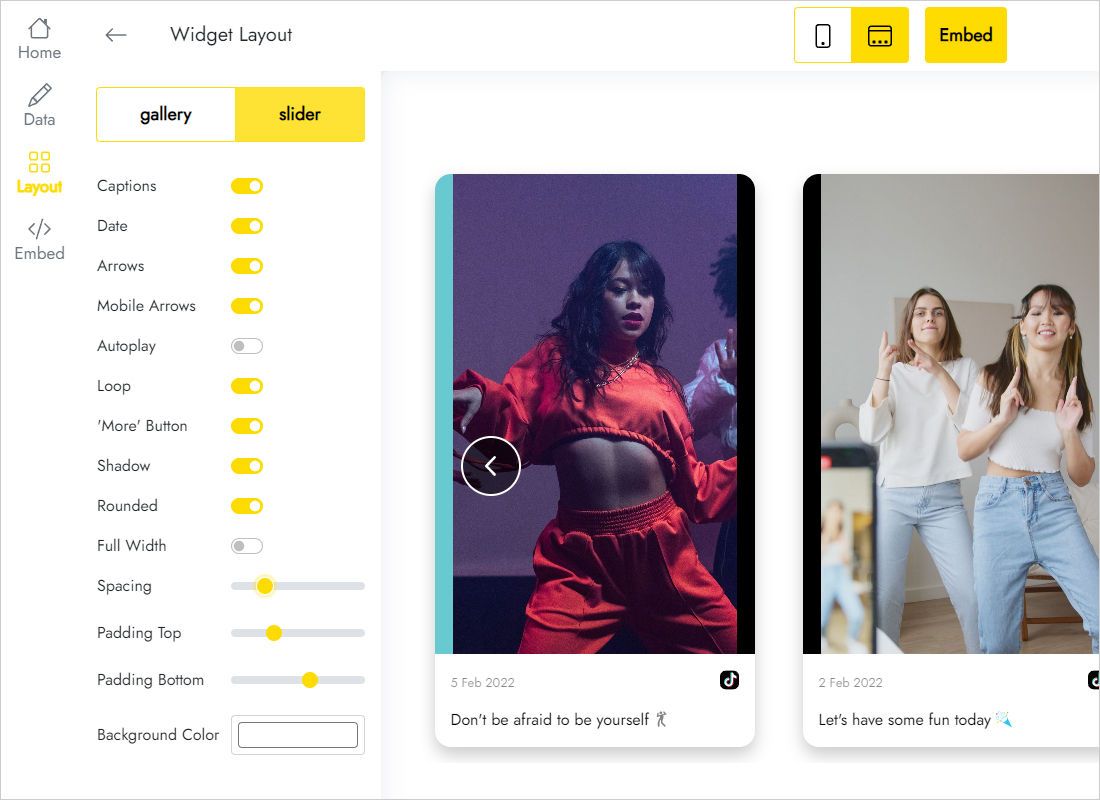
Layout is where slider versus gallery, column count and captions are decided.
-
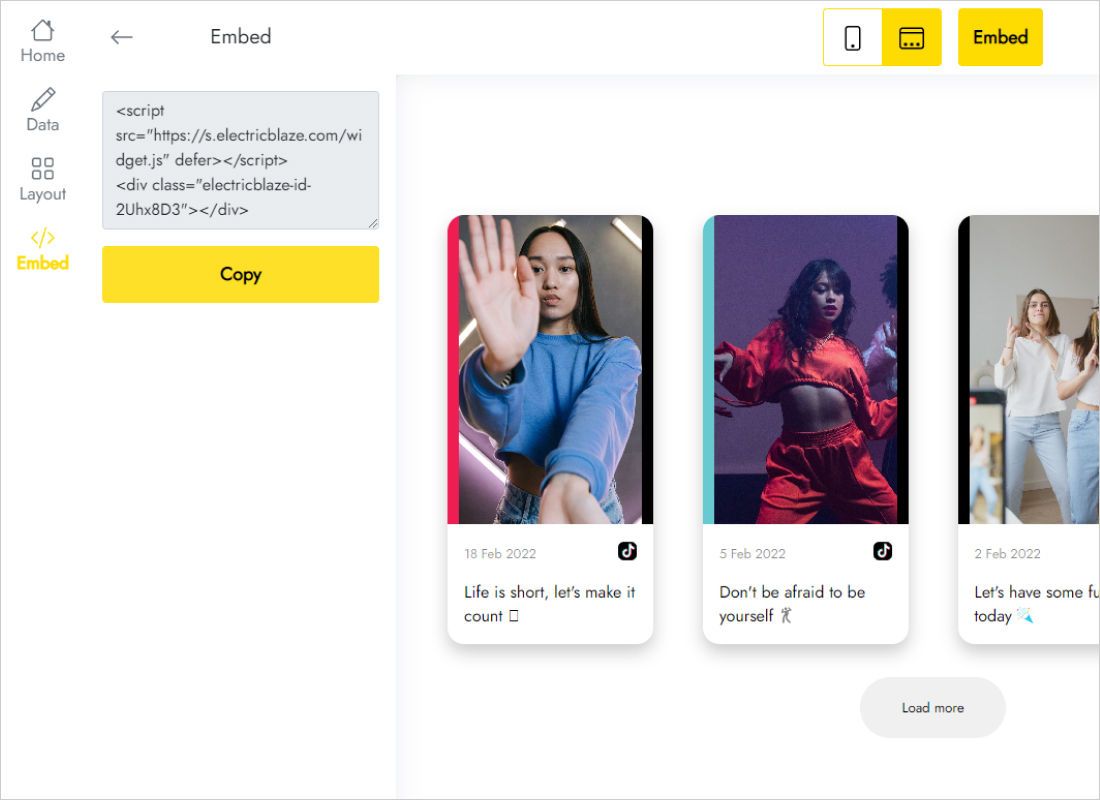
The Add to website button reveals the finished snippet; copy it.
Step 2: Embed the videos
Clips need width, so a post or a full-width section is the first choice:
- Create a post such as “My latest TikToks”, or open an existing static page.
- Switch the editor from Compose to HTML view.
- Drop the snippet under your opening lines.
- Publish or update, then open the post on the live blog.
- For a strip on every page, add the same code to an HTML/JavaScript gadget in a footer or header section on the Layout screen.
Vertical clips take more height than square photos. After publishing, scroll through it on a phone so nothing below the feed looks squeezed.
Slider or grid for vertical clips
A slider shows one row of clips that readers swipe through, which keeps the feed short on the page. A grid of two or three columns belongs on a dedicated videos page, where scrolling is expected.
- Sidebar: one column in slider mode is the only arrangement that stays readable in a narrow gadget.
- Captions: TikTok captions are often a run of hashtags. Turning them off gives a cleaner look.
- Full width: switch it on for footer sections that span the whole page.
- Mobile theme: gadgets can be hidden on phones, while the copy inside a post always shows.
Uploads land on the blog when the widget refreshes, which Free does daily and Start hourly.
TikTok videos on Blogger: FAQ
Can I feature one specific clip instead of the latest ones?
The widget shows recent videos from the connected account. For a single hand-picked clip, TikTok's own single-video embed inside a post is simpler.
Why can't I see the feed on my phone?
The mobile version of the theme hides that gadget. Put a copy inside a post, or tell Blogger to use the desktop theme on mobile.
Can the same feed go on two blogs?
Yes. The Free plan allows unlimited websites; paste the code on each, and views from both count toward 1,000 a month. Sites on other platforms follow similar embedding walkthroughs.
Is a gadget different from a post embed?
Only in reach. A gadget repeats across the blog, while a post shows the videos in one place.
Keep building your blog
Other Blogger widget guides, the main setup page and the TikTok widget overview:
Show your TikToks
Link TikTok, pick the slider and give your readers something to watch.
Create a widget