
How to Add TikTok Feed to Google Sites
Vertical clips from a drama club, a creator or a neighbourhood shop can play right inside your website. Use the steps below to add TikTok feed to Google Sites and to size the frame for portrait-shaped thumbnails.
What to prepare
- Login details for the TikTok profile whose videos you want to show.
- Owner or editor rights on the Sites project.
- An ElectricBlaze account, which costs nothing to open.
Because TikTok videos stand upright, one row of their thumbnails needs clearly more height than one row of square pictures at equal width. Keep that in mind when you drag the embed frame later; it is the usual reason a clip grid looks cropped.
Step 1: Create the TikTok widget
Each display option is explained among the portrait clip layout options. For this builder, five steps do the job:
-

Load a.electricblaze.com and enter the dashboard, registering first if you are new.
-

Among widget types, TikTok Feed is your pick.
-
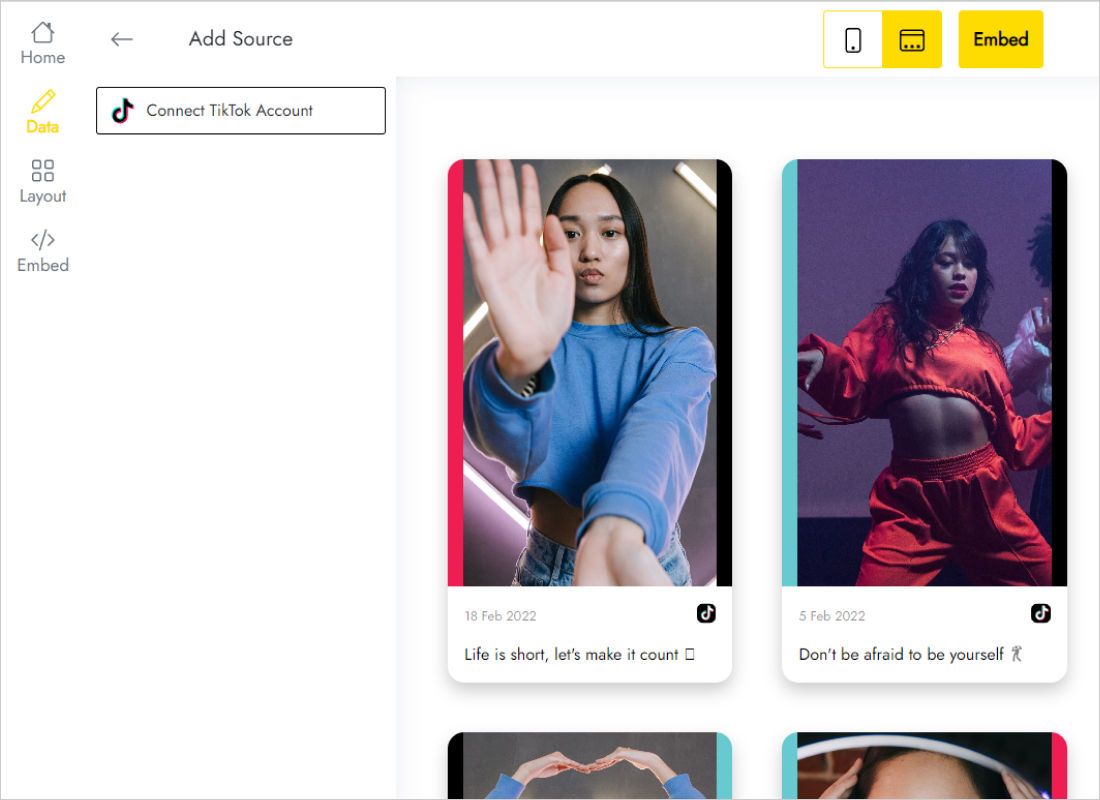
Data tab: Connect TikTok Account, then grant what TikTok requests.
-
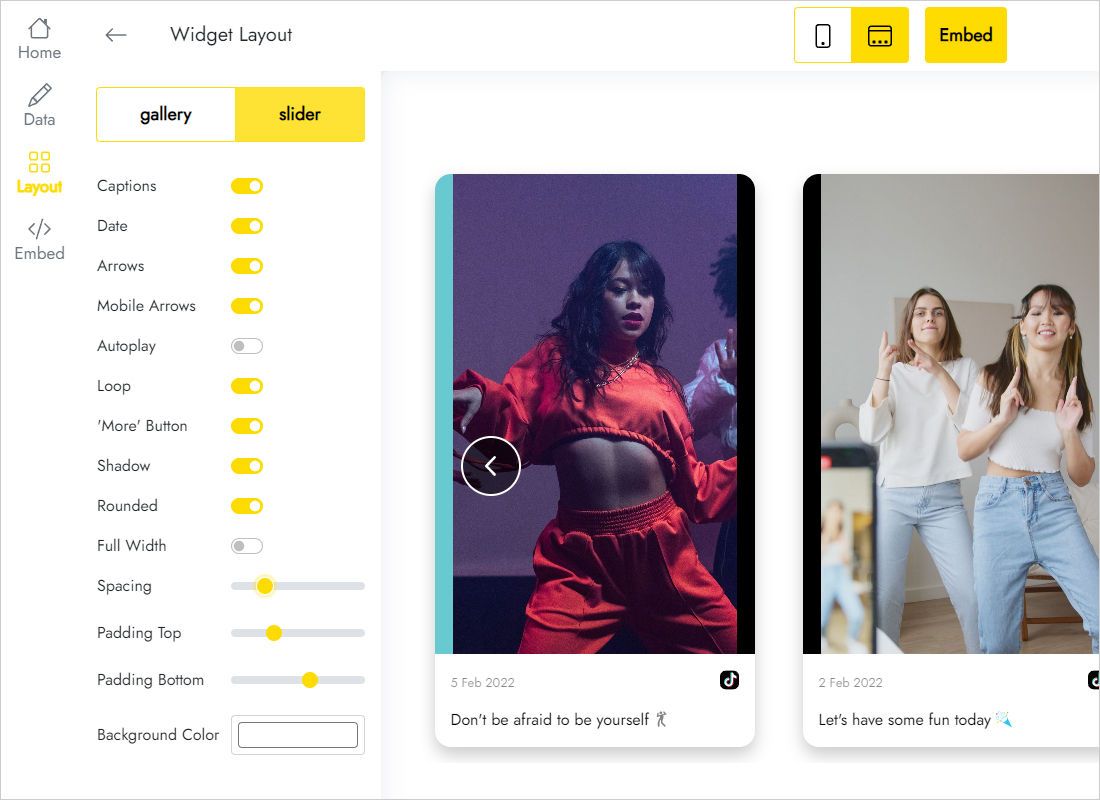
Layout tab: slider for a homepage strip, gallery for a Videos page, then columns and rows.
-
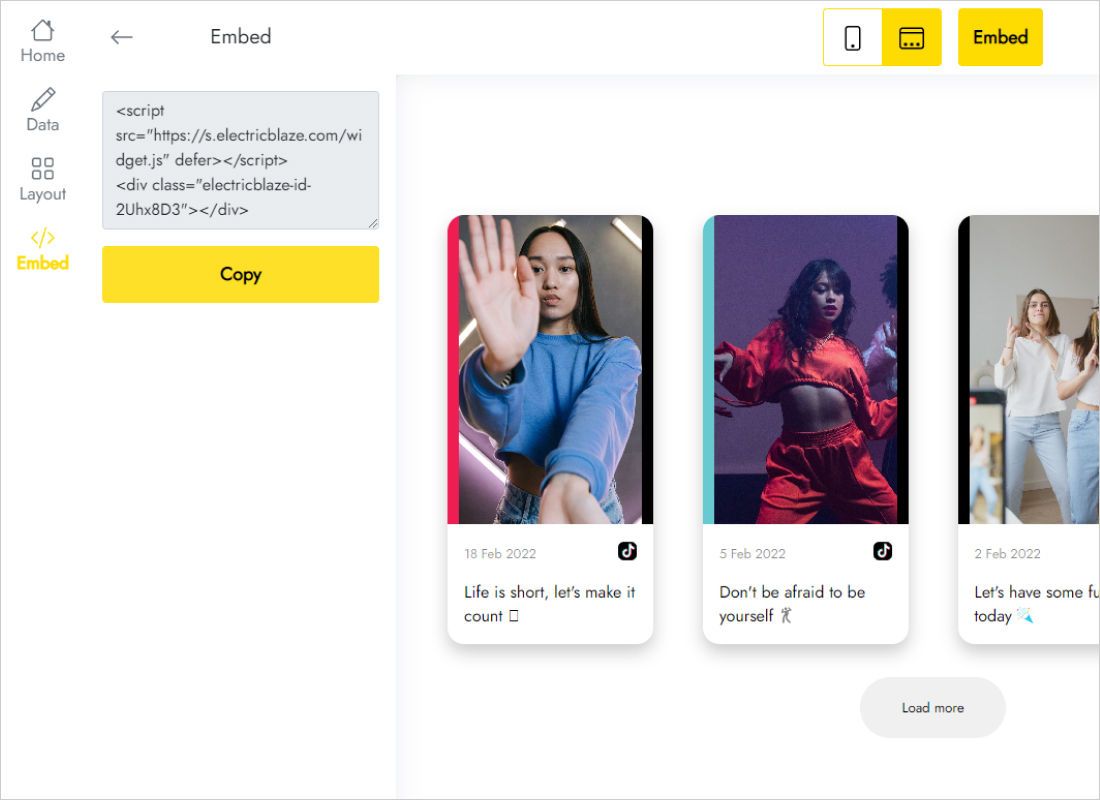
Open Add to website; the dialog holds your snippet.
Step 2: Paste the clips into your site
Return to the builder, snippet in hand:
- Open the page where clips should play and click beneath its bottom section.
- Choose Embed from the Insert column; the second tab, Embed code, takes the snippet.
- After pasting, Next loads a preview with video covers. Insert confirms.
- Widen the frame to fill the section and lengthen it until the portrait covers are no longer trimmed.
- Publish, visit the public page and start one clip to be sure.
Video covers sometimes take a moment to appear in the editor preview; the published page is the trustworthy check.
Sizing a vertical video feed
Portrait covers are taller than they are wide, so every row you add costs a lot of height. On a busy homepage stay with one row or the slider, and keep a multi-row gallery for a page devoted to videos.
- Beside text. A two-column section can hold a narrow slider showing one or two clips.
- Edge-to-edge strip. Enable Full Width in the widget and stretch the embed across the whole section.
- Small screens. Sections stack; when the frame scrolls internally on a phone, give it extra height.
New uploads land on the site once the widget refreshes, which Free accounts get daily and Start accounts hourly.
TikTok clips in Sites: FAQ
Can I embed a single TikTok instead of a feed?
Yes, TikTok provides a snippet per video that also works in Embed code. A feed saves swapping snippets after every upload.
Why are the clips cut off at the bottom?
Portrait covers need more room than the frame gives them. Drag its lower handle down, or lower the row count in Layout.
Will students on a school network see the videos?
That depends on the network. A filter that blocks TikTok itself will most likely block these covers too.
How much does a TikTok feed cost?
The Free plan, which covers every ElectricBlaze widget type, charges nothing and allows 1,000 views monthly. Start removes that ceiling for $5 per month on annual billing.
Further Sites instructions
Explore other feeds for this builder, the TikTok widget overview or the general embed walkthrough:
Show your TikToks on your website
Connect the profile, copy one snippet and let your latest clips play for visitors.
Create a widget